62
Table of ContentsSetting UpWi-Fi StreamingUsing KEF Connect AppFAQ and Troubleshooting
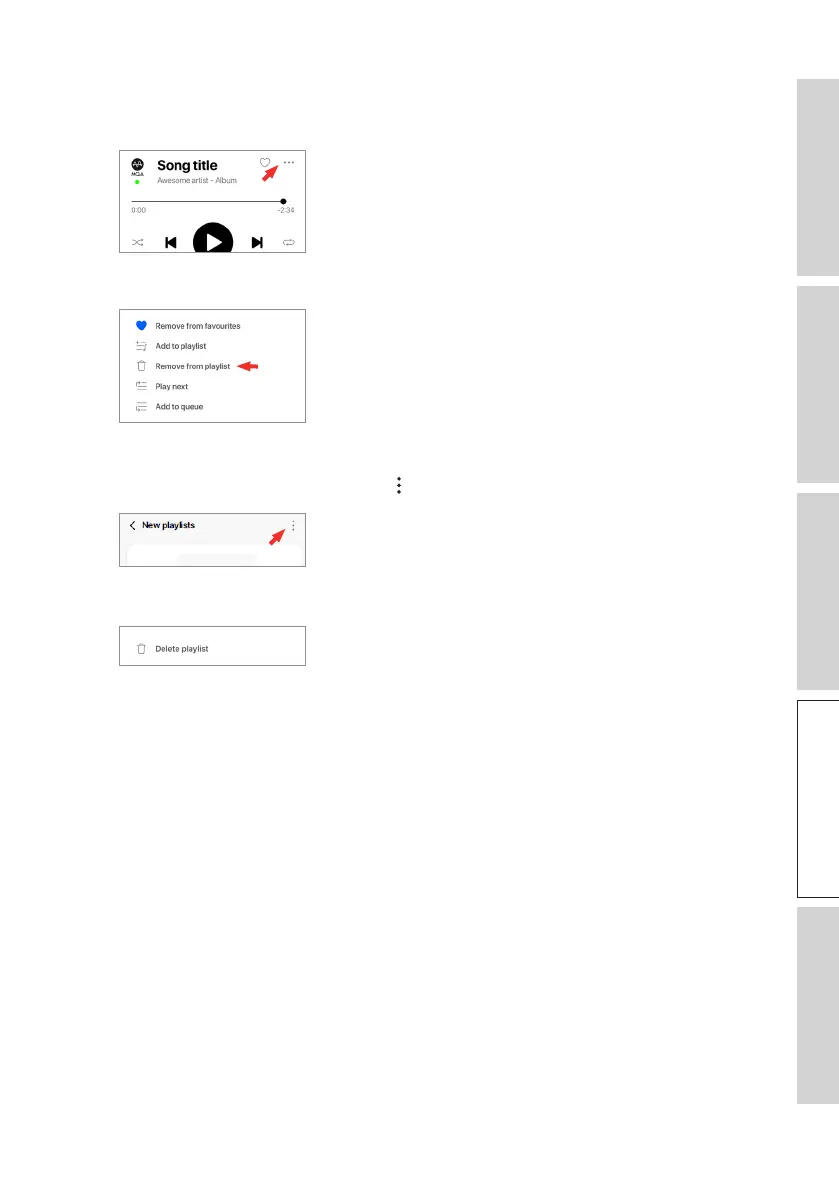
• Editing a Playlist
1. In the playback screen of the track to be removed, tap the option icon (
…
).
2. Tap “Remove from playlist”.
• Deleting a Playlist
1. In the playlist, tap the option icon ( ) at the top right corner.
2. Tap “Delete playlist”.



 To Next Page