6482-901-01 Rev. A / August 2012 Return to Section Topics 3-5
Model 6482 Dual-Channel Picoammeter / Voltage Source Reference Manual Section 3: Basic Operation
Output slew time
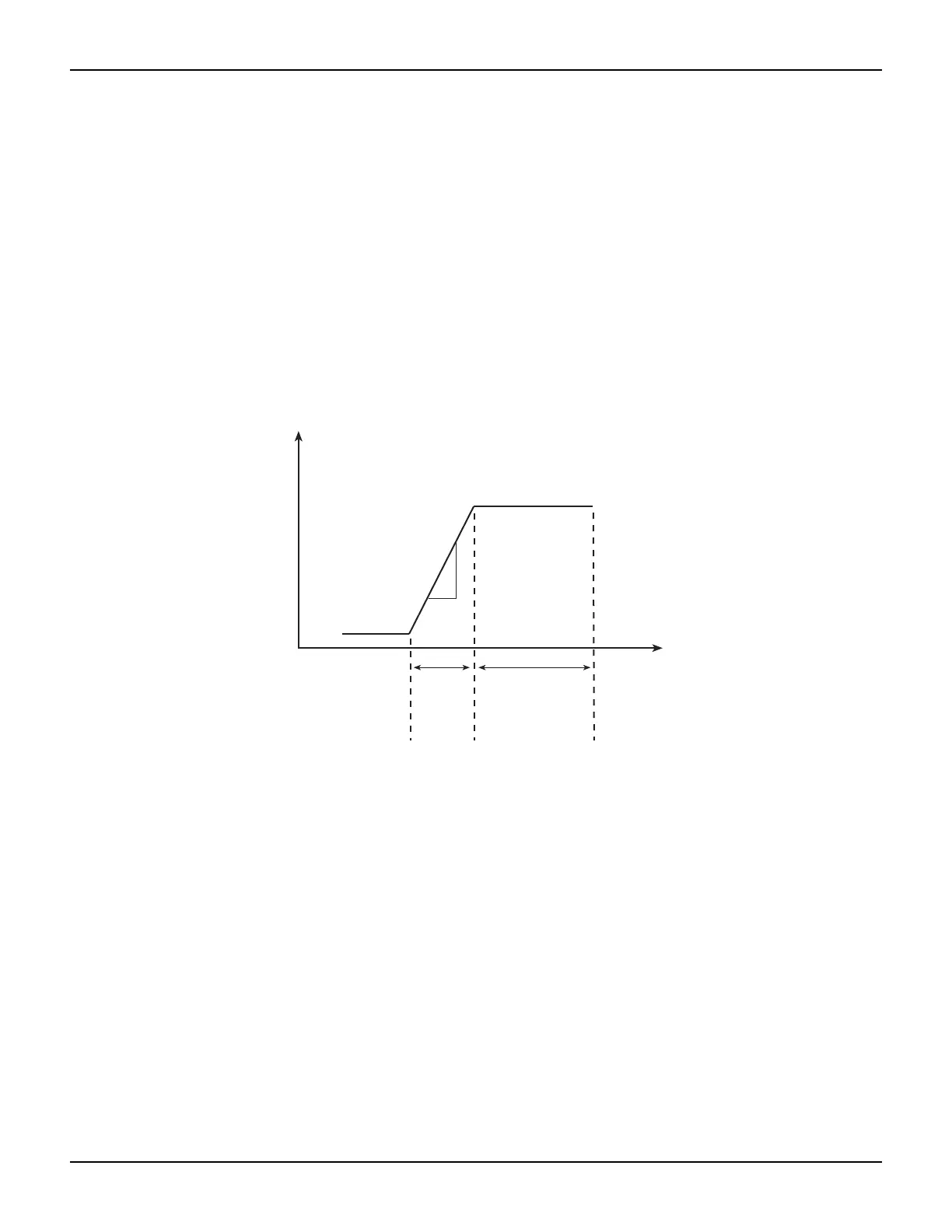
Figure 3-2 demonstrates the effect of output slew time on overall settling. Total time after changing
the source value before accurate measurements can be taken includes both the slew time and the
measure circuit settling time.
NOTE When not performing a sweep, the output slew time is not part of the automatic source
delay. Therefore, for best accuracy when turning the output on or changing the voltage
source value, allow a delay of 3.07 ms/V (milliseconds per volt) of output change before
triggering a reading. This delay can be programmed by setting the trigger delay (see
Section 8, “Front-panel operation of the trigger model”). Also, while the output is slewing,
the compliance status bit for the channel will be set (Section 13, “Status Structure”). You
can poll the compliance bit to determine when the programmed source value is reached
and an accurate reading can be taken.
Figure 3-2
Output slew time
Manual delay
Manual delay for each channel can be set from 0000.00000 to 9999.99800 seconds. Manually
setting the delay disables autodelay.
Front panel source delay
NOTE The delay period is the same for both sources. If you change the delay on one channel,
the delay period on the other source will change to the same value.
To set the manual source delay from the front panel:
1. Press the CONFIG key, and then press the SRC1 or SRC2 key.
2. Select DELAY from the displayed choices, and then press the ENTER key.
3. Enter your delay value, and then press the ENTER key.
To set the automatic source delay state from the front panel:
1. Press the CONFIG key, and then the SRC1 or SRC2 key.
3.07ms/V
Output
settled
Accurate readings
can be taken
Output
slew
Measurement
circuit
settling
Source
value
changed
Time
Volts



 To Next Page