KINOVA
®
Gen3 Ultra lightweight robot User Guide 100
• Null Space admittance mode - end effector stays in the same pose while the user manipulates
the joints of the arm (within the null space). The arm moves within the null space according to
the external torques applied.
It is also possible to take advantage of the admittance mode to manually move the robot into a
pose and then capture a snapshot of that pose for future reference (Normally, when not in an
admittance mode, the joints will resist being manipulated by external forces / torques).
From the admittance mode panel it is possible to add a Cartesian or Angular pose by clicking the
snapshot button .
Main pages
Notifications
This section describes the notification center of the Web App.
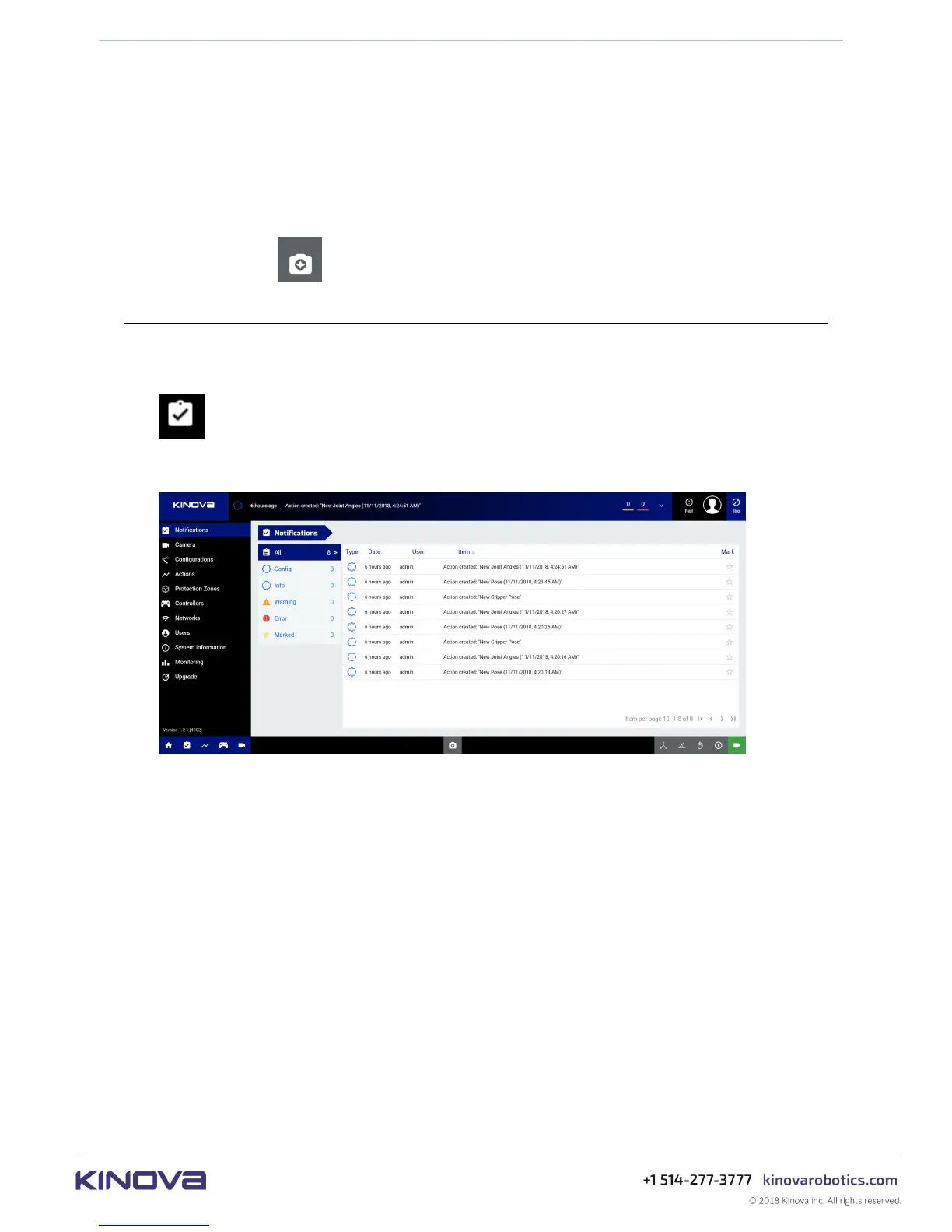
The Notifications page is a central location for viewing all notifications related to the
robot. The Notification Center can be accessed either from the main navigational panel or from
the top notification bar (by selecting All).
Figure 39: Notification Center
Users can either view all notifications, or view notifications by type. There are four types of
notifications:
• Config - indicates a change in robot configuration such as creating, modifying, deleting, or
activating a User Profile, Protection Zone, Action or Control mapping
• Info - information message for the user
• Warning - Warning state reached. Arm parameter is moving out of the normal range and will
reach Error state if the trend continues.
• Error - Error state reached. Arm parameter is significantly outside normal bounds. Triggers
an emergency stop.
The notifications list appearing in the window can be sorted by Type, Date, User, and Item,
either in increasing or decreasing order.
If there are many notifications of a particular type, they will be grouped into pages.
Note: In the current release of the web application, information displayed in the Notification
Center is stored on the client device where the web application is accessed. The events



 To Next Page