KINOVA
®
Gen3 Ultra lightweight robot User Guide 97
• the fixed base reference frame
• the tool reference frame
The tool reference frame is useful when controlling the robot using visual feedback from the
camera sensors. The joystick will control movement of the end effector with respect to the tool
reference frame, which is very close to the reference frame of the camera. This makes it easy to
command the robot in relation to what is seen through the camera.
The translational speed (for change of position) and rotational speed (for change of orientation)
can be adjusted between 0 and 100% of the hard limits for the robot using the and
buttons.
Angular virtual joystick control
This section describes the angular virtual joystick control interface of the Web App.
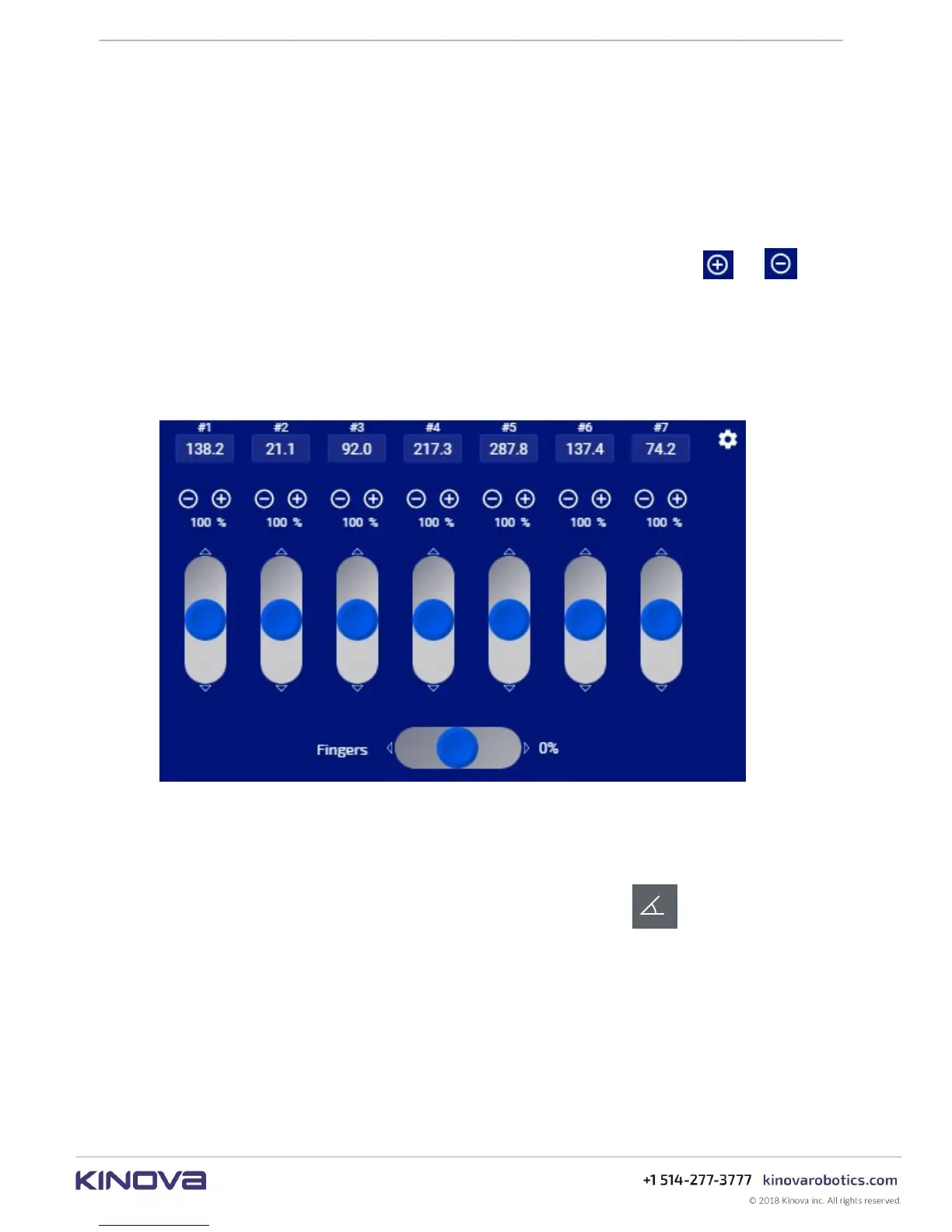
The angular virtual joystick panel allows users to control the robot joint angles through the Web
App using a mouse (or touch control on a tablet or smartphone).
Figure 37: Angular virtual joystick panel
The joint angles can be controlled through:
• angular velocity (control the angular speed of each actuator)
The angular joystick panel is launched by clicking the second button on the robot control
panel.
The virtual joystick controls allow you to control the angle of each actuator as well as the
opening and closing of the fingers (if a gripper is installed). As the virtual joystick controls are
manipulated, the robot arm joints respond accordingly.
Note: For joints 2, 4 and 6 there are physical limits to how far the joint can turn without the
arm shell segments running into each other. The robot enforces software joint angle limits
to prevent these joints from reaching the physical limits. When you control these joints, the
software will cause the arm joints to stop responding when the limits are reached on the actual
robot.



 To Next Page