KINOVA
®
Gen3 Ultra lightweight robot User Guide 57
Interface module expansion - tips for installing tools
This section describes what is needed to install a new tool onto the interface module.
At some point, you may want to install a new tool such as a gripper or sensor onto the robot.
Generally, this involves two steps.
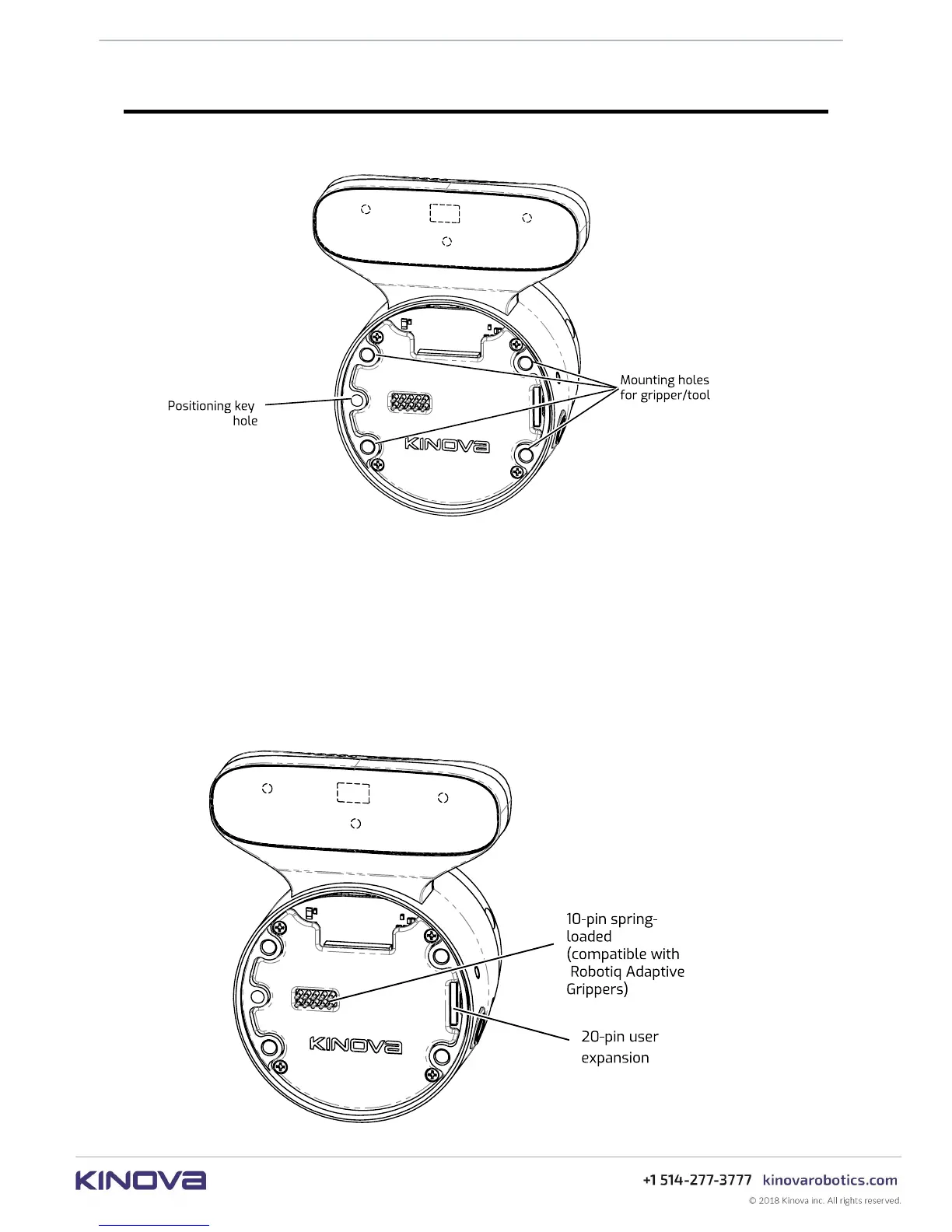
1. Physically mounting the tool using the screw holes available on the Interface module face.
Note: The holes on the Interface module face are laid out to allow easy installation of
Robotiq Adaptive Grippers using the four supplied M5 X 40 mm Socket Head Cap Screws
(SHCS include O-rings for compliance with the IP rating for sealing). For other third-party
tools, it may be necessary to create a mounting structure matching the provided interface
module bolting pattern, as discussed in the End effector reference design section.



 To Next Page