KINOVA
®
Gen3 Ultra lightweight robot User Guide 80
Configurations and safeties
Configurable parameters
This section lists the configurable parameters of the robotand gives guidance on how to
configure them.
The robotic arm includes a number of parameters that can be configured to customize the
operation of the robot.
These parameters can be configured using the appropriate APIs. For more details on how to
perform configuration using the APIs, see the API documentation..
Some of these parameters can also be configured using the Web App GUI, which can be accessed
as follows:
1. Open the Web App
2. Navigate to the Robot Configurations page
3. Open the Configurations tab
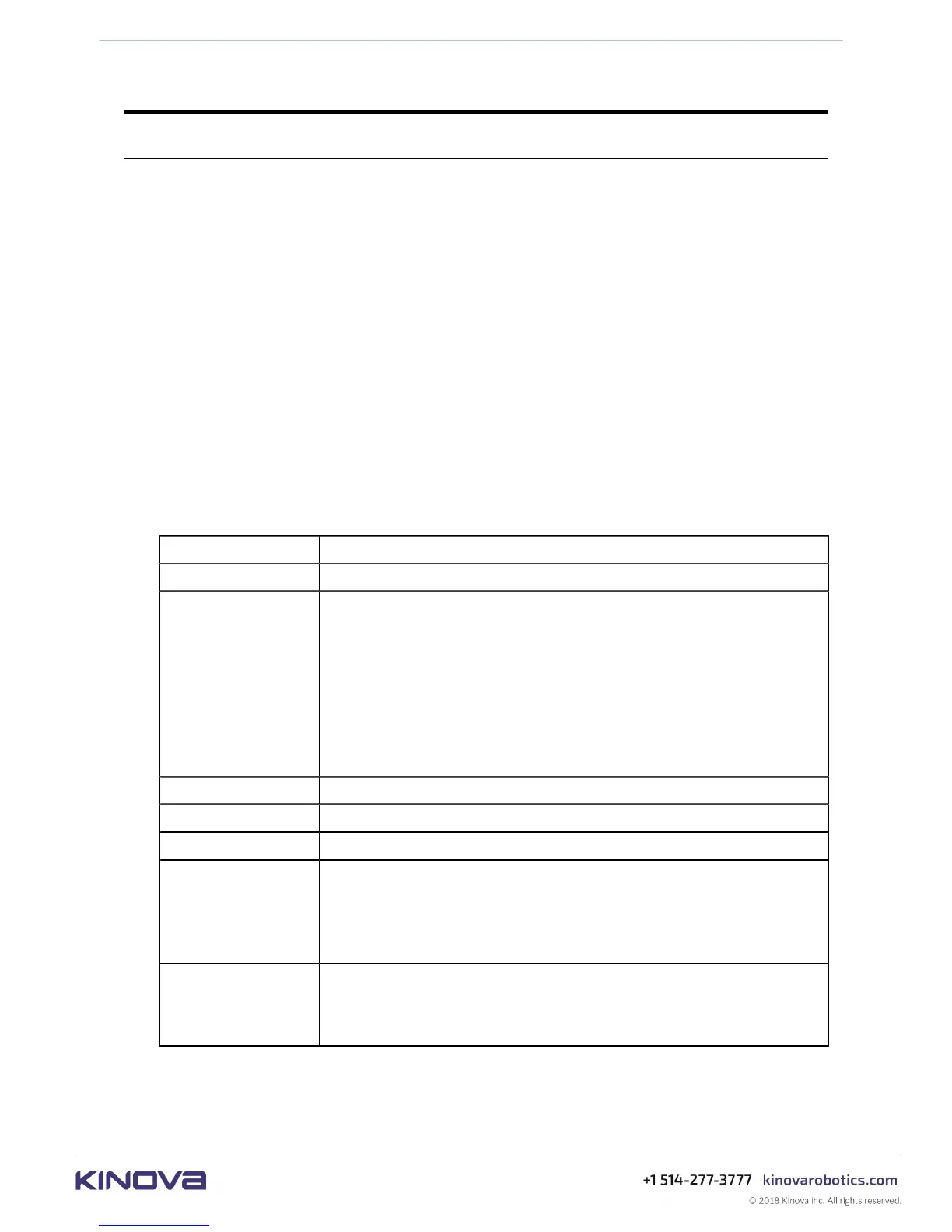
The following tables give a summary of the configurable parameters.
Base configuration
Table 28: Base configuration (Kinova.Api.Base)
Configurable item Description
User Profiles Create, read, update and delete user profiles
Protection Zone
Create, read, update and delete protection zones (for obstacle avoidance).
Configurable parameters are:
• enabled / disabled
• zone shape type (rectangular prism, cylinder, sphere)
• zone dimensions
• envelope thickness
• zone limitation types (force, acceleration, velocity) and values
• envelope limitation types (force, acceleration, velocity) and values
Control Mapping Create, read control mapping
Action Create, read, update, delete action
Sequence Create, read, update, delete a sequence of actions
IPv4
Set IPv4 configured (for specified network adapter):
• IP address
• subnet mask
• default gateway
Communication
Interface
Enable communication interface:
• network type (Wi-Fi or Ethernet)
• enabled/disabled



 To Next Page