KINOVA
®
Gen3 Ultra lightweight robot User Guide 143
To tighten the clamp turn the screw clockwise using a 2 mm hex key in small, ¼ turn
increments, testing the clamp after each increment.
Note: Overtightening the clamp can damage the clamp and base. Always make sure that the
clamp can be closed using a reasonable amount of force.
• Cleaning glass on vision module - the cameras on the vision module are covered in glass. For
best results, keep the glass clear of contamination that could block the view of the sensors.
Wipe the glass regularly with a soft moistened cloth and wipe dry with a soft dry cloth.
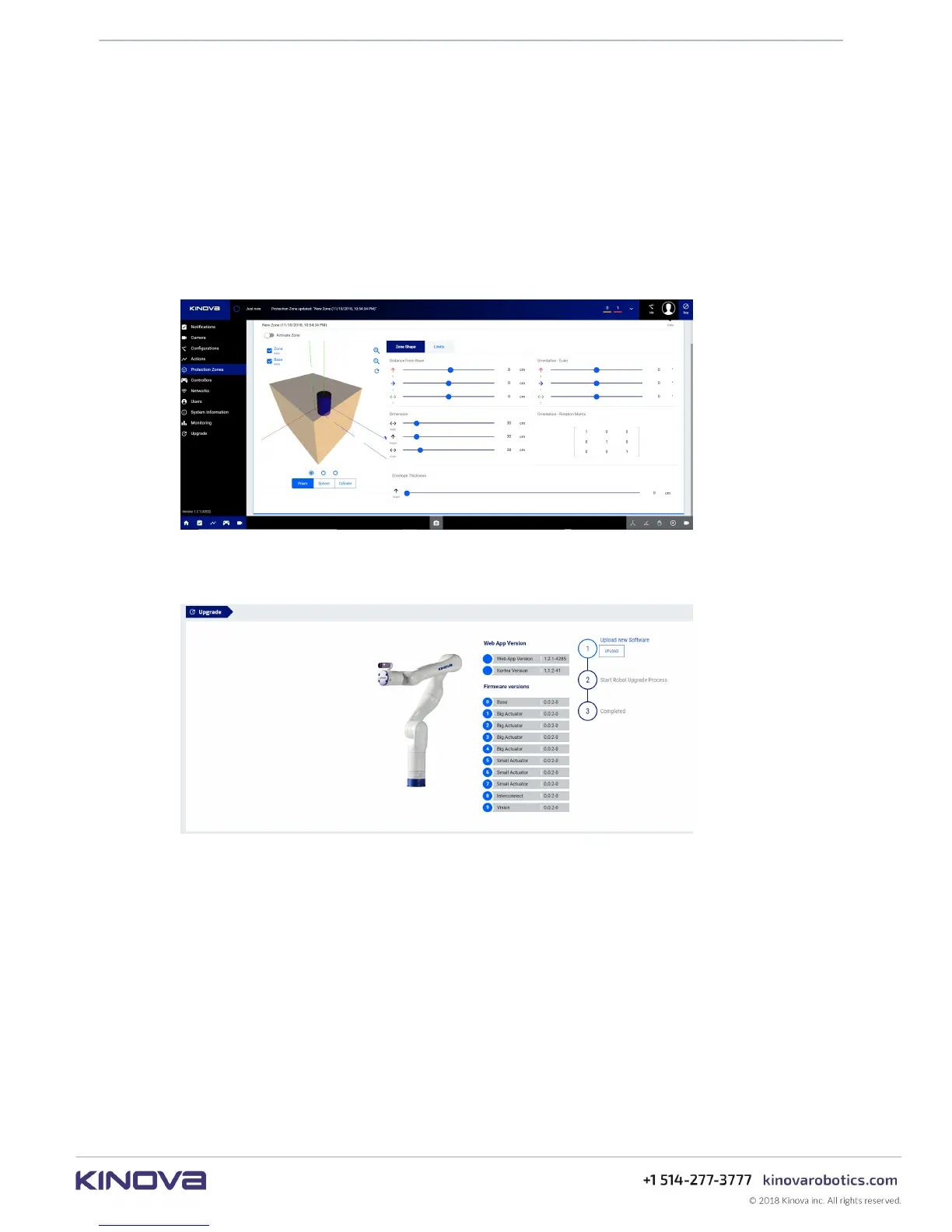
• Setting protection zones - volumetric protection zones should be established around
the robot to protect it from potential damage caused by collisions with known obstacles.
Protection zones can be set using the KINOVA
®
KORTEX™ Web App.
• Updating firmware - Kinova will periodically release updates to robot and robot device
firmware to fix known bugs and expand the capabilities of the robot. For best results, it is
recommended to regularly update firmware using the Web App.
• Updating development packages - Kinova will periodically release updates for the
KINOVA
®
KORTEX™ API and KINOVA
®
KORTEX™ ROS packages on the
Kinovarobotics/kortex and Kinovarobotics/ros_kortex GitHub repositories. These
updates will fix known bugs and expand the capabilities of the robot.



 To Next Page