M0290-01Model 4900
6-18 Rev. 8/19
TM
Lubrication and Maintenance
Before each planting season inspect seed discs and singulator and clean or replace as needed.
Use clean, high quality seed for maximum meter accuracy. Damaged or cracked seed, hulls, and foreign material may
become lodged in seed disc orifices and greatly reduce meter accuracy.
Inspect and clean seed discs daily checking for any buildup of foreign material and blocked orifices. If seed disc
orifices are plugged frequently with seed remnants, cleanout brush with ball-type ejector (if applicable) may need to be
replaced. Clean seed disc by washing it with soap and water. Dry thoroughly.
Inspect singulator blades and guide for wear after every 200 acres (81 hectares) per row of operation. If adjustment
of singulator blade does not affect meter performance or if blades appear worn, singulator blade may need to be
replaced.
Replace seed disc or vacuum seal if abnormally high vacuum is required or if consistent operation cannot be
achieved. See “Preparation for Storage” on page 6-33 for additional Vacuum Seed Metering System maintenance.
NOTE: Remove seed discs from meters for annual storage and store them vertically on a dowel or pipe.
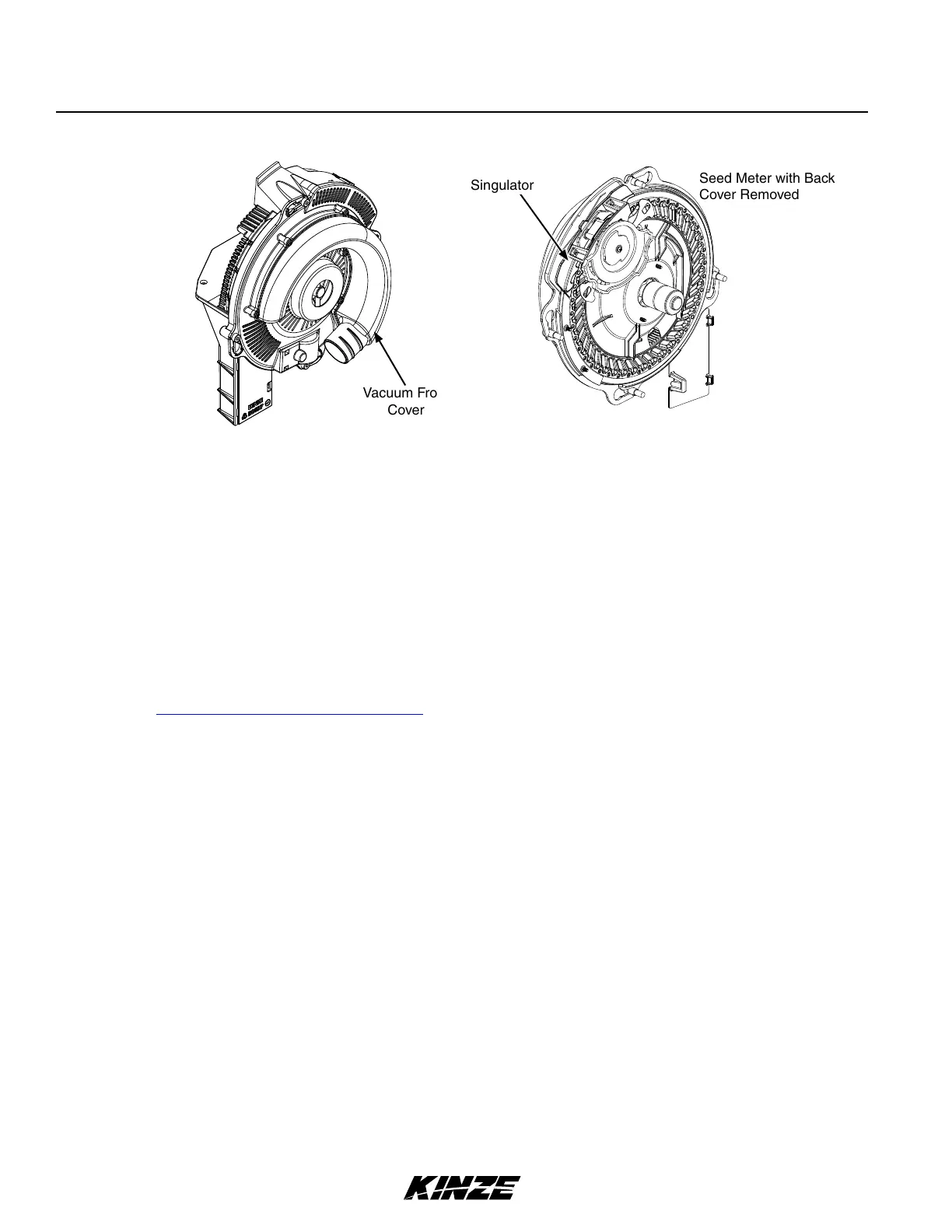
Vacuum Front
Cover
VACUUM SEED METER MAINTENANCE
Singulator
Seed Meter with Back
Cover Removed
SEED METER CLEANOUT
NOTE: Use of damaged seed or seed containing foreign material will cause plugging of seed cell orifices and
require more frequent seed meter cleanout to prevent underplanting.
Thorough seed meter cleanout is important to maintain genetic purity.
1. Disengage seed drive and remove seed hopper and meter.
2. Dump seed from right rear corner of hopper into a container.
3. Lay hopper on its right side. Push release button and rotate seed meter vacuum cover clockwise to align keyhole
slots with bolt heads. Lift off cover.
4. Rotate seed disc hub clockwise to unlock and remove seed disc.
5. Empty meter.
6. Thoroughly inspect meter to ensure all seed is removed.
7. Replace seed disc. Install vacuum cover.


 To Next Page