4-8
1. Unplug range or disconnect power.
2. Remove the cooktop glass (see page 4-5
for the procedure).
REMOVING AN ELEMENT & LIMITER AND THE
HOT SURFACE INDICATOR ASSEMBLY
Electrical Shock Hazard
Disconnect power before servicing.
Replace all parts and panels before
operating.
Failure to do so can result in death or
electrical shock.
WARNING
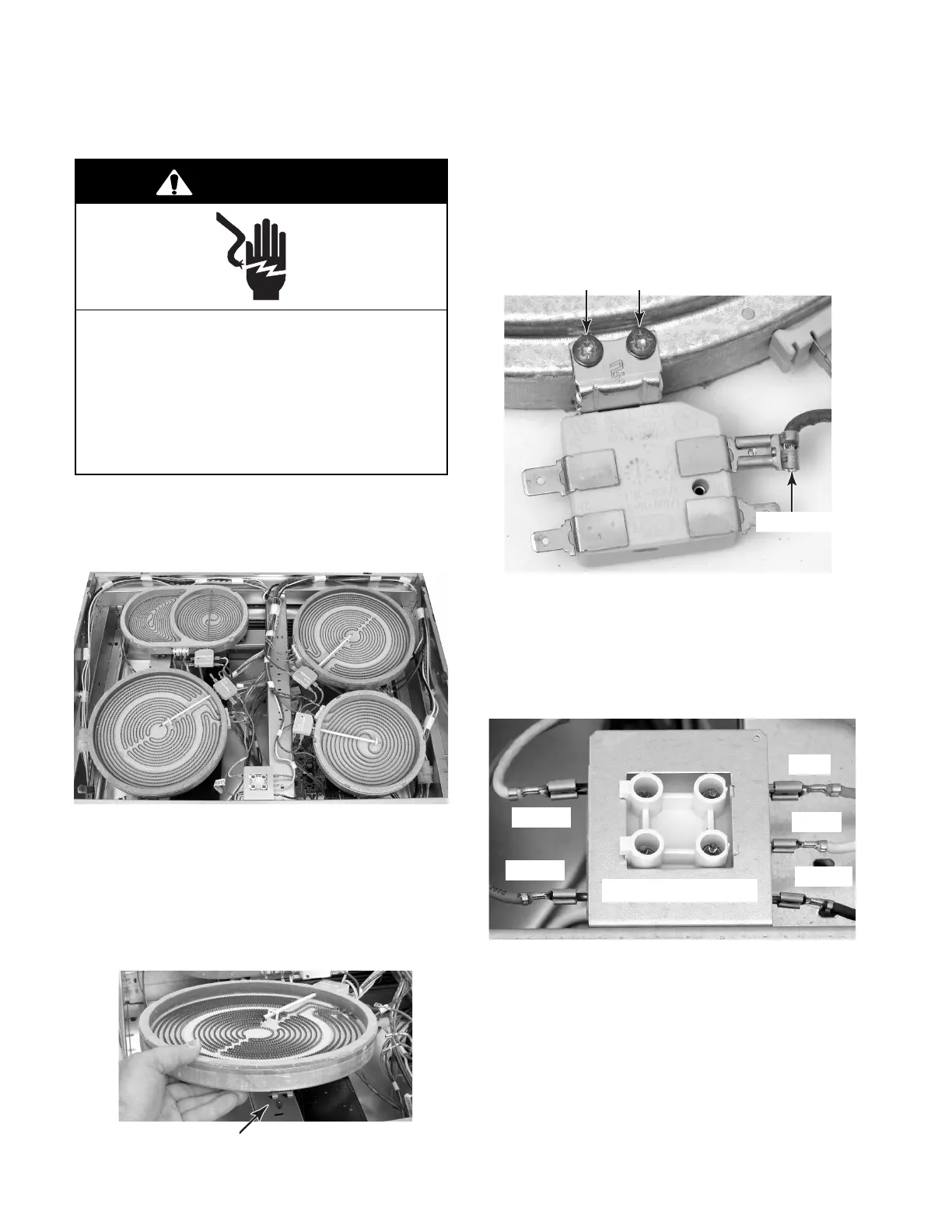
3. To remove an element and limiter:
a) Disconnect the wires from the limiter
and element terminals.
b) Lift the element and limiter and remove
the spring clips from the support rail
slots.
c) Disconnect the wire from the limiter
terminal.
d) Remove the two limiter screws from the
bottom of the element, and slide the
limiter sensor out of the element.
Spring Clip In Slot
Limiter Wire
Limiter Screws
4. To remove the hot surface indicator:
a) Disconnect the wires from the indicator
terminals.
b) Unsnap the hot surface indicator from
the bracket and remove the indicator.
Blue
White
Brown
Yellow
Orange
Hot Surface Indicator




 To Next Page