4-10
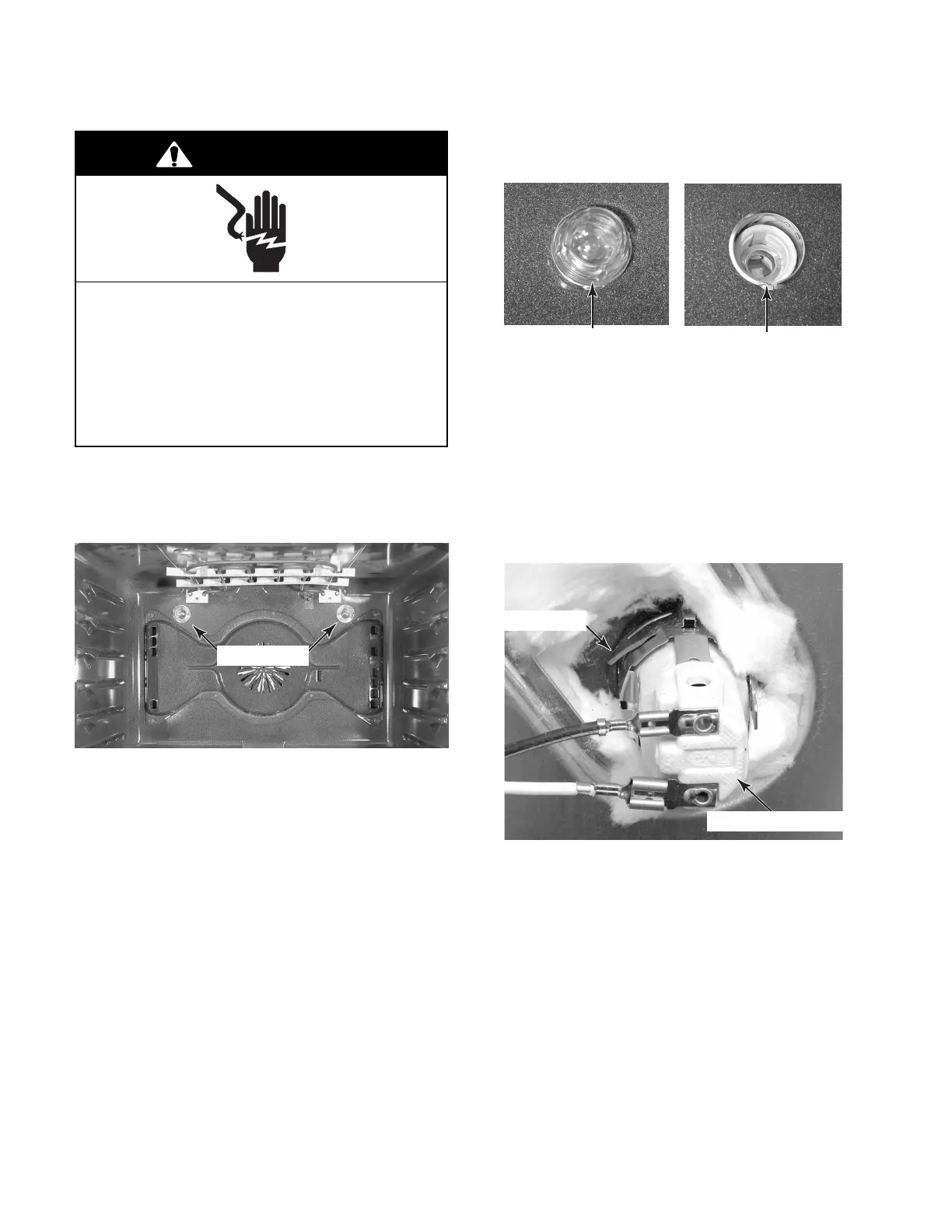
REMOVING AN OVEN LIGHT SOCKET ASSEMBLY
4. Unscrew the lens and bulb from the oven
light socket assembly and remove them.
Electrical Shock Hazard
Disconnect power before servicing.
Replace all parts and panels before
operating.
Failure to do so can result in death or
electrical shock.
WARNING
5. Remove the rear panel from the unit (see
page 4-9 for the procedure).
6. Disconnect the two wire connectors from
the oven light socket terminals.
7. Move the insulation out of the way, and
press in on the two locking tabs of the oven
light socket, then push the socket out of
the liner opening.
Oven Lights
Lens & Bulb
Oven Light Socket
Oven Light Socket
Socket Tab
1. Unplug range or disconnect power.
2. Pull the range out of its mounting location
so that you can access the rear of the unit.
3. Open the oven door and remove the racks
from inside the oven.




 To Next Page