4-9
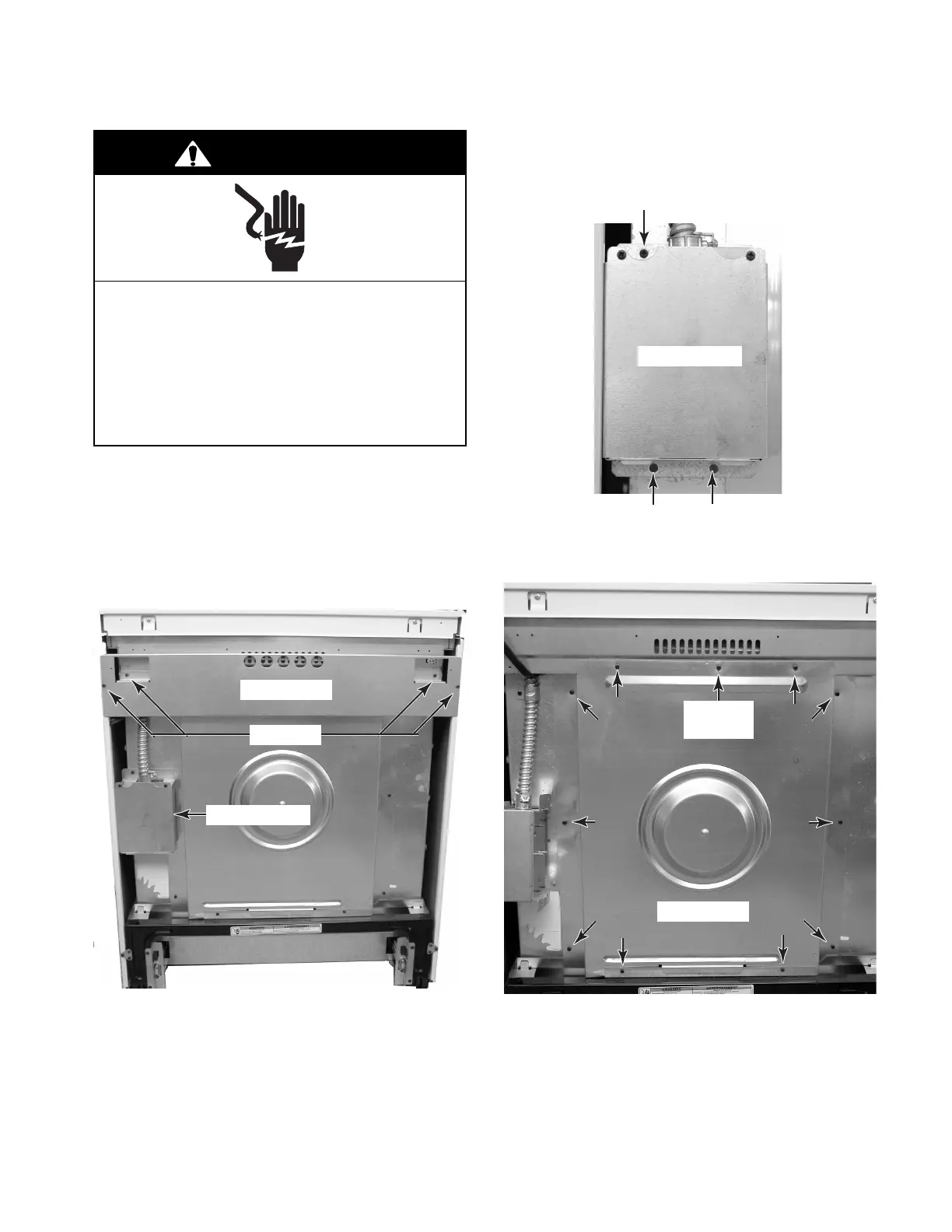
REMOVING THE REAR PANEL
1. Unplug range or disconnect power.
2. Pull the range out of its mounting location
so that you can access the rear of the unit.
3. From the rear of the unit, remove the four
screws from the top bracket and remove
the bracket.
5. Remove the eleven screws from the rear
panel and remove the panel.
4 Screws
Top Bracket
Electrical Shock Hazard
Disconnect power before servicing.
Replace all parts and panels before
operating.
Failure to do so can result in death or
electrical shock.
WARNING
Screw
Screws
Junction Box
4. Remove the three screws from the junc-
tion box and position the box off the rear
panel.
Junction Box
Rear Panel
Screw
(1 of 11)




 To Next Page