4-21
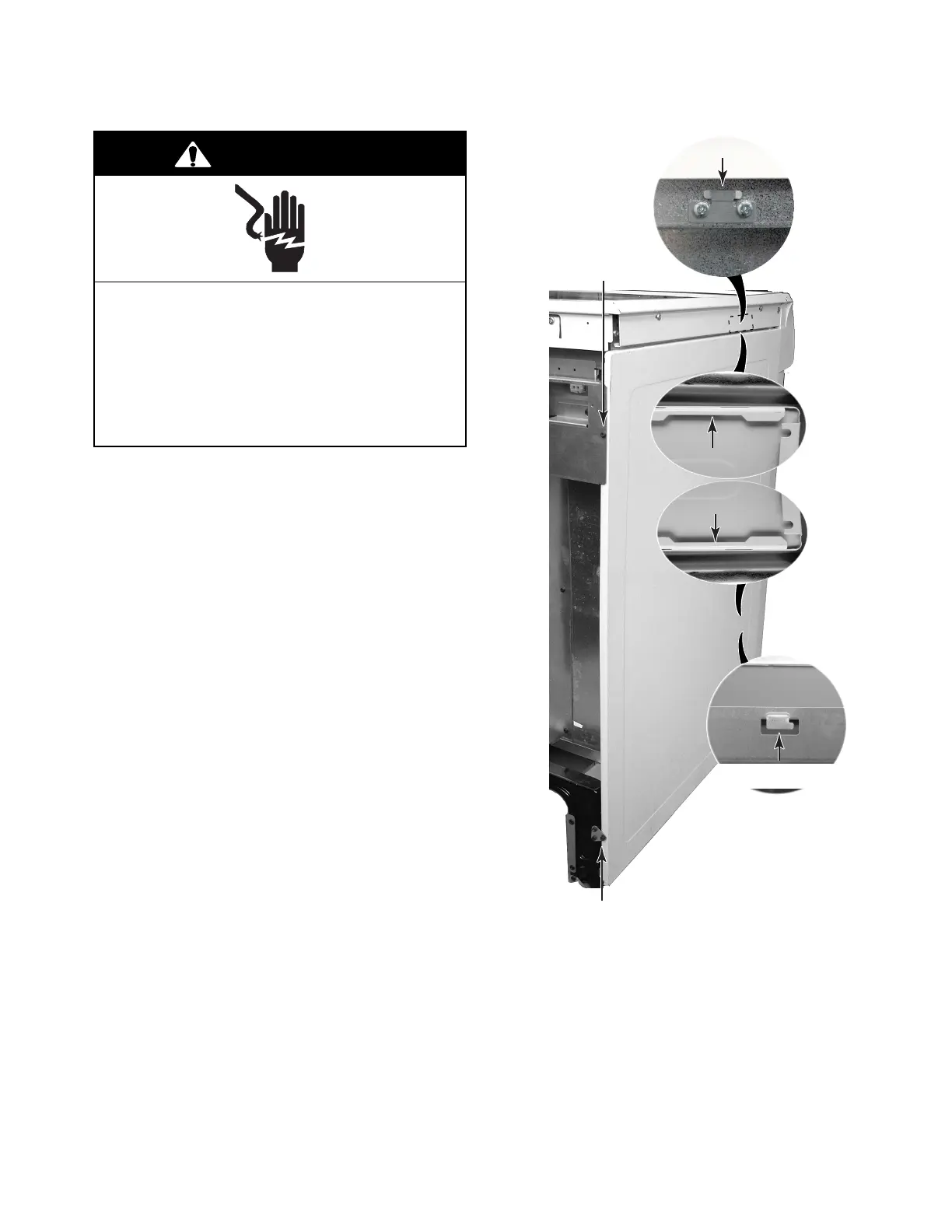
REMOVING A SIDE PANEL
1. Unplug range or disconnect power.
2. Pull the range out of its mounting location
so that you can access the rear of the unit.
3. Remove the top and bottom rear screws
for the side panel you are removing.
4. Pull the back of the side panel out so it
clears the mounting bracket, then slide the
panel back until the top and bottom brack-
ets are in the panel cutouts, then remove
the panel.
Electrical Shock Hazard
Disconnect power before servicing.
Replace all parts and panels before
operating.
Failure to do so can result in death or
electrical shock.
WARNING
Top Bracket
Bottom Bracket
Left Side Panel
Bottom Screw
Top Cutout
Bottom Cutout
Left Side Panel
Top Screw




 To Next Page