4-13
REMOVING THE CONVECTION ELEMENT & FAN MOTOR
Electrical Shock Hazard
Disconnect power before servicing.
Replace all parts and panels before
operating.
Failure to do so can result in death or
electrical shock.
WARNING
1. Unplug range or disconnect power.
2. Open the oven door and remove the racks
from inside the oven.
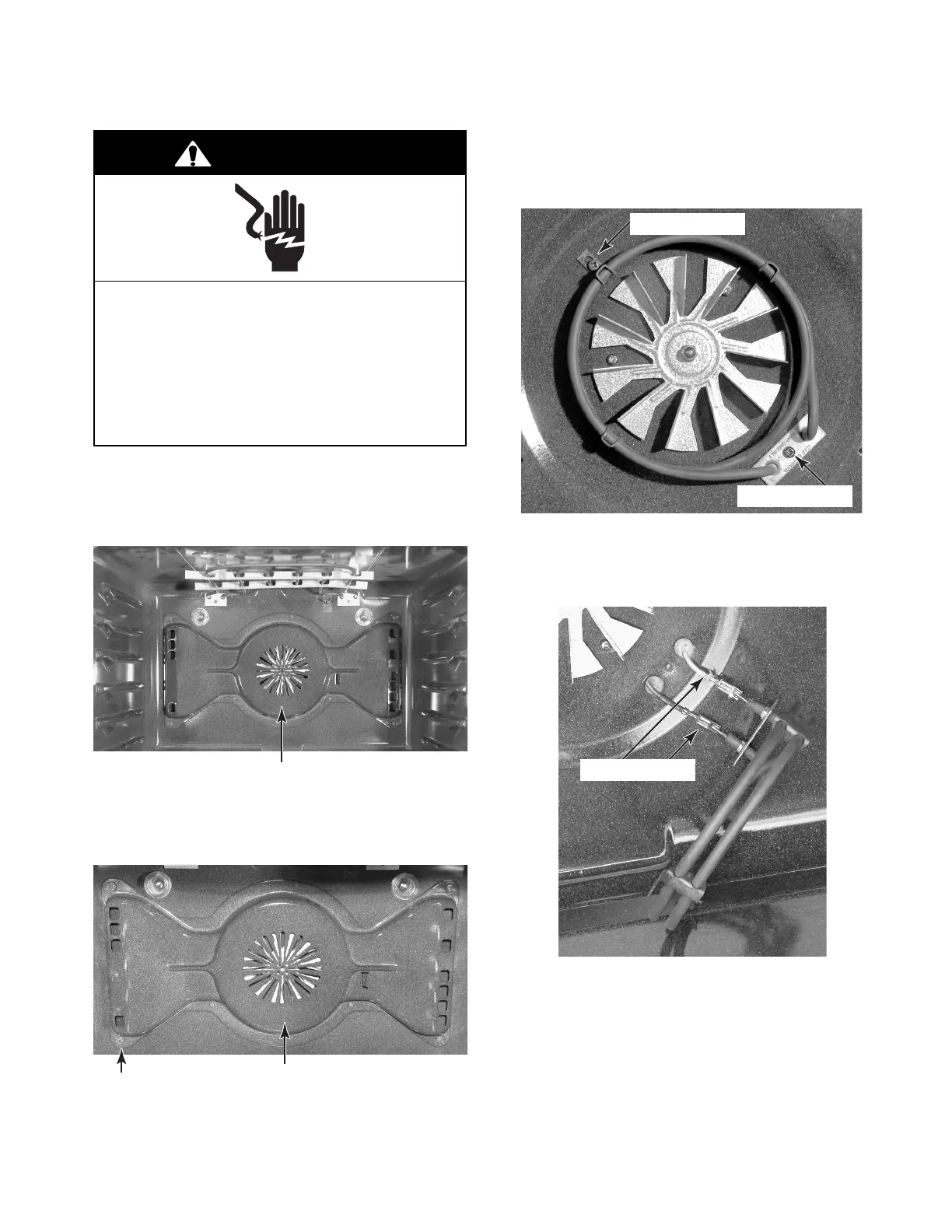
Convection Element (Behind Cover)
3. Remove the seven screws from the con-
vection element cover and remove the
cover.
Convection Element Cover
Screw
(1 of 7)
4. To remove the convection element:
a) Remove the two screws from the ele-
ment brackets.
Continued on the next page.
b) Pull the convection element forward
and disconnect the wires from the ter-
minals.
Element Screw
Element Screw
Element Wires




 To Next Page