56 / 89 83000102.Ki
8.5. Control panel
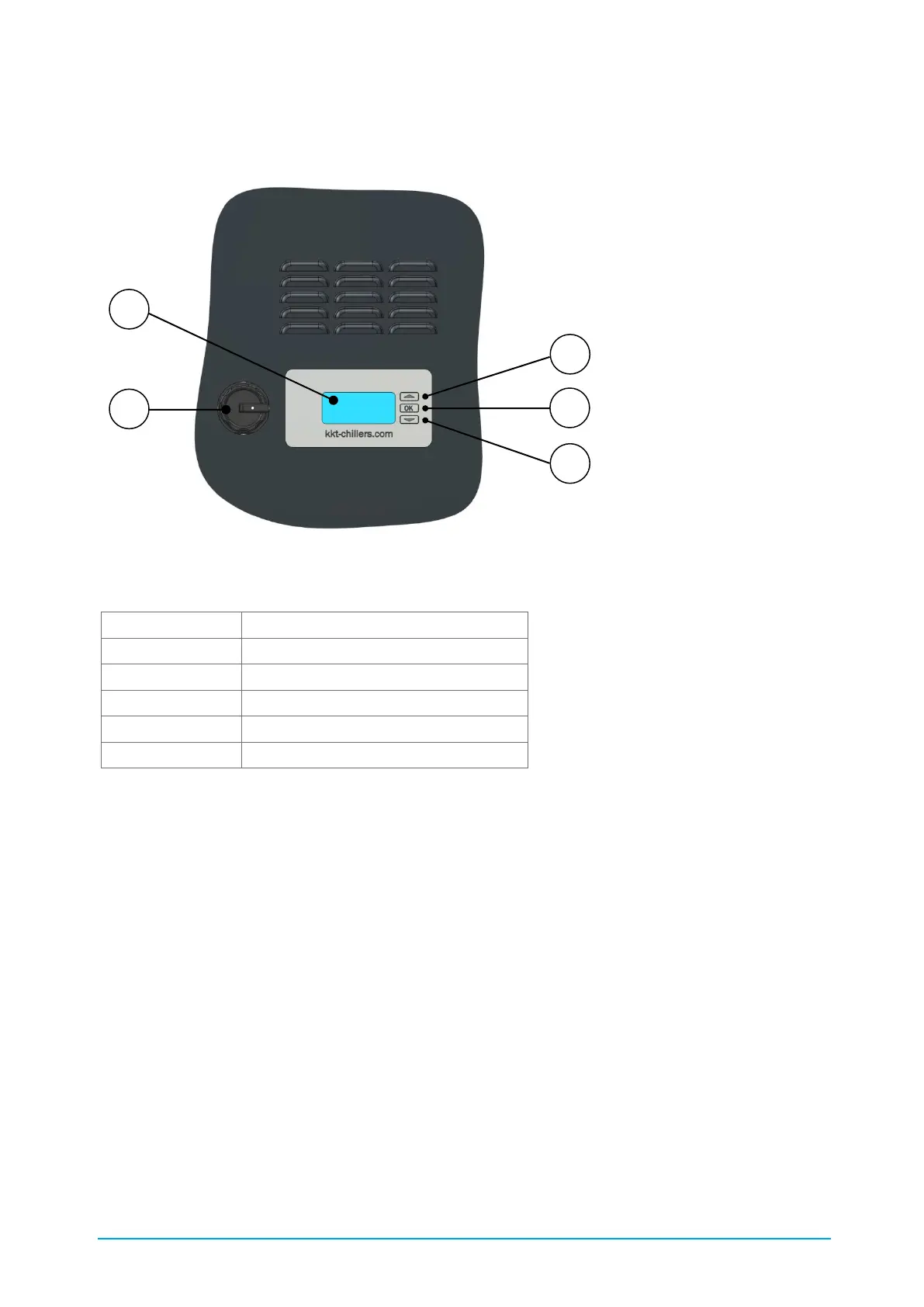
The following Figure 19 shows the chiller's display elements and controls.
Figure 19: C6842 Display elements and controls
Table 15: Description of C6842
Use the "UP" and "DOWN" buttons to select the required menu item. The selected menu item is
displayed with inverse text. Press the "OK" button to return to or exit the selected menu. The data
is accepted at the end of the menu by selecting the box with the tick/checkmark. In the Start
screen the "right" arrow points towards the Main menu. The "left" arrow indicates return to the
previous menu.
The displays are divided into the three access levels
• Customer
• Factory
Detection occurs by means of a USB stick or day password. Only the information that exists or is
selected in the configuration is displayed.



 To Next Page