57 / 89 83000102.Ki
8.5.1. Start screen
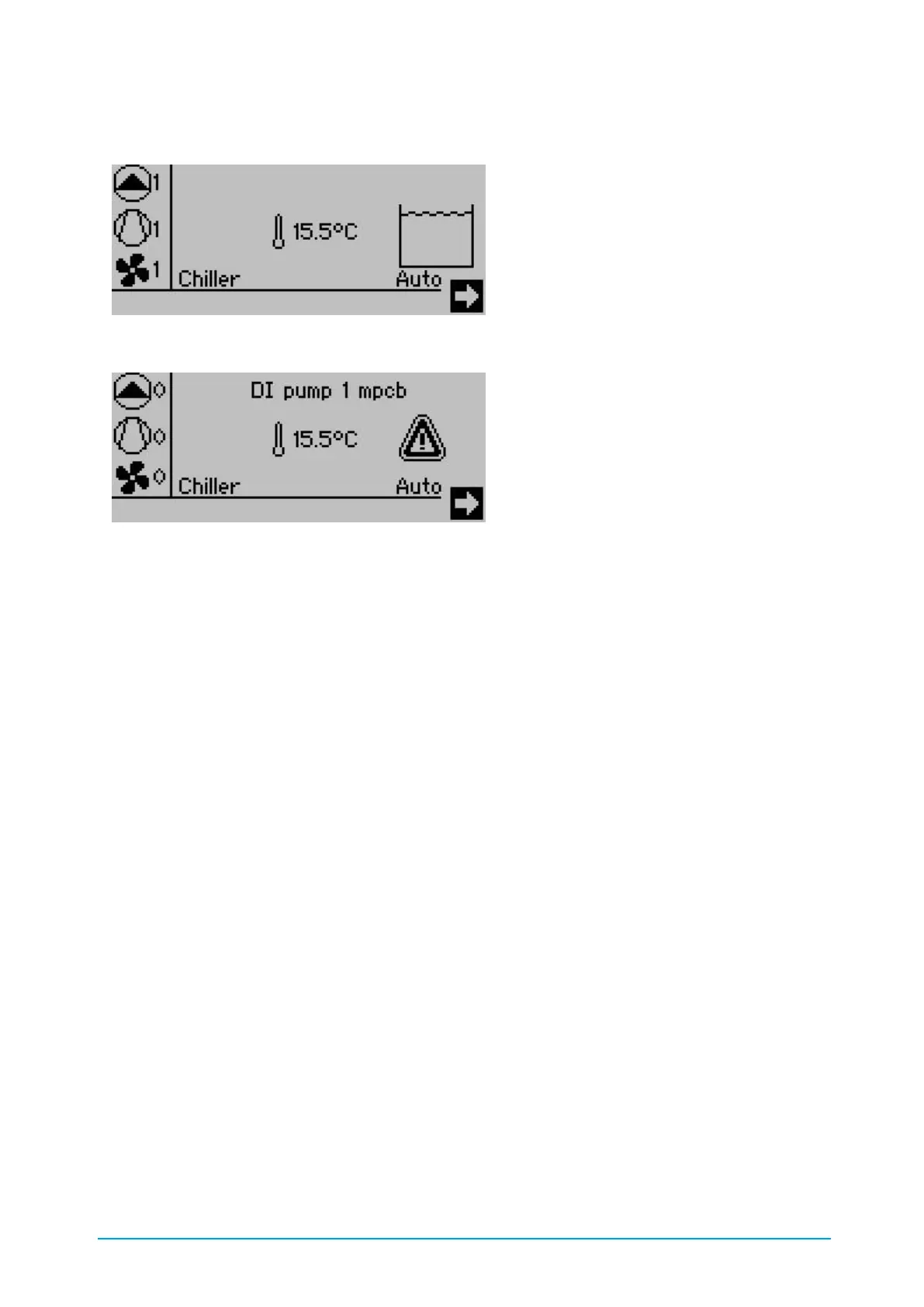
Figure 20: Start screen with tank and without alarm
Figure 21: Start screen with alarm
The general operating state of the chiller is displayed on the Start screen:
• Active alarm
• Top left-hand side: Number of pumps running
• Left-hand middle: Number of compressors running
• Bottom left-hand side: Number of fans running
• Middle: Actual value of the cold water feed
• Right-hand side: Tank level (if tank installed)
If an alarm is active the alarm symbol is displayed
Press UP, DOWN and UP to switch to the selection fields, in which the Time - Date setting, the
menu access arrow as well as the operating status selection are located. There are three
switching commands:
• STANDBY: the chiller is always switched off
• AUTO: the chiller is switched on and off via the potential-free contact.
• ON: the chiller is always switched on



 To Next Page