24
4 General use of trailer
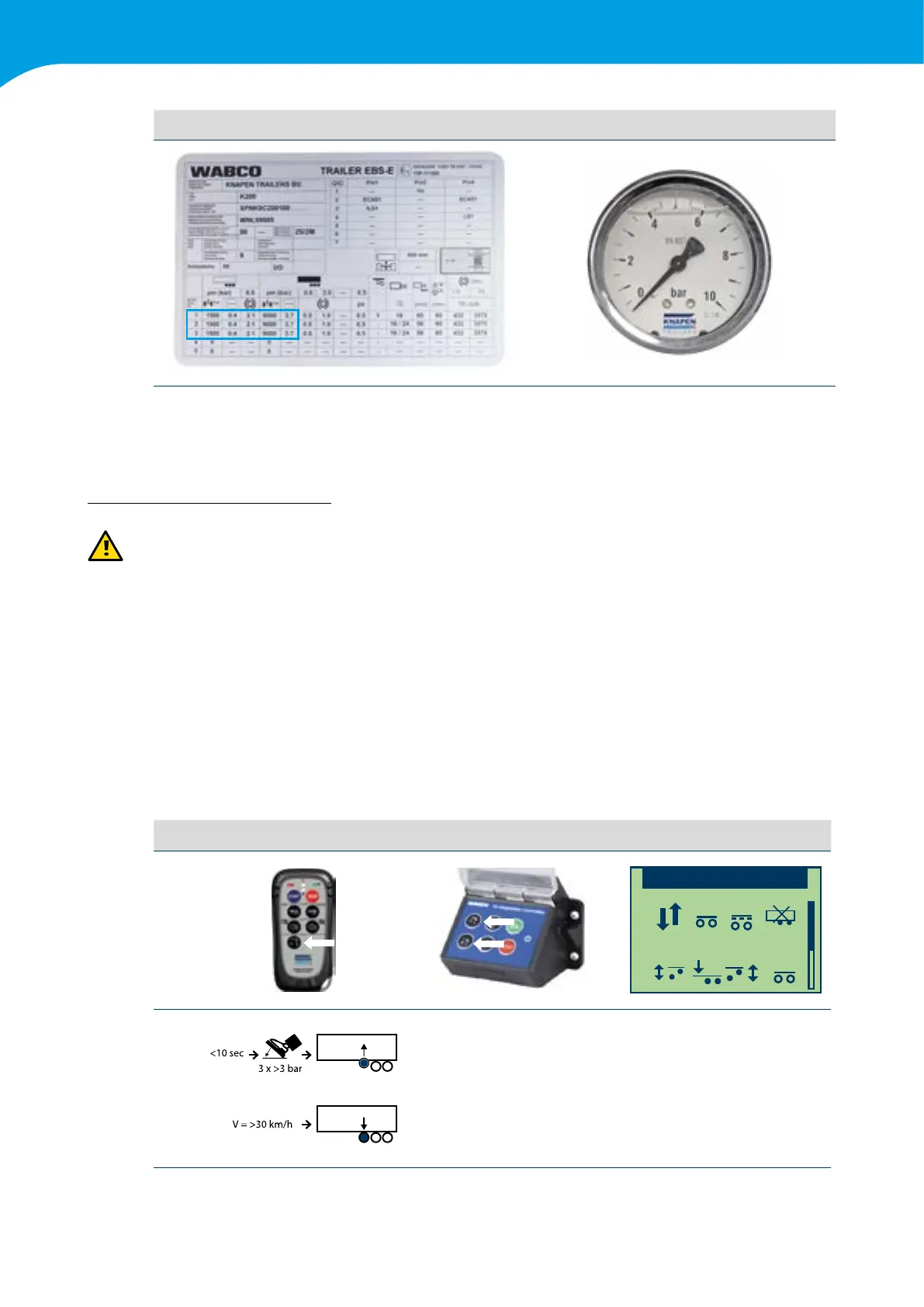
Example of a Wabco brake setting sticker Bag pressure gauge
Indicationofthepressureinthebagswithcorrespondingweights.Thisdependsonthetypeofaxleandairbags.
The settings can be found on the Wabco sticker. For position see chapter 2.2
4.9 Lift axle (option)
Warning: A lift axle may only be set by a Wabco authorised workshop.
Theconstructionoftheliftaxledependsontheaxlebrandandtheaxletype.Inallcasestheaxleispushed
upwards via an air bag/air cylinder that is controlled by a separate air valve.
Knapen Trailers saves the lift axle settings in the modulator. These settings ensure that the lift axle is automatically
lifted or lowered at a certain weight.
Operatetheliftaxleasfollows:
1 Settings in modulator
2 Button on Wabco remote control/control box/smartboard
3 Press the brake pedal three times > 3 bar
4 Switch in cabin
Possibilities2,3,4dependonthechosenconguration.
The settings in the modulator are always leading.
No Remote control Control box Smartboard
2
Air suspension
Lifting/lowering
1
1.2
1
3



 To Next Page