68
7 Troubleshooting
7.4 Troubleshooting PowerSheet
Always rst check whether all the required plugs have been plugged in
System malfunction Cause Solution
The sheet is not moving No power supply receiver remote control
Switch on the lighting. Check the
operation of the remote control by testing
one of the other electrical functions.
The sheet does not
move and the lighting
is switched on.
motor control unit gives an error code
Check the error code of the diagnostic LED
(see 7.4.1)
The sheet does not
move and the motor
control unit does not
give an error code
Control signal does not arrive at the motor
control unit
Take a short electrical wire and connect
the BAT+ to the "REV" or "FWD"
connection.Ifitmovesthesystem,please
contact your service outlet
The sheet does not
move and the voltage
on the REV or FWD
connection is ± 24V
The power supply of the motor control unit
may not be working properly
Check the connection to the batteries.
Ifthefusehasblown,checkthecablesfor
any defects before replacing the fuse.
The sheet does not
move and the power
supply of the motor
control unit is OK
The motor control unit may not work
properly.
See 7.4.2 Emergency procedure
Powersheet
The sheet does not
move but the motor is
running
Torque shaft may not work properly.
See 7.4.2 Close defective torque shaft and
contact your service outlet
Regardless of the
operation, the sheet
only moves in one
direction
Moisture between the FWD and REV
connectors.
Clean the connectors and protect them
with Vaseline.
The motor control unit
works, but the motor is
not running
Short circuit between the M1 and M2
cables or internal short circuit in the motor.
Check for a short circuit or contact your
service outlet.
Connection points
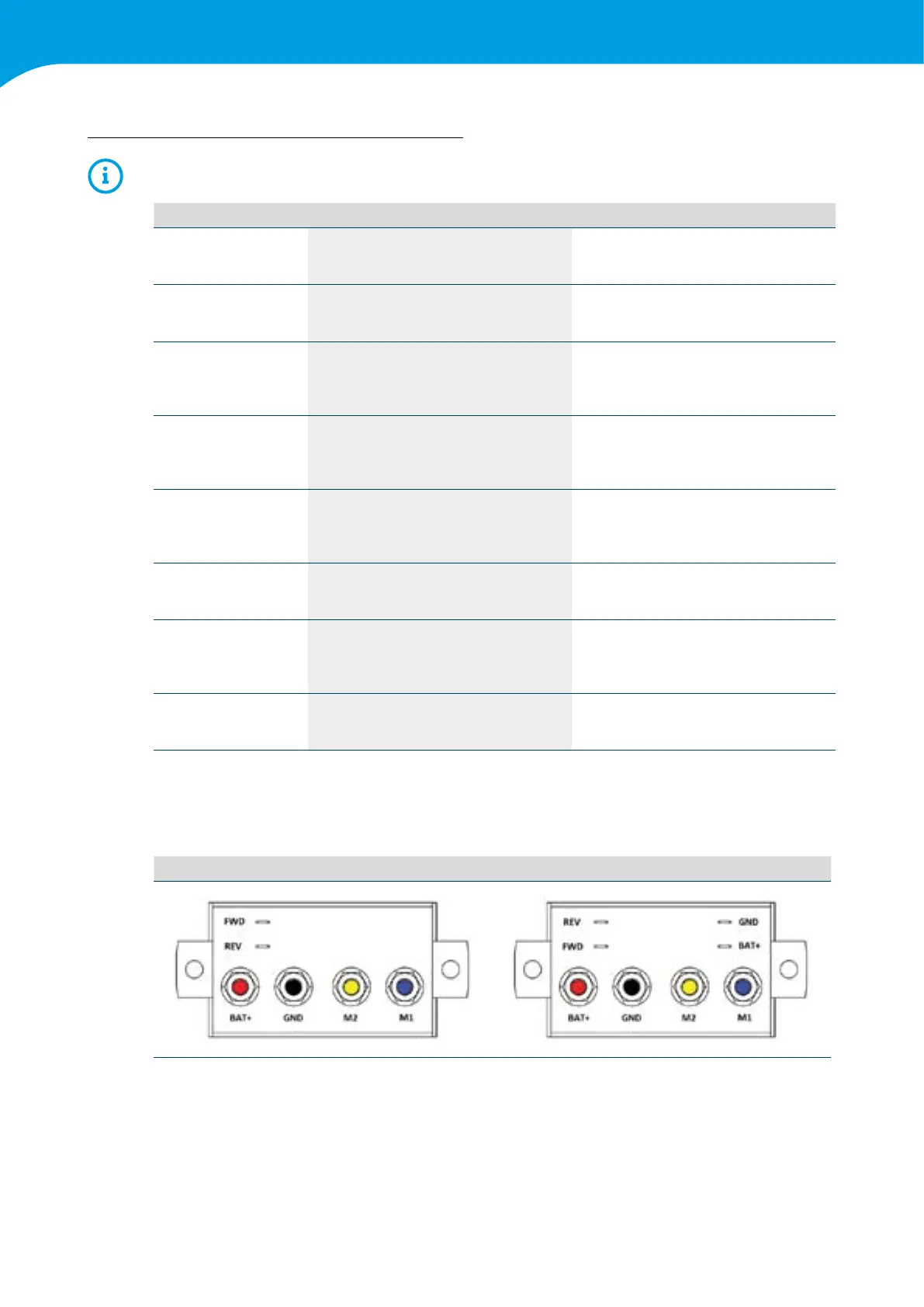
Enclosed is a view of the rear of the motor control unit and the connection points and colour codes that are on it.
Version 01 Version 02



 To Next Page