52
5 Use moving oor trailer
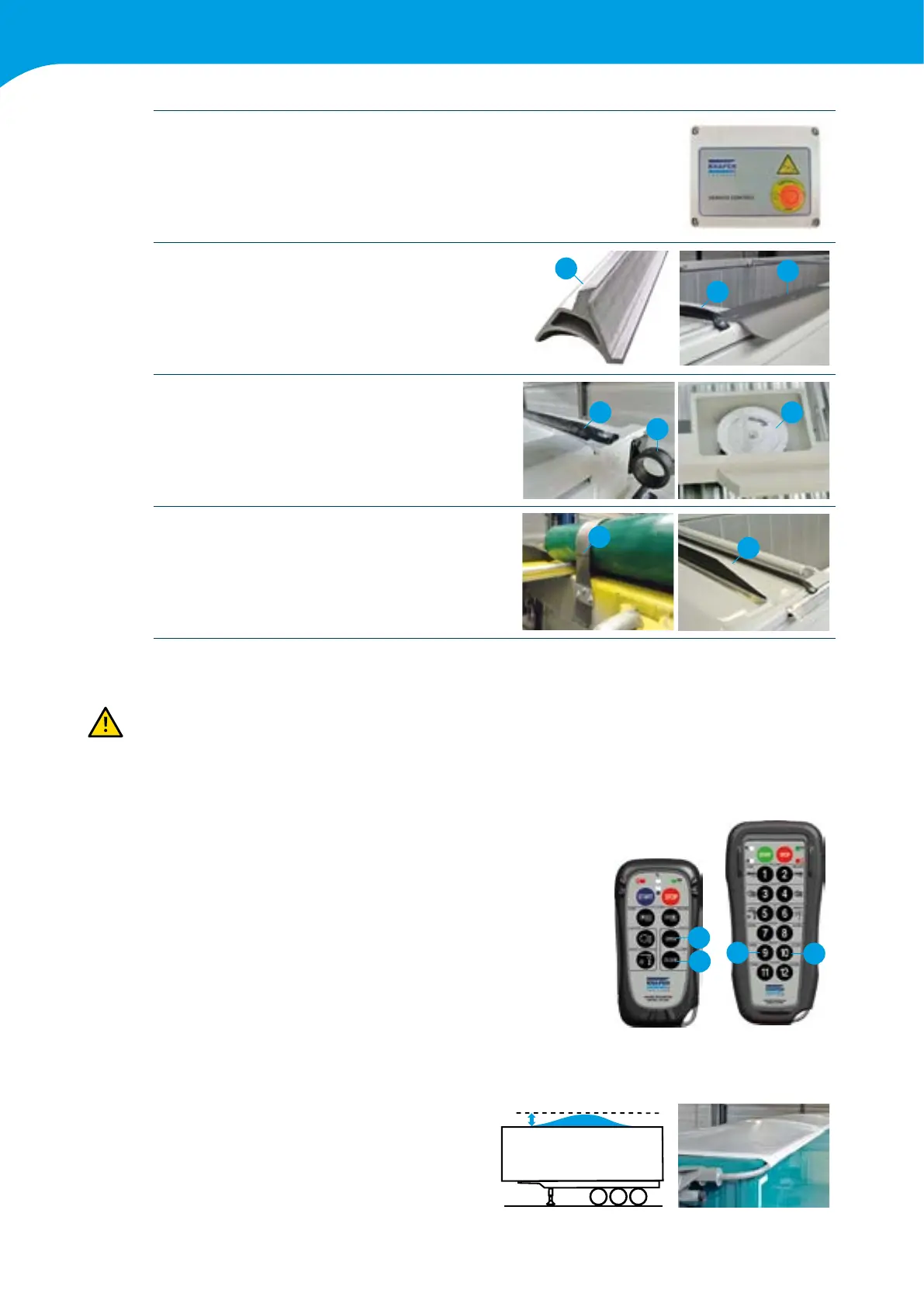
Casing receiver Remote control
See Ch 2.1 for position
Clampingproleforthesheet(1)
Rubber seal for sheet (2)
2
1
1
Strapbushing (1)
Rubber seal for sheet (2)
Strapreturn behind inspection cover (3)
2 3
1
Limiterstrap for sheet (1)
Spoiler against wind impact (2)
1
2
5.11.3 Operation
It is not permitted to take part in trafc with a loaded trailer with an open, not tensioned or damaged
sheeting system Keep the relevant button pressed until the system stops.
Operation takes place via the remote control or receiver, the lighting of the trailer must be switched on so the
receiver is powered.
Open Powersheet (1)
Keep the “open” button pressed until the system stops automatically.
The motor rolls the sheet around the sheet tube and moves it from
theclosedtotheopenposition.Indoingso,thespringsinthearm
construction and strapreturn pulley are tensioned. By releasing the
button, the movement can be stopped at any time.
Close Powersheet (2)
Keep the “close” button pressed until the system stops automatically.
The strapreturn pulley, together with the springs in the arm construction,
move the sheet from the open to the closed position. Here too the
movement can be stopped at any time by releasing the button.
1
2
2
1
5.11.4 Head load
The PowerSheet
®
is designed to function well with
a limited head load. We can guarantee a proper
functioning of the system with an evenly distributed
head load up to 20 cm between the middle two bars
of the trailer
20cm



 To Next Page