TP-6277 10/03 Scheduled Maintenance 15
3.3.2 Oil Check
Check the oil level in the crankcase daily or before each
start-up to ensure that the level is in the safe range. If the
generator set has just been run, allow a few minutes for
the oil to return to the oil pan before checking the level.
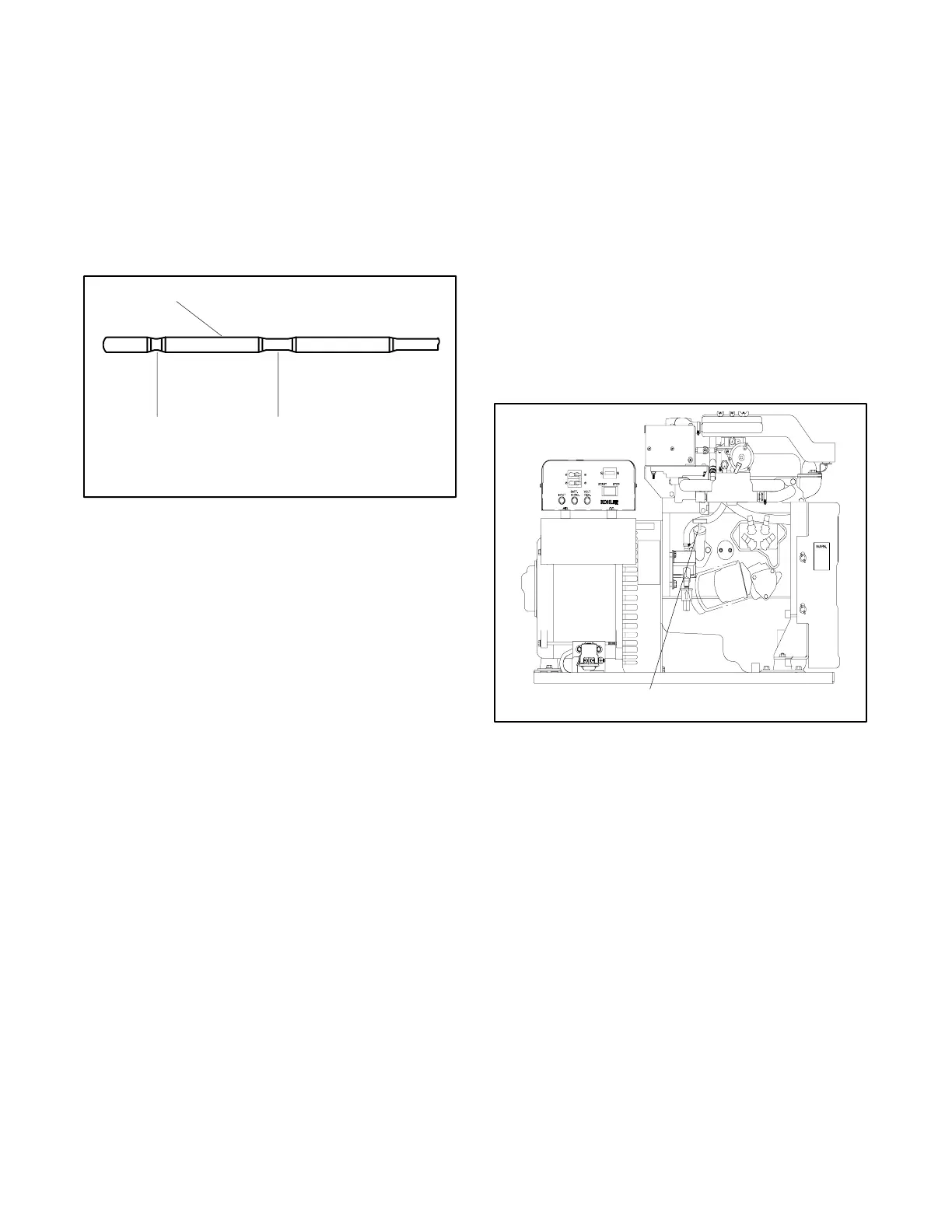
To check the oil level, remove the dipstick and wipe the
end clean, reinsert it as far as possible and remove. The
level should be between the MIN and MAX marks on the
dipstick. See Figure 3-3.
1
2
3
1. Engine oil dipstick
2. Minimum oil level
3. Maximum oil level
Figure 3-3 Dipstick Oil Level
Note: Do not operate the set if the level is below the MIN
mark or above the MAX mark. Oil above the MAX
mark is wasted by increased oil consumption.
Note: Do not check the oil level while operating the unit.
Stop the generator set and keep the generator
set level to get an accurate reading.
3.3.3 Adding Oil
Adding some oil between oil changes is normal. The
amount will vary with generator set usage. Open the oil
fill cap and pour in a small amount of oil using a funnel or
other suitable pouring device. See Figure 3-4.
Note: To remove the oil fill cap, rotate the handle
counterclockwise several revolutions and pull
out. To install the oil fill cap, push the rubber
portion fully into the oil fill tube and rotate the
handle clockwise until the fit is snug.
Wait a few minutes and then check the level. If
necessary, add more oil. Check the oil level again.
Continue adding oil until the level is between the MIN
and the MAX marks on the dipstick. Do not fill beyond
the MAX mark on the dipstick.
1
1. Oil fill
ADV5661-C
Figure 3-4 Oil Fill



 To Next Page