108
Selecting the Color Mode
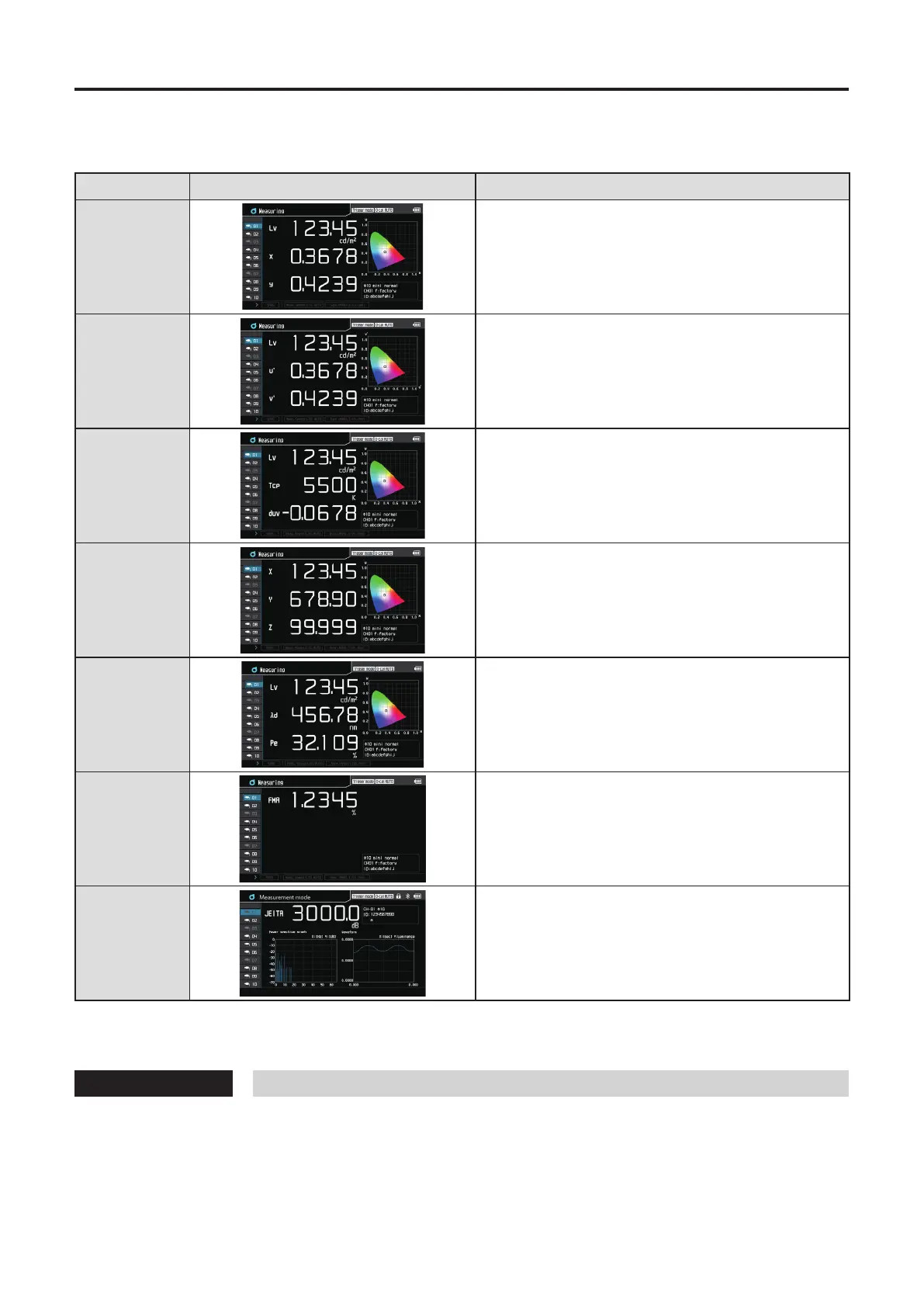
The following color modes are available.
* Factory setting: Lvxy
Color Mode LCD screen display Description of mode
Lv x y
Mode for displaying and outputting luminance Lv and
chromaticity coordinates x, y
Lv u’ v’
Luminance Lv and u’v’ chromaticity diagram (CIE 1976
UCS chromaticity diagram)
Mode for displaying and outputting coordinates u’ and v’
Lv Tcp duv
Mode for displaying and outputting luminance Lv,
correlated color temperature Tcp, and color dierence
from blackbody locus duv
X Y Z
Mode for displaying and outputting tristimulus values X, Y, Z
Dominant
wavelength*
1
Excitation purity
Mode for displaying and outputting luminance Lv,
dominant wavelength λd, and excitation purity Pe
Flicker
(Contrast)
Mode for displaying and outputting Contrast-method
flicker
Flicker (JEITA)
Mode for displaying and outputting JEITA-method flicker
*1 When the measured value is a non-spectral color, the value of the complementary wavelength is displayed. In this case,
the symbol is also λd but a minus sign is added.
Operating Procedure
1
On the measurement screen, press the [MODE] key to display a desired color mode.
Each time the [MODE] key is pressed, the measurement screen display is cycled in the order of Lv x y -> Lv u’v’ ->
Lv Tcp duv -> X Y Z -> Lv λd Pe -> FMA -> JEITA -> Lv x y.
The color mode setting will be kept even if the POWER switch is set to OFF ().














 To Next Page