44
Display Screen
1. Screen configuration
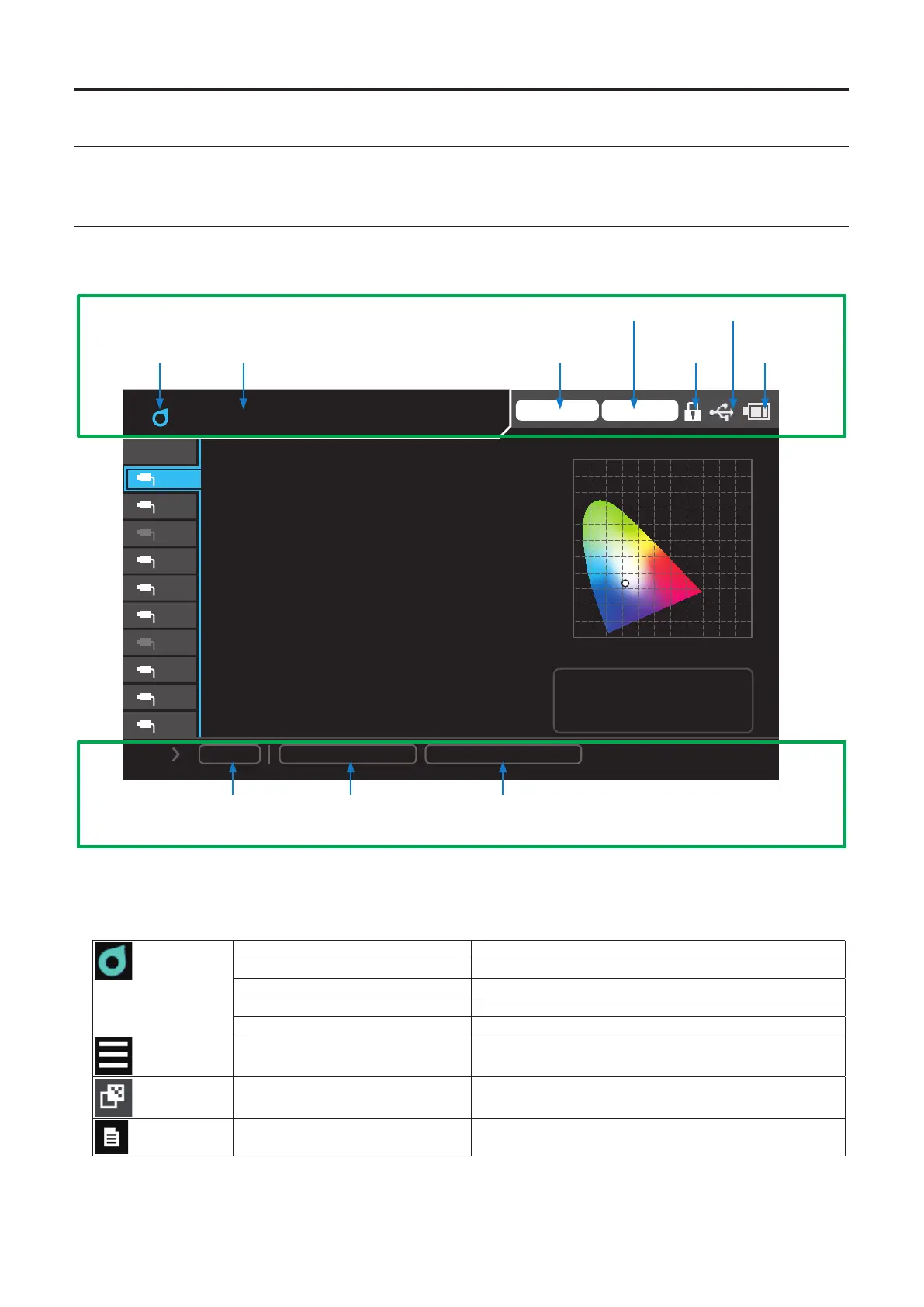
There are two types of screens: basic and pop-up. The basic screen has three areas—status display, setting, and data display.
2. Basic screen
The screen shown below is the basic screen, which displays the status of the instrument and data.
• Status display
Trigger mode 0-cal AUTO
1.0
y
0.0 0.2 0.4 0.6 0.8 1.0 x
0.2
0.6
0.4
0.8
10
09
08
07
06
05
04
03
02
01
Lv
x
y
160.00
0.3127
0.3293
Φ10 Mini Normal
CH-01 f:Factory
ID: abcdefghij
Save
MeasSpeed
: LTD.AUTO
Sync
: MANU. (100. 0ms)
cd/ ㎡
(1) Status display area
Status information
0-cal Auto
Trigger mode
Battery level
display
Status icon
Connect-to display
Key lock
Data save
Measurement speed Sync Mode
(2) Settings area
(1) Status display area
Displays the operating status of the data processor. This is always displayed on the basic screen.
• Status icons and status information
Measuring During normal measurement
Hold In normal measurement hold mode
Measuring (Interval) During interval measurement
Hold (Interval) Waiting for interval measurement
Remote During communication with a PC
Menu In menu mode ([MENU] key = ON)
Select User Calib CH When a calibration channel is being selected ([CAL CH]
key = ON)
Check Saved Data
Save Meas. Results
In saved data checking mode ([DATA] key = ON)
During data saving (save icon + ENTER)














 To Next Page