50
Operations on Each Screen
• About displays
In normal measurement (continuous measurement)
mode
and trigger mode
In interval measurement mode
Measuring
(including
periods
between
measurements)
• Pressing the [MODE] key to change the color
space
• Pressing the [0-Cal] key to perform zero
calibration
• Pressing the [DATA] key to check saved data
• Pressing the [CAL-CH] key to change the
calibration channel
• Pressing the [MENU] key to configure settings on
the menu screen
Hold • Pressing the [MODE] key to change the color
space
• Pressing the [0-Cal] key to perform zero
calibration
• Pressing the [DATA] key to check saved data
• Pressing the [CAL-CH] key to change the
calibration channel
• Pressing the [MENU] key to configure settings on
the menu screen
• Pressing the [SAVE] icon to save the data
• Pressing the [MODE] key to change the color
space
• Pressing the [0-Cal] key to perform zero
calibration
• Pressing the [DATA] key to check saved data
• Pressing the [CAL-CH] key to change the
calibration channel
• Pressing the [MENU] key to configure settings on
the menu screen
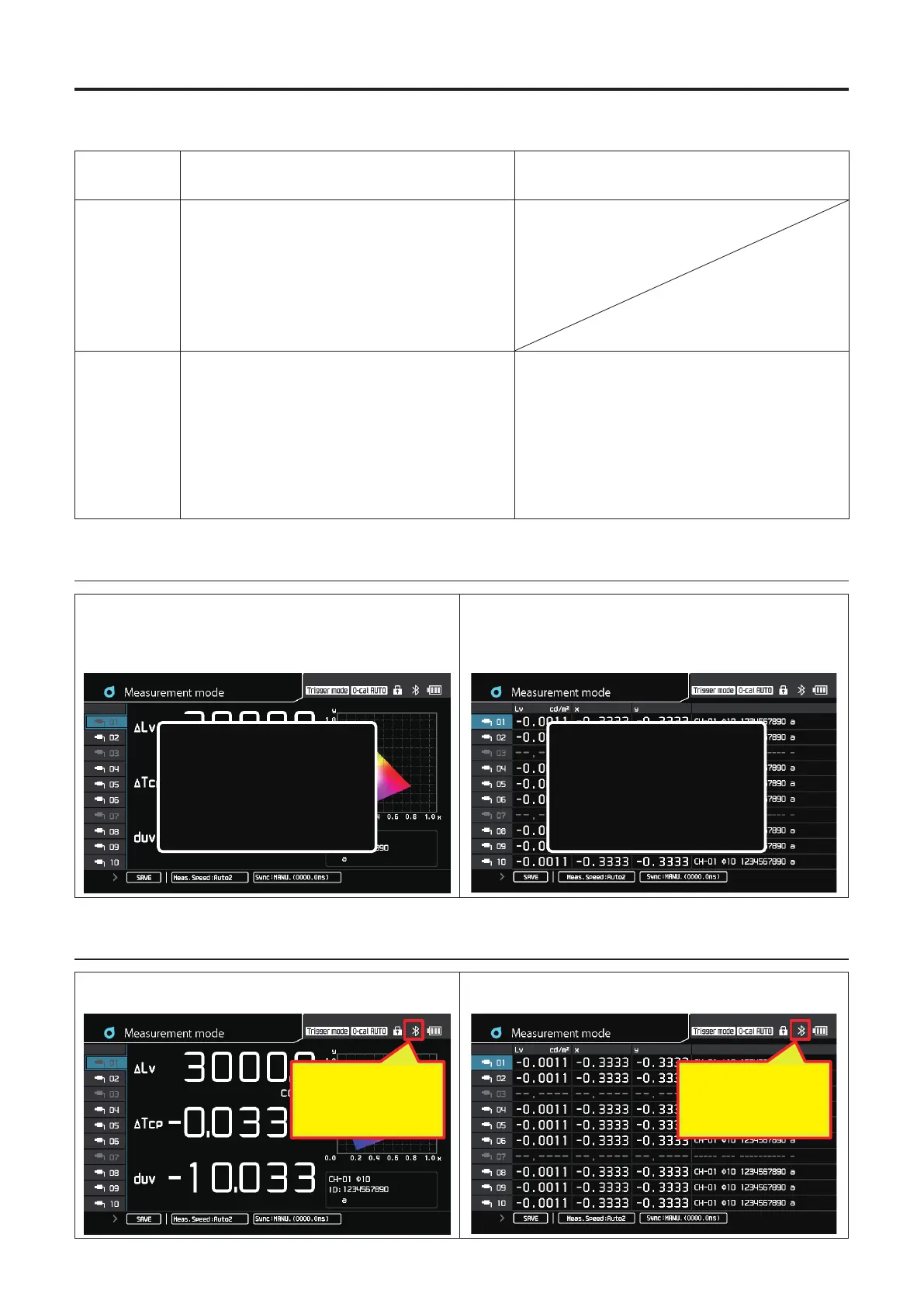
2. Zero calibration screen
Single-Probe Display
A pop-up screen appears indicating that 0-cal is in progress
and disappears when 0-cal is completed.
Multi-Probe Display
A pop-up screen appears indicating that 0-cal is in progress
and disappears when 0-cal is completed for the connected
probe.
0-cal
0-cal in progress.
0-cal
0-cal in progress.
3. Screen in remote mode
Single-Probe Display
Display when only one probe is connected
Multi-Probe Display
Display when multiple probes are connected
リモート中は
接続先アイコンが
表示される
The connect-to icon is
displayed in remote
mode.
リモート中は
接続先アイコンが
表示される
The connect-to icon is
displayed in remote
mode.














 To Next Page