68
Setting the Sync Mode
The Sync Mode is a mode to perform measurement in synchronization with the fluctuation frequency of a light source that
fluctuates brightness at a constant cycle, such as the vertical synchronization frequency of a display unit.
* Synchronization frequency setting range: 0.50 to 240.00 Hz
* Factory setting: UNIV.
Operating Procedure
1
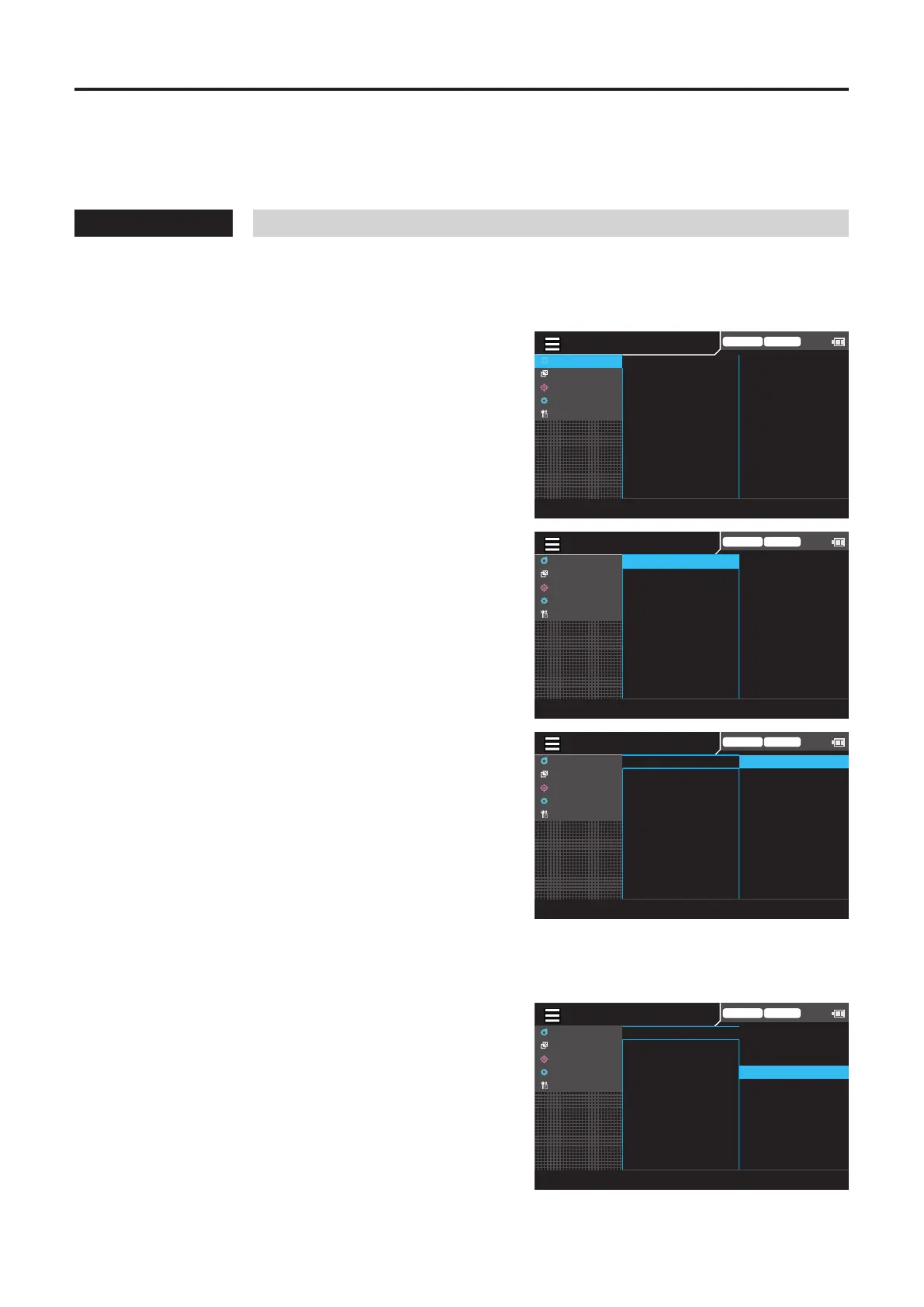
While the measurement screen is
displayed, press the [MENU] key.
The setting screen is displayed on the LCD screen.
2
Press the [UP] or [DOWN] key to select
[Meas Cond], and then press the [RIGHT]
or [ENTER] key.
Trigger mode 0-cal AUTO
MeasCond
UserCalib
Target
Option
System
NTSC
AUTO
OFF
OFF
OFF
0.07 Hz
SyncMode
MeasSpeed
TriggerMode
IntervalMeas
IntervalAlert
JEITAfreqresolution
3
Press the [UP] or [DOWN] key to select
[Sync Mode], and then press the [ENTER]
key.
MENU
Trigger mode 0-cal AUTO
MeasCond
UserCalib
Target
Option
System
NTSC
AUTO
OFF
OFF
OFF
0.07 Hz
SyncMode
MeasSpeed
TriggerMode
IntervalMeas
IntervalAlert
JEITAfreqresolution
4
The screen for selecting a Sync mode is
displayed. Press the [UP] or [DOWN] key
to select a Sync mode.
• When selecting NTSC, sampling is performed
using a frequency of 59.94 Hz and an integration
time of 33.3 msec.
• When selecting PAL, sampling is performed using
a frequency of 50 Hz and an integration time of
40.0 msec.
• When selecting UNIV, sampling is performed
using an integration time of 100 msec.
• When selecting INT, also set a frequency.
(Generally 0.50 to 240.00 Hz, but 0.50 to 130.00
Hz for FMA)
• When selecting EXT, input the synchronization
signal to the probe or the instrument.
• When selecting MANUAL, also set an integration
time. (4.0 to 4000.0 msec)
MENU
Trigger mode 0-cal AUTO
MeasCond
UserCalib
Target
Option
System
◉
NTSC
○
PAL
○
UNIV
○
INT[400.00 Hz]
○
EXT
○
MANU[1000.0 ms]
SyncMode
MeasSpeed
TriggerMode
IntervalMeas
IntervalAlert
JEITAfreqresolution
Trigger mode 0-cal AUTO
MeasCond
UserCalib
Target
Option
System
◉
NTSC
○
PAL
○
UNIV
○
INT[400.00 Hz]
○
EXT
○
MANU[1000.0 ms]
SyncMode
MeasSpeed
TriggerMode
IntervalMeas
IntervalAlert
JEITAfreqresolution
4
-1-1
When selecting [INT], press the [ENTER]
key to display the screen for setting a
synchronization frequency.
[Meas Cond] - [Sync Mode]














 To Next Page