96
Setting/Changing the Target
1. Target
A target is the value used as a reference to determine how much the measured value diers from it. Use one of the following
methods to set a target.
(1) By measurement and registration
(2) By entering values
The target is used in common for each measurement mode (Lv x y, Lv u’v’, Lv Tcp duv, X Y Z, and Dominant wavelength).
By default, factory-set target values are preset in all channels.
2. By Measurement and Registration
Operating Procedure
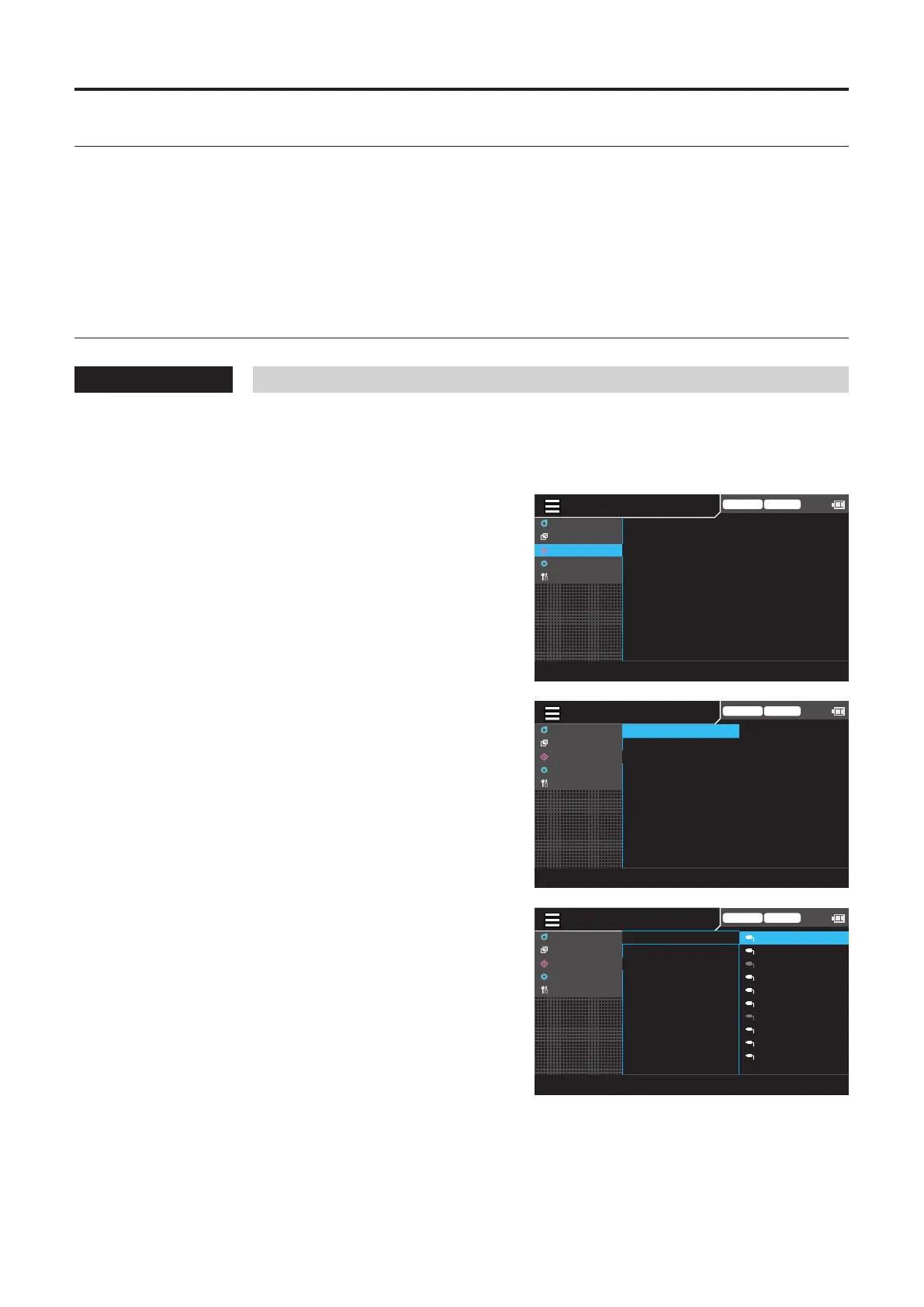
1
While the measurement screen is
displayed, press the [MENU] key.
The setting screen is displayed on the LCD screen.
2
Press the [UP] or [DOWN] key to select
[Target], and then press the [RIGHT] or
[ENTER] key.
Trigger mode 0-cal AUTO
MeasCond
UserCalib
Target
Option
System
MeasureandRegister
EnterValue
3
Press the [UP] or [DOWN] key to select
[Measure and Register], and then press
the [RIGHT] or [ENTER] key.
MENU
Trigger mode 0-cal AUTO
MeasCond
UserCalib
Target
Option
System
MeasureandRegister
EnterValue
4
The screen for selecting a probe is
displayed. Press the [UP] or [DOWN] key
to select the probe to register, and then
press the [RIGHT] or [ENTER] key.
MENU
Trigger mode 0-cal AUTO
MeasCond
UserCalib
Target
Option
System
10
09
08
07
06
05
04
03
02
01
▶
MeasureandRegister
EnterValue














 To Next Page