93
6
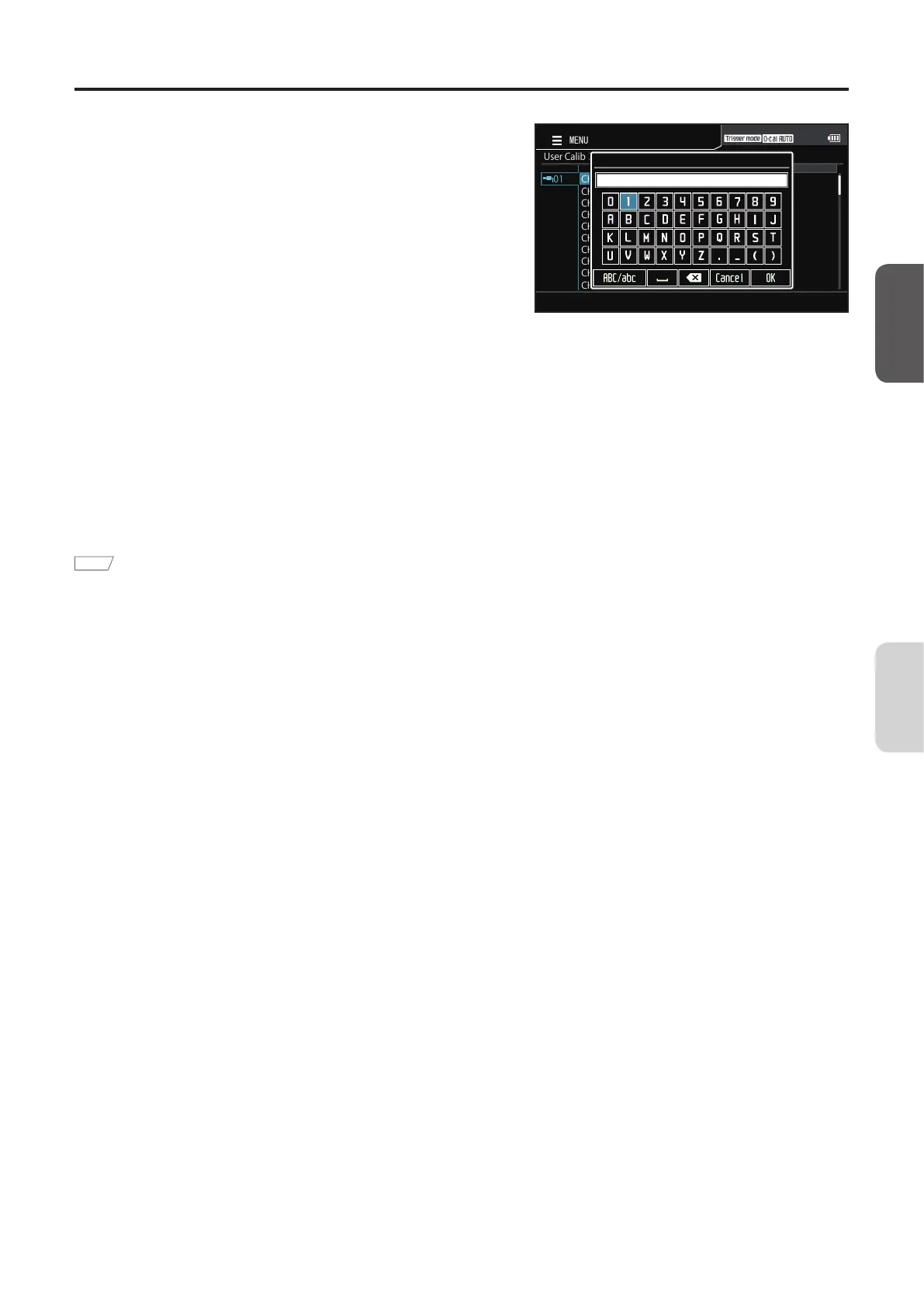
Press the [ENTER] key to display the
pop-up screen for inputting characters.
Use the[]/[] or []/[] keys to
move the cursor to a target character,
and then press the [ENTER] key.
• Input up to 10 characters.
• The selected character is displayed in the text
box.
UserCalib>SelectCH
CH00
CH01
CH02
CH03
CH04
CH05
CH06
CH07
CH08
CH09
01
MENU
ID
7
Repeat step 6 to input the required
number of characters.
• To delete the character on the left of the cursor in
the text box, move the cursor to [×] and press the
[ENTER] key.
8
When character input is completed,
move the cursor to [OK] and press the
[ENTER] key.
The setting is confirmed and the screen returns to
calibration channel selection.
Memo
Pressing the [ESC] key while configuring the
settings will prevent the settings from being applied
and cause the previous screen to reappear.
CA-DP40
Calibration/
Settings














 To Next Page