OPERATING ELEMENTS 33
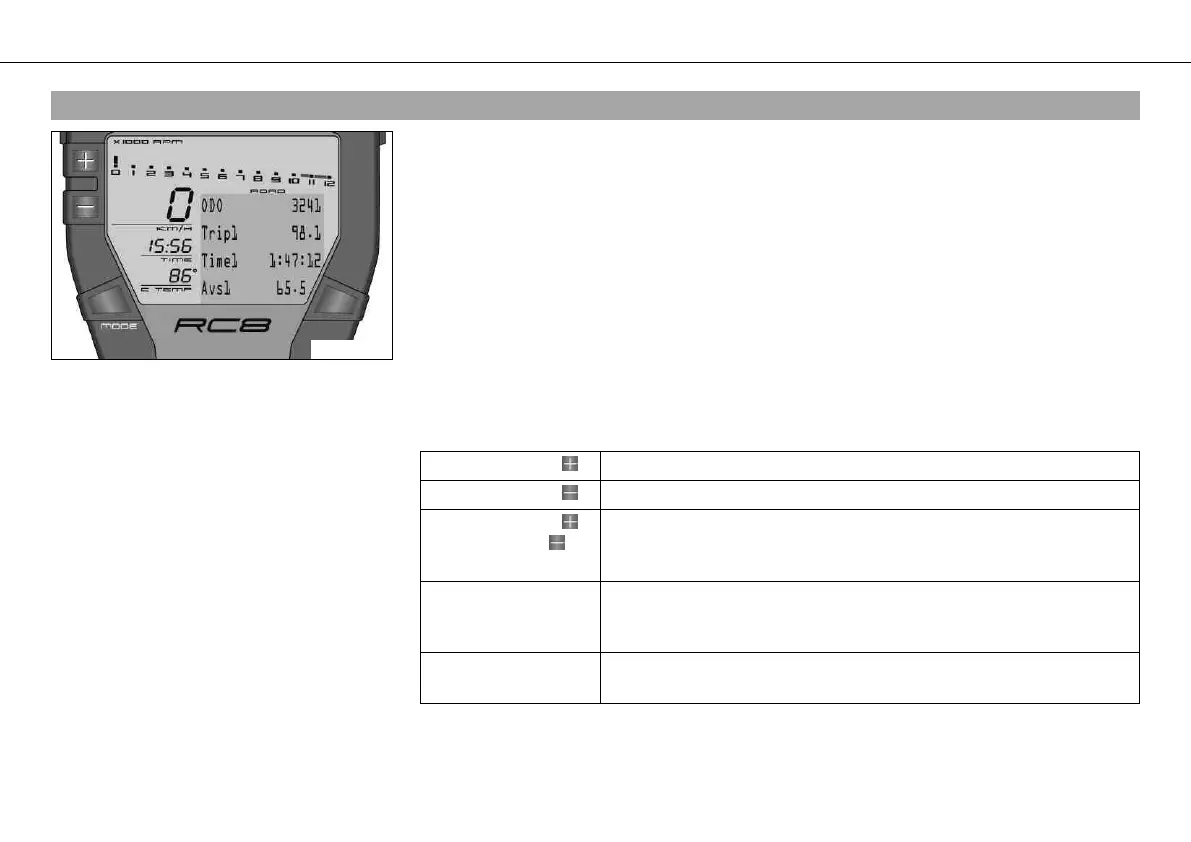
5.17Odometer menu ODO/Trip 1
400578-01
Condition
• The ignition is on.
• ROAD mode
– Press the MODE button briefly and repeatedly until ODO appears at the top left of the
info display.
ODO shows the total distance covered.
Trip 1 shows the distance covered since the last reset. For example, between two refueling
stops. Trip 1 is always running and counts up to 9999.9.
Time 1 shows the journey time on the basis of Trip 1 and resumes running as soon as a
speed signal is received.
The calculation of this value starts with the first speed signal and ends 3 seconds after the
last speed signal.
Avs 1 (average speed) is coupled with Trip 1 and Time 1.
Press the button . No function
Press the button . No function
Press the button
and the button for
3 - 5 seconds.
The display changes to the SET‑UP menu
Press the MODE but-
ton for 3 - 5 sec-
onds.
The display of Trip 1, Time 1 and Avs 1 is reset
Press the MODE but-
ton briefly.
Next display mode










 To Next Page