LaCie 5big network Administering Your LaCie 5big network
User Manual page 24
The LaCie 5big network features an easy-to-use Web-based tool
for configuring the drive and administering users, referred to
here as the Administration Page.
Accessing the Administration Page is easy, whether you’re using
a browser (all users) or the LaCie Network Assistant (LNA).
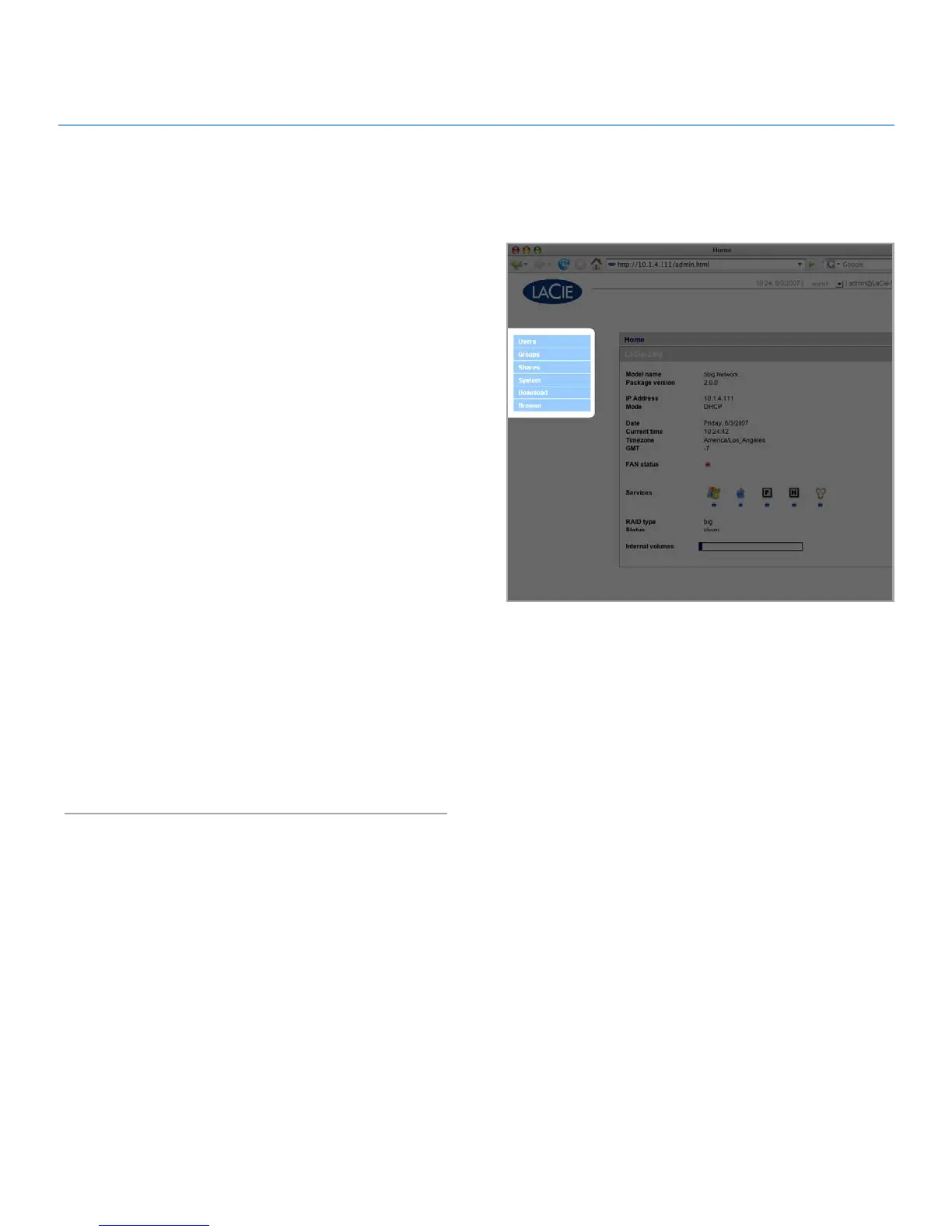
When you log in as “admin”, you will see a series of blue naviga-
tion links on the left side of the page (Fig. 4) to help you navigate
and configure the LaCie 5big network:
Section
✦ 4.2. Users: Add, delete or edit users, including as-
signment of folder access privileges.
Section ✦ 4.3. Groups: Add, delete or edit groups, add users
to groups, assign group access privileges
Section ✦ 4.4. Shares: Create, delete or edit shares, change
access restrictions
Section ✦ 4.5. System: Change system settings, manage disks
and RAID settings, manage system updates
Section ✦ 4.6. Download: Configure your LaCie 5big network
to be a torrent server.
Section ✦ 4.7. Backup: Back up your LaCie 5big network onto
an external USB or eSATA hard drive
Section ✦ 4.8. Browse: Access files and folders, upload and
download files, delete files
Section ✦ 4.9. Import (Snapshot): Click the front button to au-
tomatically import the data on an attached external hard
drive
Figure 4
Administering Your LaCie 5big network4.













 To Next Page