LaCie 5big network Introduction
User Manual page 8
Views of the 5big network1.3.
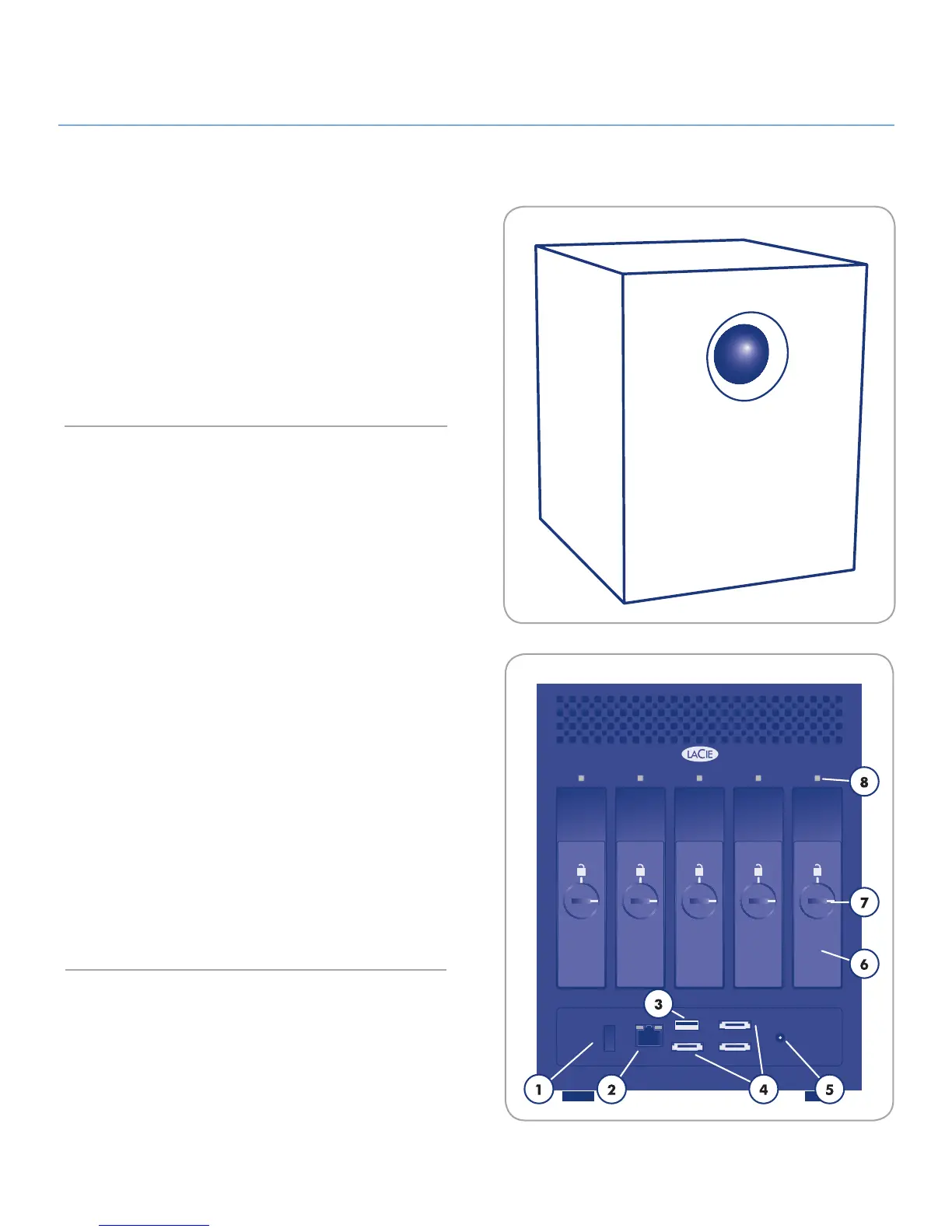
Front View
Backup Button with Activity LED
The LED remains lit to show that the drive is on.
The blue button on the front of the 5big network allows you auto-
matically back up an attached external hard drive onto the 5big
network. Simply plug the hard disk into a USB or eSATA port on
the back of the 5big network and push the button. All data on
the attached disk(s) will be automatically copied to the 5big.
Rear View
on/auto/off power switch1.
Ethernet port2.
USB expansion port3.
eSATA expansion ports (3)4.
Power input connection5.
Drive tray handle6.
Drive tray lock7.
Drive LED8.













 To Next Page