LaCie 5big network Administering Your LaCie 5big network
User Manual page 27
4.2. Users
Click on the Users link in the navigation bar to open the User
Accounts page. Use this page to create, edit and delete user
accounts.
Administrator Account
Only one user can have administrative privileges for the 5big
network. This user’s login name cannot be changed from “ad-
min”, but the password can be changed.
ImpOrTANT INfO: The admin user can also enter an email
address to which the 5big can send messages about important
changes to the 5big’s status (see below).
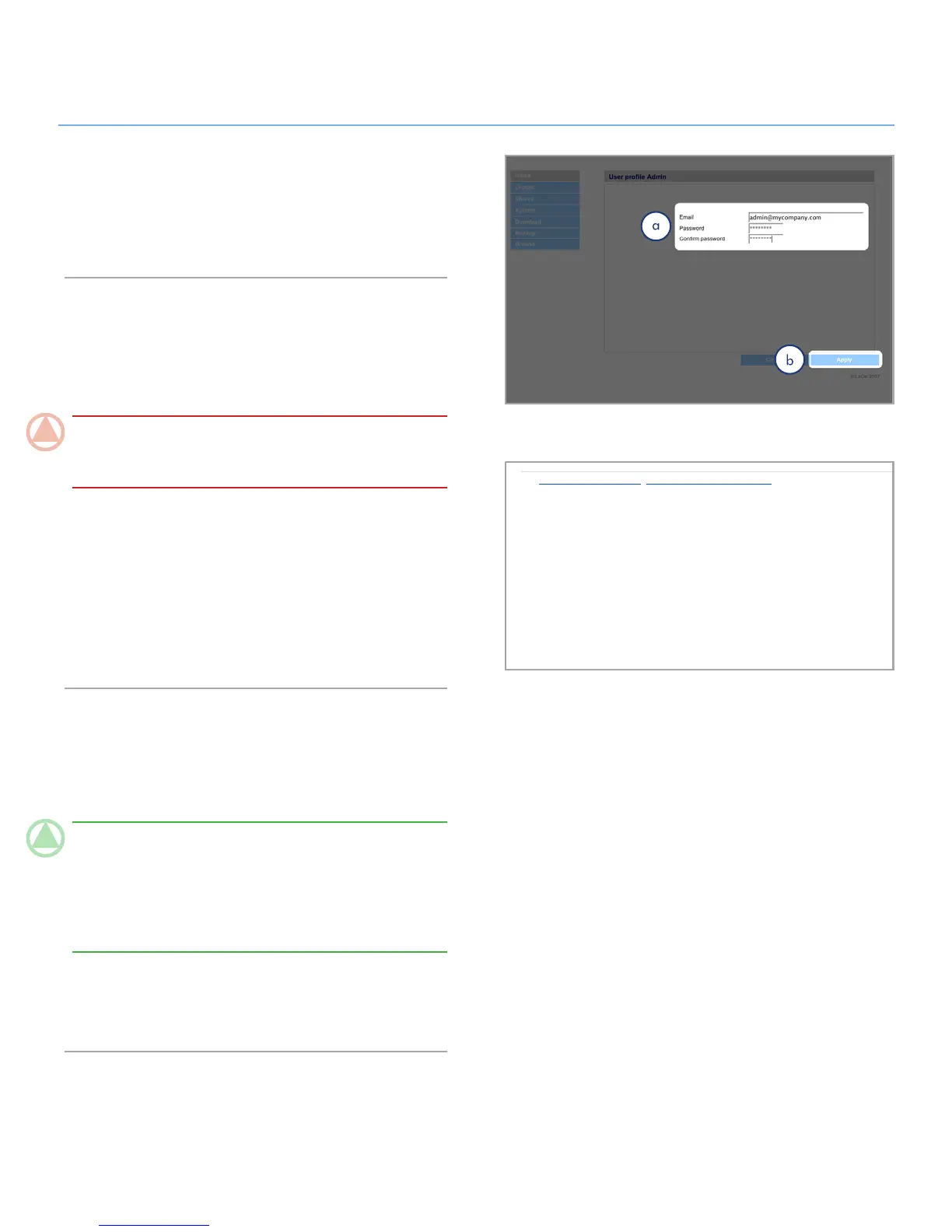
To change the administrator’s password:
Click on the “admin” user in the user list on the Users page. 1.
The “User profile Admin” page opens (a, Fig. 4.2-A).
Enter a new password in the “Password” field. Enter the pass-
2.
word again in the “Confirm password” field.
Click
3. Apply (b).
Email Notifications
The administrator can provide an email address to which the
5big will send notifications of important status changes, such as
disk failure (see chart in section 7. Email Notification Triggers).
TeChNICAl NOTe: The 5big has an integrated SMTP server
that sends emails through port 25. This service is thus disabled
if port 25 is blocked (as with Livebox, Orange, and France
Telecom). As many ISPs block this port, you must configure
your router to authorize traffic through this port in order for this
service to work.
Figure 4.2-B shows an email sent informing the administrator
that the 5big’s temperature has reached critical levels and will
be automatically shutting down.
De : FiveBig-Rose@192.168.8.48 [mailto:FiveBig-Rose@192.168.8.48]
Envoyé : mercredi 23 avril 2008 11:14
À : Edin Del Mar
Objet : [FiveBig-Rose] LaCie email notification
* Machine: FiveBig-Rose
* Model: 5big Network
* IP address: 192.168.8.48
* MAC address: 8C:00:00:00:51:81
* System time : 11:14:10 23 March 2008
This message is automatically generated by the LaCie email notification service.
The temperature of the drive(s) is critical: SYSTEM WILL NOW DO AN EMERGENCY SHUTDOWN
| Temp HDD1 => 43degC Model: SAMSUNGSP2504C Serial Nb : S0YHJ1PP600041 |
| Temp HDD2 => 39degC Model: SAMSUNGSP2504C Serial Nb : S0YHJ1PP600045 |
| Temp HDD3 => 36degC Model: SAMSUNGSP2504C Serial Nb : S0YHJ1PP600273 |
| Temp HDD4 => 43degC Model: SAMSUNGSP2504C Serial Nb : S0YHJ1PP600305 |













 To Next Page