LaCie 5big network Administering Your LaCie 5big network
User Manual page 45
Wake on LAN (WOL)4.5.9.
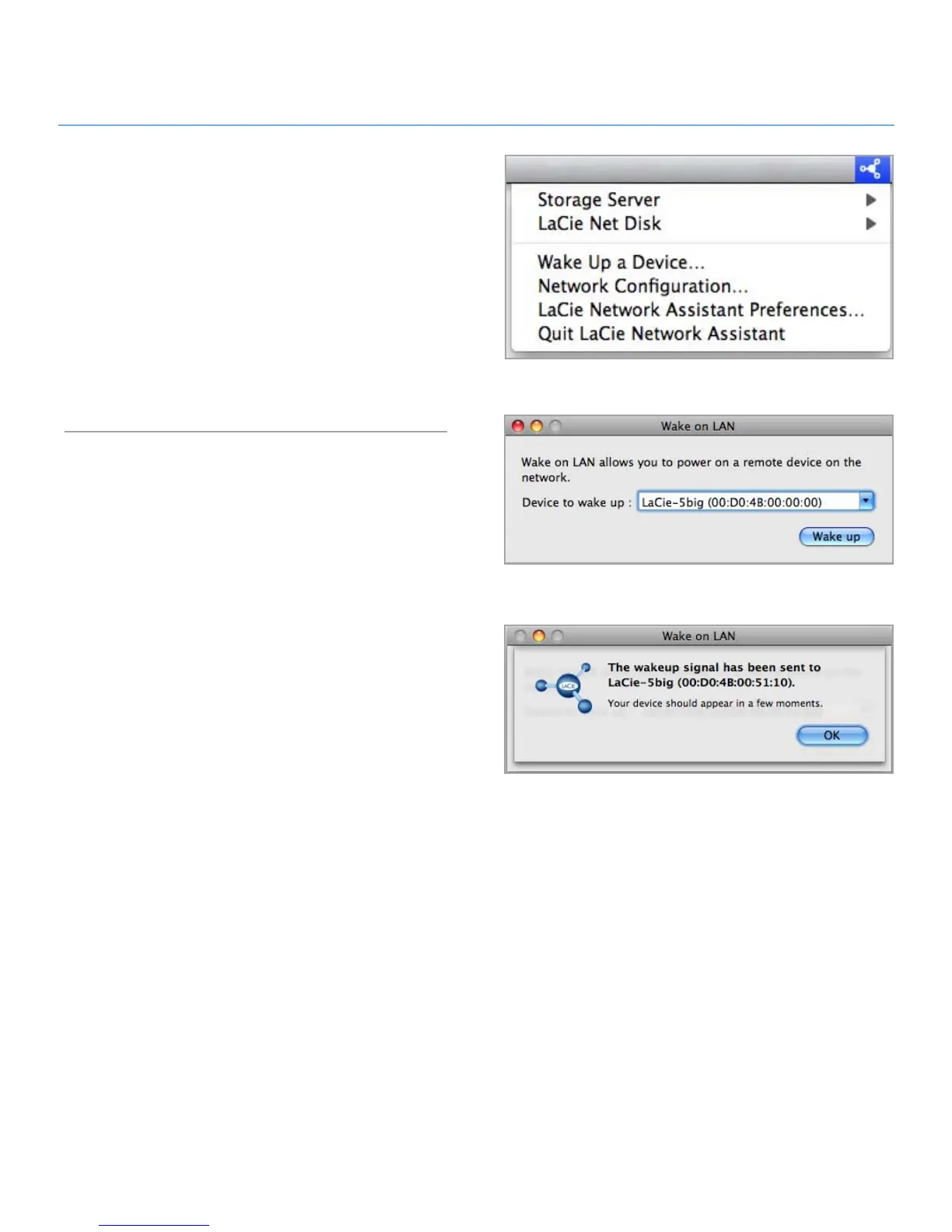
This function enables you to enable waking the 5big remotely
on the local area network (LAN). For WOL to work, the power
switch must be in the AUTO position. This function is accessed
using the LaCie Network Assistant software. Follow these steps
to activate WOL:
Click the LNA icon in your menu bar (Mac Users, figure
1.
4.5.9-A) or your task bar (Windows users) and click Wake
Up a Device...
In the window that opens (figure 4.5.9-B), select the device
2.
and click Wake up.
Figure 4.5.9-A
Figure 4.5.9-B
Figure 4.5.9-C













 To Next Page