LaCie 5big network Administering Your LaCie 5big network
User Manual page 26
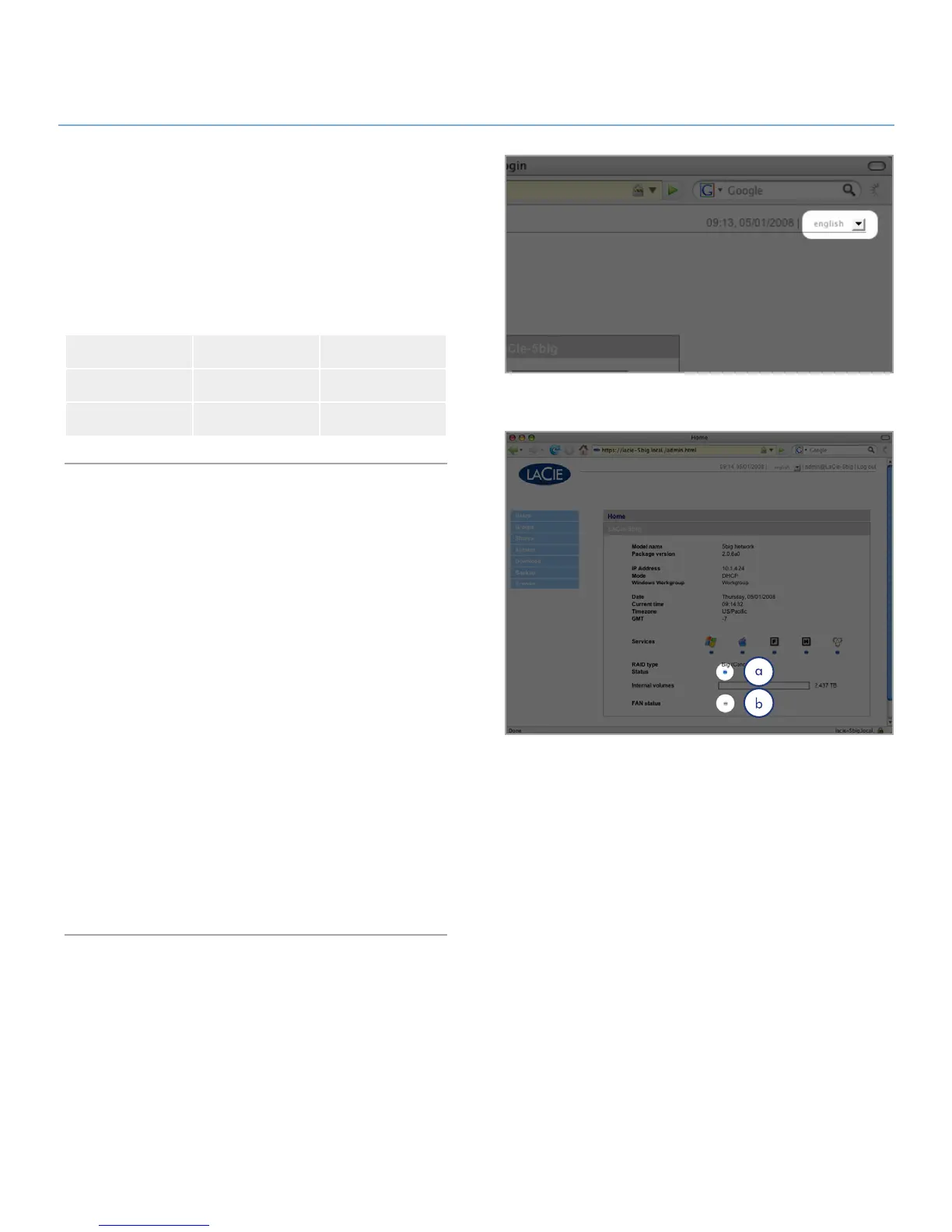
Setting the Display Language4.1.1.
The default display language is set to your browser’s language.
If your browser’s display language is not supported, 5big ad-
ministration will default to English. You can change the display
language at any time by selecting a language from the menu in
the upper right corner of the administration page (Fig. 4.1.1).
This can be done from the Log On page, as shown, so you can
proceed from the beginning in your own language.
English Français Deutsch
Italiano Español Dutch
Svenska Dansk Japanese
Administration Home Page4.1.2.
When you log into LaCie 5big network administration, the Home
page opens (Fig. 4.1.2). This page contains information about
the status of the 5big.
The Fan Status indicator (a) will be in one of three states:
Blue
✦ – the fan is on and working.
Gray
✦ – the fan is off.
Red ✦ – the fan has failed. The 5big network will continue to
function with a failed fan, but overall system reliability is
impacted. Contact your LaCie reseller or LaCie customer
support in the even of a fan failure. See section 9.1. LaCie
Customer Support Contacts.
The RAID Status indicator (b) will be in one of three states:
Blue
✦ – the disks are on and working.
Gray ✦ – disks are functional, but not accessible (for example,
data is being rebuilt).
Red ✦ – RAID not functional. Check the Disk page (System >
Disk) for error messages.
Figure 4.1.1
Figure 4.1.2













 To Next Page