LaCie 5big network Administering Your LaCie 5big network
User Manual page 38
RAID4.5.4.
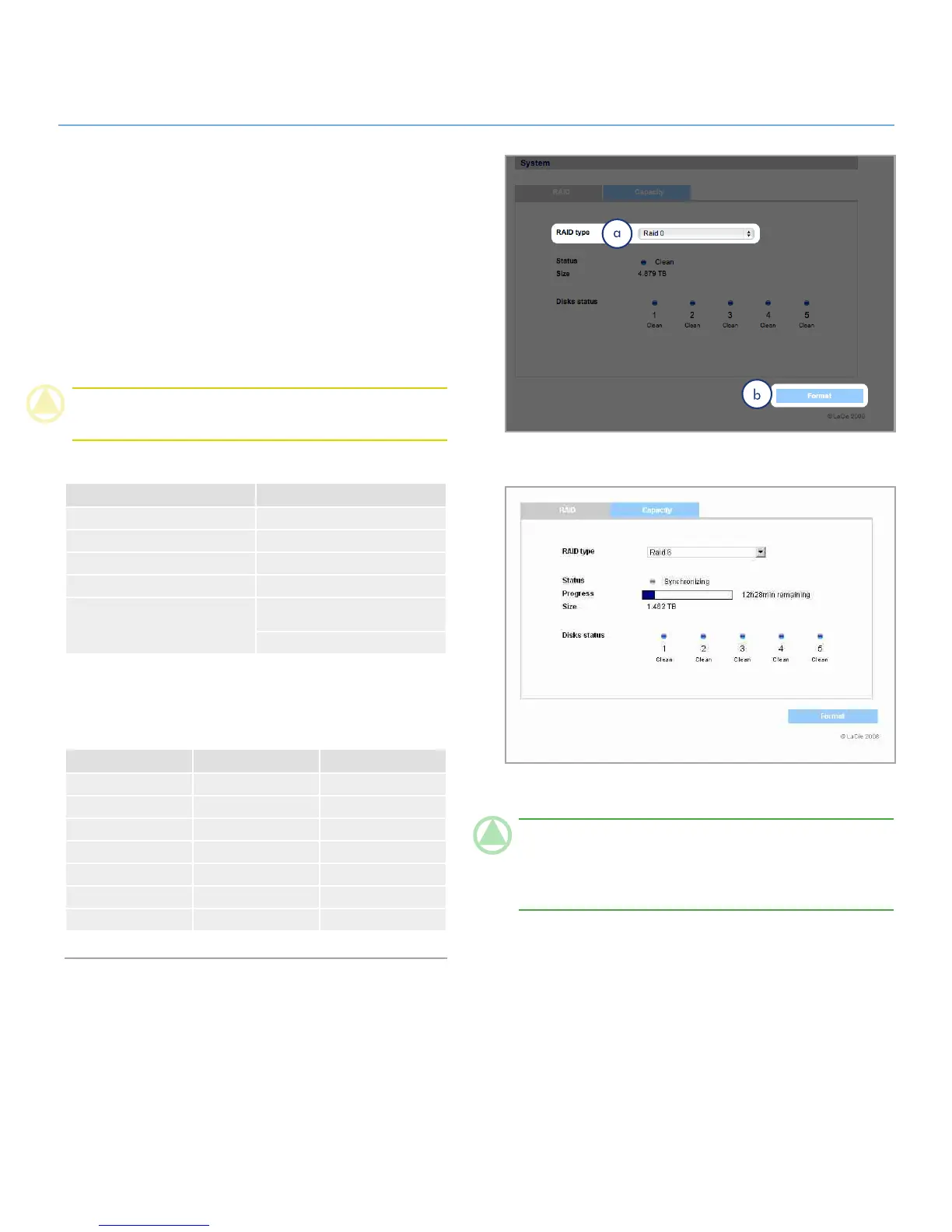
Use the disk page to change the RAID type and to view the status
of the 5big’s RAID configuration.
Changing the RAID mode4.5.4.1.
Select a RAID mode in the drop-down menu (a, Fig. 4.5.4.1-A)
and click the Format button (b). The front LED will blink blue for
2.5s and pause for 0.5s until the RAID mode has fully changed.
During the rebuild, an approximate time remaining appears
(Fig. 4.5.4.1-B).
CAUTION: Formatting erases ALL data on the 5big network.
Back up important files to another device before formatting.
Available RAID modes:
4 Disks 5 Disks
RAID 0 RAID 0
RAID 5 RAID 5
RAID 5+Spare RAID 5+Spare
RAID 6 RAID 6
RAID 10 RAID 6+Spare
RAID 10+Spare
Rebuild times:
The following chart shows the approximate time it takes to con-
vert from a RAID 0 array to another mode.
New Mode Total Size Approx. Time
RAID 5 2.5TB 10 hours
RAID 5 5TB 20 hours
RAID 5 7.5TB 30 hours
RAID 6 5TB 30 hours
RAID 5+Spare 2.5TB 10 hours
RAID 10+Spare 2.5TB 8 hours
RAID 6+Spare 2.5TB 15 hours
Figure 4.5.4.1-A
Figure 4.5.4.1-B
TeChNICAl NOTe: If you purchased a 5big with four disks,
when adding a fifth disk, the system will recognize it as a “spare”
drive. For instance, if you have a RAID 5 array, you will auto-
matically have a RAID 5+Spare array.













 To Next Page