EasyManua.ls Logo

Laser 128 - Starting Up the Computer

Laser 128
255 pages
Print Icon
To Next Page IconTo Next Page
To Previous Page IconTo Previous Page
Loading...
GETTING
STARTED
3.3
Starting
up
the
computer
system
Now
you
have
s
et
up
the
computer
syste
m
in
it
s s
impl
est
configur
a
tion.
To
start
it
up,
here
are
the
procedur
es to follow:
I)
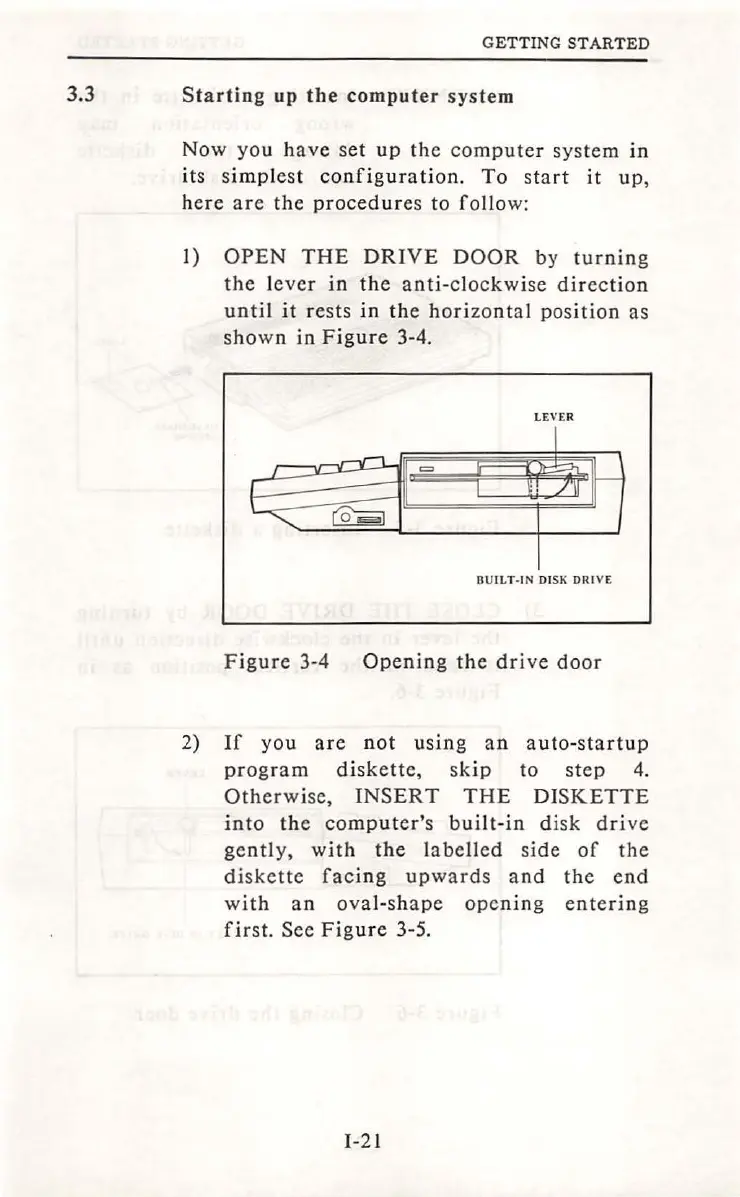
OPEN
THE
DRIVE
DOOR
by
turn
ing
th
e l
eve
r
in
the
anti-clockwise
direction
until
it
re
sts
in
the
hori
zo
nt
al
position
as
shown
in
Figure
3-4.
LEVER
BUILT-
IN
DISK
DRIVE
Fig
ur
e 3-4
Openin
g
the
drive
door
2)
If
you
are
not
u
si
ng
an
auto
-
startup
program
diskette,
skip
to
st
ep
4.
Otherwise,
INSERT
THE
DISKETTE
into
the
computer's
built-in
disk
drive
gen
tl
y,
with
the
l
abe
ll
ed
side
of
the
di
ske
tte
facing
upwards
and
the
end
with
an
ov
al-
sh
ape
opening
entering
first.
See Fig
ure
3-5.
I-21

Table of Contents