EasyManua.ls Logo

Laser 128 - Page 44

Laser 128
255 pages
Print Icon
To Next Page IconTo Next Page
To Previous Page IconTo Previous Page
Loading...
THE
K
EYBO
A
RD
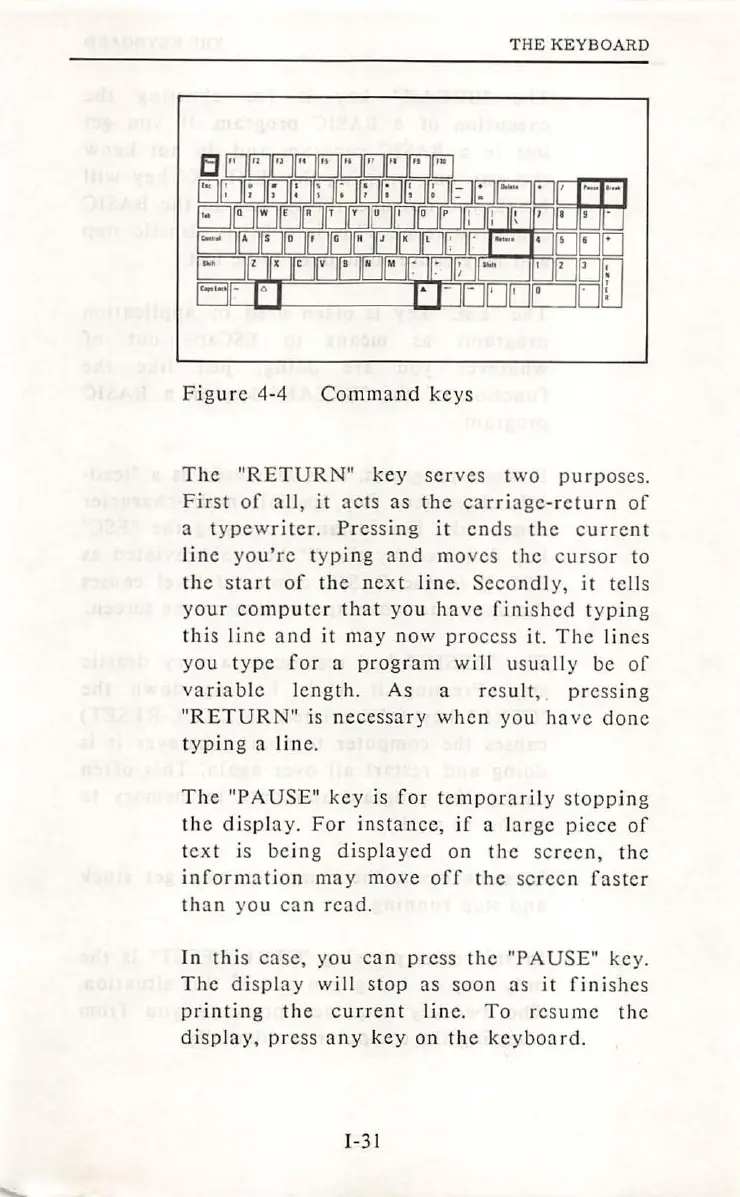
Figure
4-4
Command
keys
The
"RETURN"
key
serves
two
purp
oses
.
First
of
all,
it
acts
as
th
e
carriage-
r
eturn
of
a
typewriter.
Press
in
g
it
end
s
the
cu
r
rent
line
you're
t
yp
ing
and
m
oves
the
cursor
to
the sta
rt
of
the
next
lin
e.
Secondly,
it
tel
ls
you
r
computer
that
you
have
fini
s
hed
typing
this li
ne
and
it
may
no
w
pro
cess
it.
The
lin
es
you
t
ype
for
a
pro
g
ram
w
ill
u
sua
ll y
be
of
var
i
able
length
.
As
a r
es
ult
,
pressing
"RETURN"
is n
ecessa
r y
when
yo
u
ha
vc
done
typin
g a
lin
e.
The
"PA
USE"
key
is
for
temporar
ily
stopp
in
g
th
e
display.
For
insta
nc
e,
if
a l
arge
piece
of
text
is
being
displayed
on
the
screen,
the
information
may
move
off
th
e
sc
reen
faster
th
a n
you
can
read.
In
this
case,
yo
u
can
press
the
"PAUSE"
key.
The
display
wil
l
stop
as
soon
as
it
finishes
printing
the
current
l
ine
.
To
r
es
um
e
the
di
sp
la
y,
pre
ss
any
key
on
the
keyboa
rd
.
1-31

Table of Contents