27
6. Assembly
6.7 Analyzer and Polarizer
Analyzer
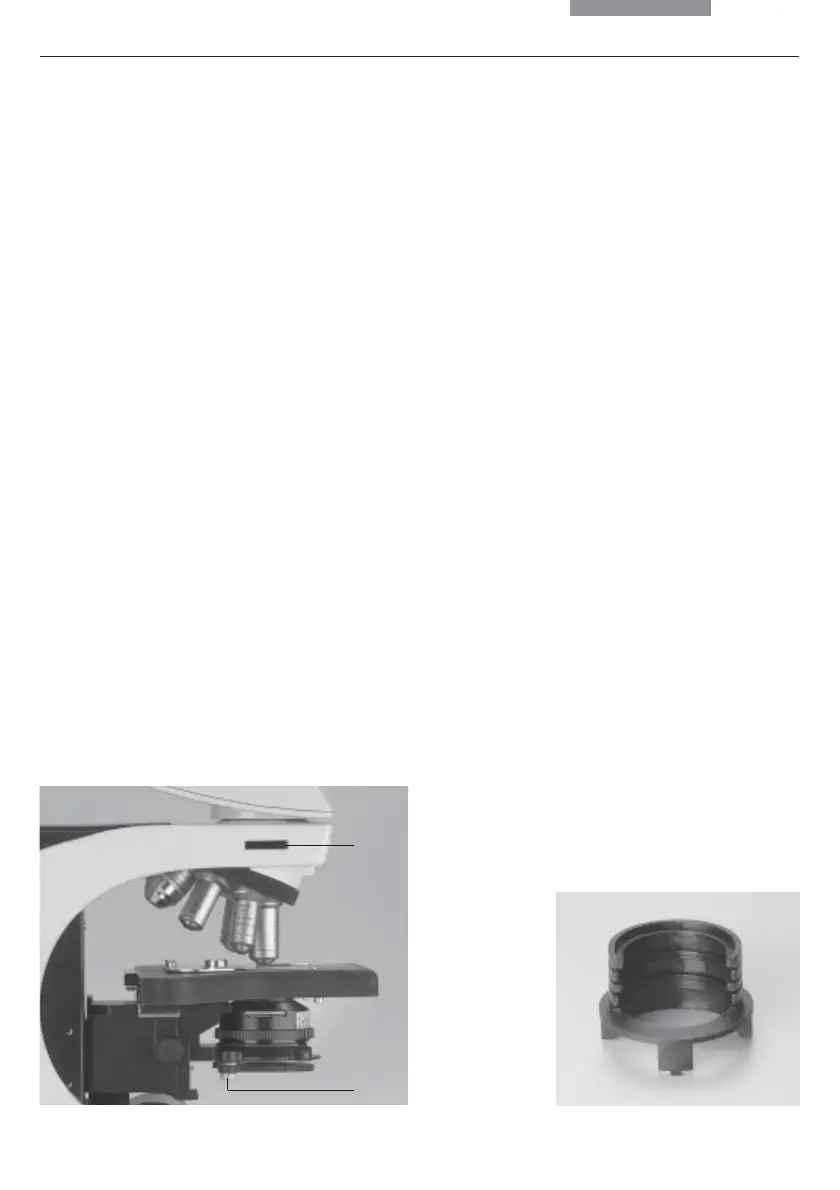
• Remove the plug cap on the left side of the
stand.
• Insert the analyzer into the receptacle until it
latches in place (26.1).
When using the Pol intermediate tube* or the TL
analyzer slot*:
• Remove the plug cap on the left side.
• Insert the analyzer into the receptacle until it
latches in place.
Polarizer
• Attach the polarizer holder to the underside of
the condenser holder with the left clamp
screw (26.2). Remove the flip-out blue filter if
required.
• Push the polarizer with the labelled side
facing upward into the lower opening.
Alternatively for Leica DM2000:
• Raise the condenser to its upper stop
position.
• Remove the DLF filter magazine from the base
if present.
• Press the polarizer holder in place (Fig. 27).
• Push the polarizer with the labelled side
facing upward into the lower opening.
Fig. 27 Filter holder with 2 positions for Leica DM2000
Fig. 26 Assembly of polarizer holder
1 Analyzer slot
2 Clamping screw
1
2


 To Next Page