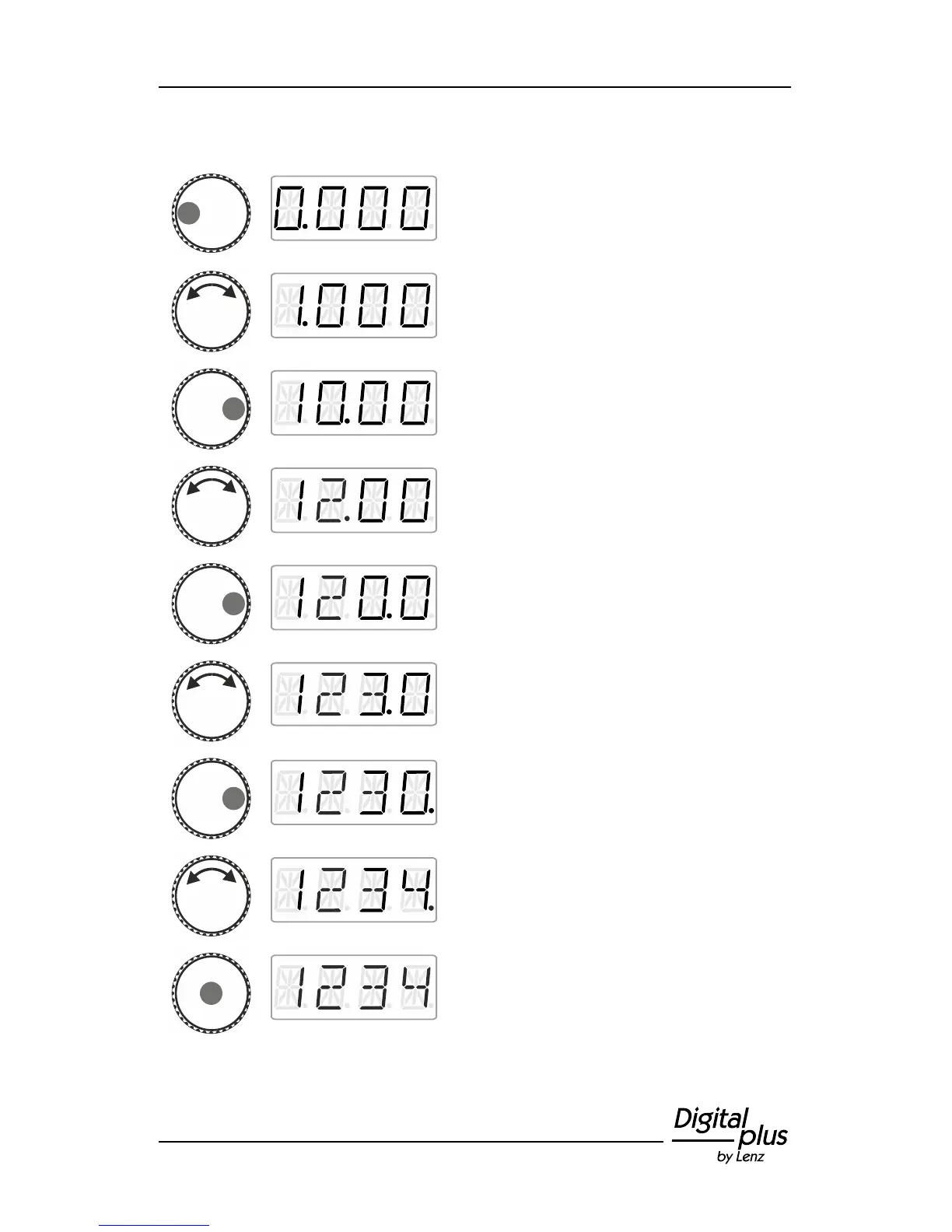
In the following example, locomotive address ‘1234’ is entered:
Click left until the ‘thousand’ digit is marked
with a dot.
Turn the rotary knob until the ‘thousand’ digit
displays ‘1’.
Click right to select the ‘hundred’ digit.
Turn the rotary knob until the ‘hundred’ digit
displays ‘2’.
Click right to select the ‘ten’ digit.
Turn the rotary knob until the ‘ten’ digit
displays ‘3’.
Click right to select the ‘single’ digit.
Turn the rotary knob until the ‘single’ digit
displays ‘4’.
Press the centre of the rotary knob to confirm
your selection.
You are back in the menu ‘Locomotive
control’. You can control the locomotive with
the address ‘1234’ immediately.



 To Next Page