You can control the two locomotives assembled in the double traction
as if they were one. Both locomotives will receive control commands
in sequential order.
Both locomotives receive the same control and speed commands.
Commands for switching functions will only be received by the
locomotive that has been selected from the stack.
10.3 Deleting a double traction
To delete a double traction ensure that the speed step of the double
traction is set to 0, i.e. that both locomotives are standing still. Select
one of the two addresses from the stack and proceed as follows:
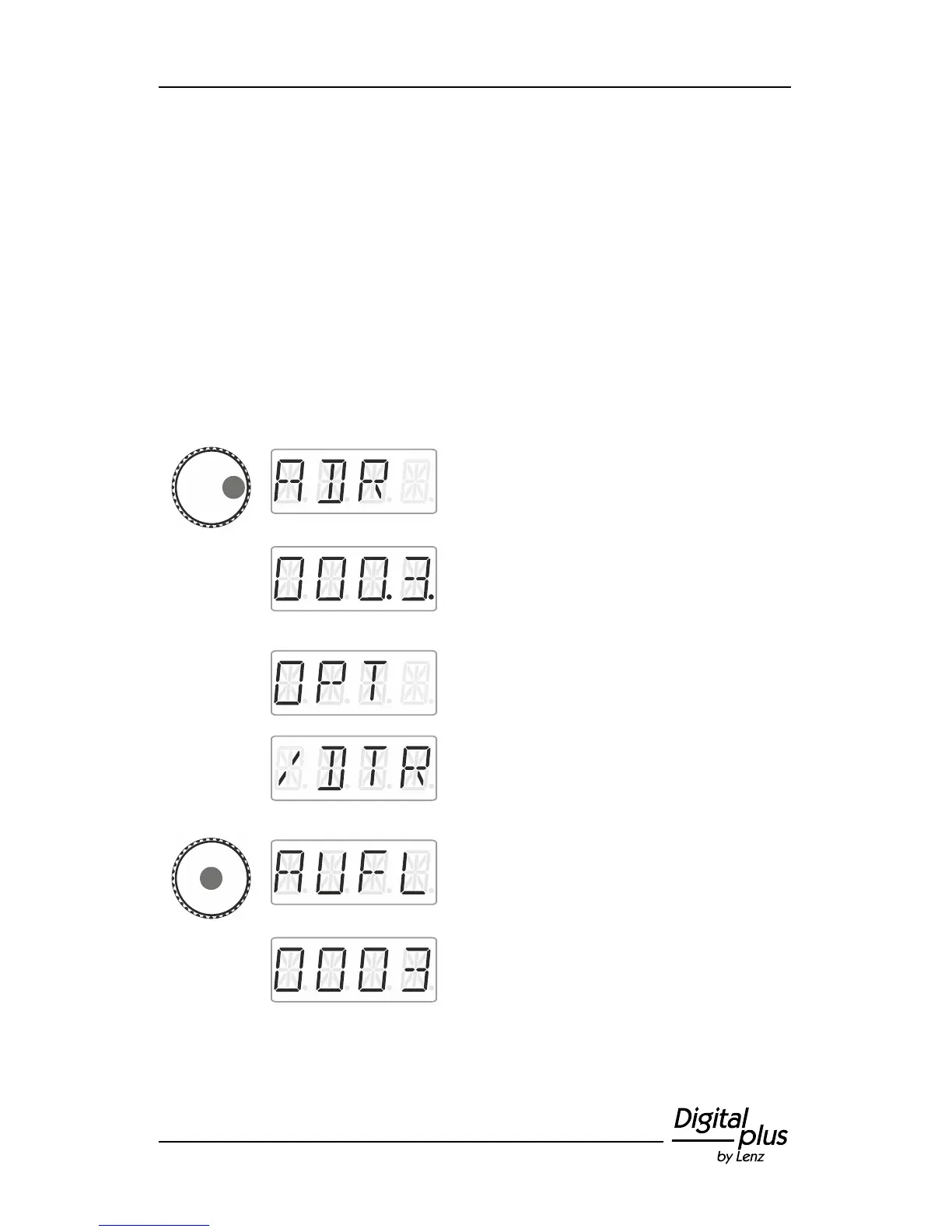
Press the right side of the rotary knob until the
LED to the right shines.
Release the rotary knob to display the
locomotive address used last. Here:
locomotive address 3. The two dots at the
bottom right indicate that the locomotive is
part of a double traction.
Click right. ‘F.OPT’ is displayed.
Release the rotary knob to display the
locomotive address used last. The factory
setting is locomotive address 3. Release the
rotary knob to display the option to delete the
double traction.
Press the centre of the rotary knob. ‘AUFL’ is
displayed, followed by …
… the flashing locomotive address. Press
'Esc' to cancel the deletion process.



 To Next Page