16 Information LH01
8.2 Entering a new locomotive address into the
stack
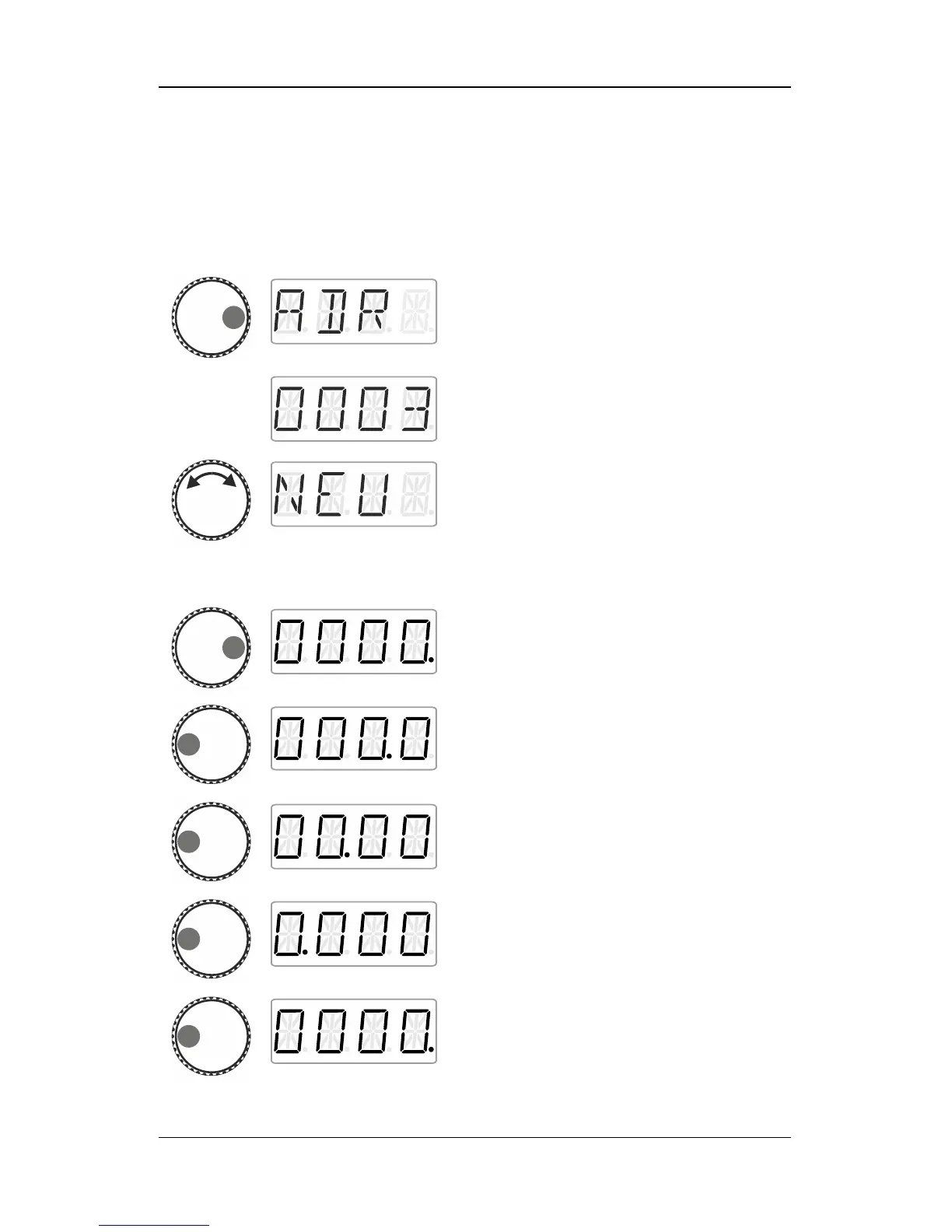
Press the right side of the rotary knob until the
LED to the right shines.
Release the knob to display the locomotive
address used last. The factory setting is
address 3.
Turn the knob until ‘NEU’ is displayed.
‘NEU’ is not displayed?
This means that all twelve slots of the
stack are occupied by locomotive
addresses. If the stack is full, you will
have to delete another locomotive address
from the stack (p. 18).
Click right. The digit that can be changed with
the rotary knob is marked with a dot.
Click left to change the ‘single’ digit that you
would like to change.
The ‘ten’ digit was selected.
The ‘hundred’ digit was selected.
The ‘thousand’ digit was selected.
The ‘single’ digit was selected again.



 To Next Page