20 Information LH01
9.2 Switching locomotive functions with the rotary
knob
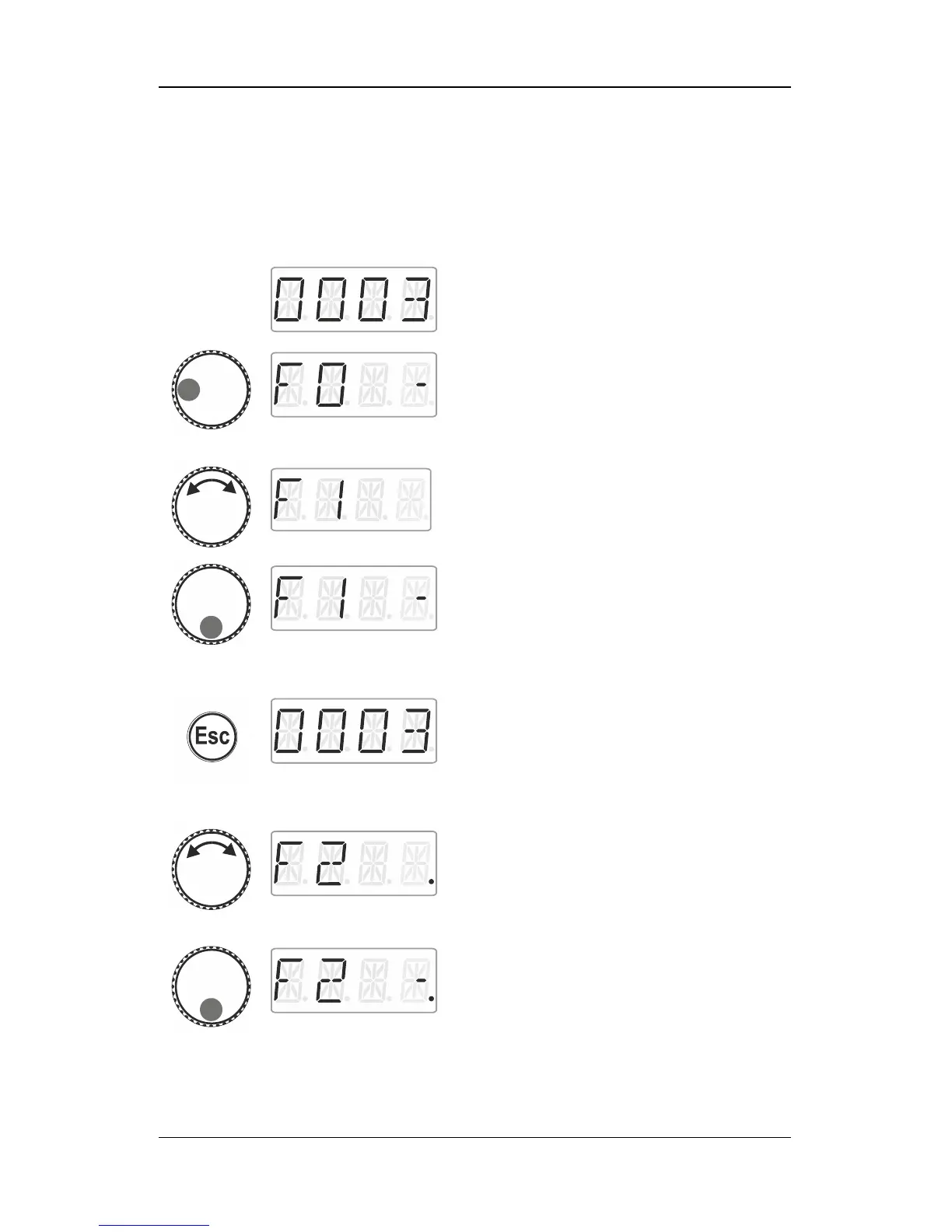
Select the locomotive address for which you
would like to change a function.
Press the left side of the rotary knob until the
LED to the left shines.
The locomotive function selected last is
displayed (here: F0). A dash on the right
indicates that the function is enabled.
Turn the rotary knob to display the function
that you would like to switch (here: F1).
Click the bottom of the rotary knob to change
the function status. Here:
F1 is enabled.
… to leave the menu and return to
‘Locomotive control’
… to select another function and change its
status.
The dot at the bottom right indicates that the
function has been set to temporary
operation.
Enables the function as long as the rotary
knob is pressed.
Release…



 To Next Page