13.8.2 Setting mode 0
If you would like to reset a LH01 that is set to club mode 1 or mode 2
to the ‘normal’ mode, proceed as follows:
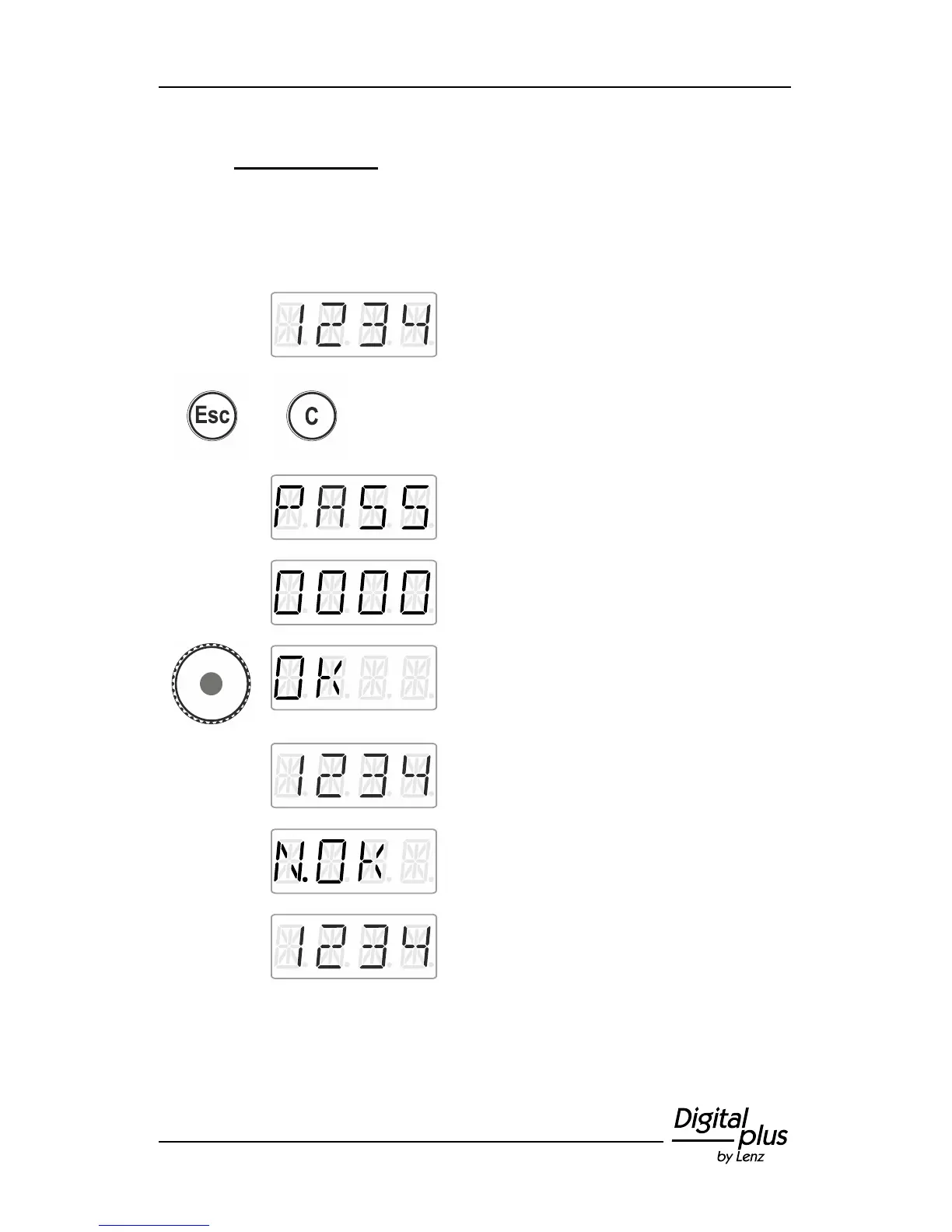
Proceed from ‘Locomotive control’ (address
or speed step are displayed)…
… press the keys 'Esc' and 'C' simultaneously
to display…
Release the keys to enter the password.
Press the centre of the rotary knob to confirm
the password.
If you have entered the correct password,
‘OK’ will be displayed …
…and you will return to ‘ Locomotive control’.
The locomotive address or the speed step are
displayed. All functions of the LH01 are
available again.
If you have entered an incorrect password,
‘N.OK’ will be displayed.
The LH01 remains in the selected club mode
and returns to ‘Locomotive control’. The
locomotive address or the speed step are
displayed. Repeat the above steps, using the
correct password.



 To Next Page