40 Information LH01
13.1 Setting and reading a locomotive address on
the programming track
Place the locomotive whose address you would like to set or read on
the programming track. The programming track is a track section that
is separated from the rest of the layout and connected to terminals P
and Q of the command station LZV100/LZ100. Detailed information on
the programming track can be found in the operating manual of the
LZ100 / LZV100.
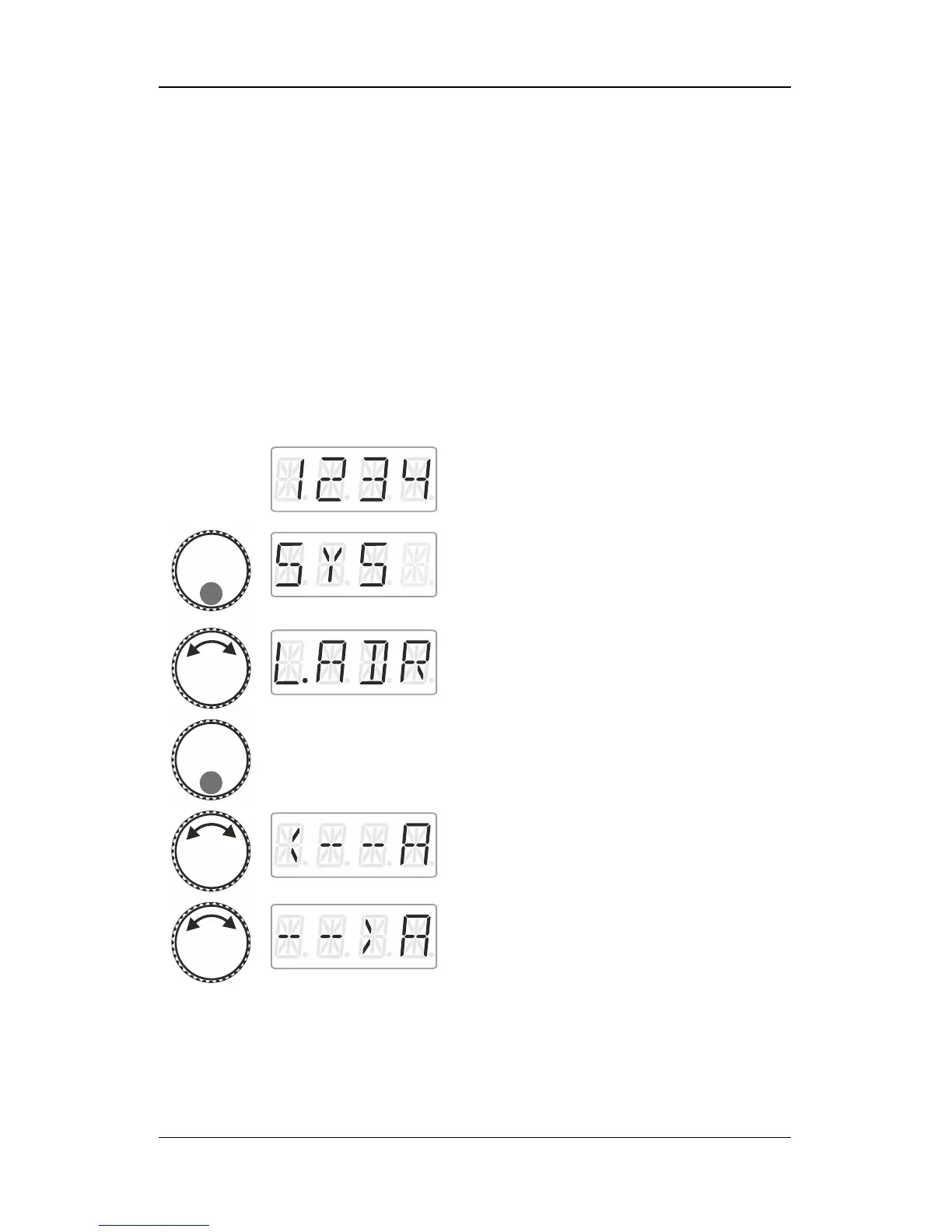
Proceed from ‘Locomotive control’ (address
or speed step are displayed)…
… press the bottom of the rotary knob until
the LED at the bottom shines.
‘SYS’ is displayed, followed by the first sub
menu of the system settings.
Press the bottom of the rotary knob.
Turn the rotary knob to select
‘Read address’



 To Next Page