11 Switching points and signals
The LH01 facilitates the switching of points and signals (and other
accessories) in the address range 1 to 999.
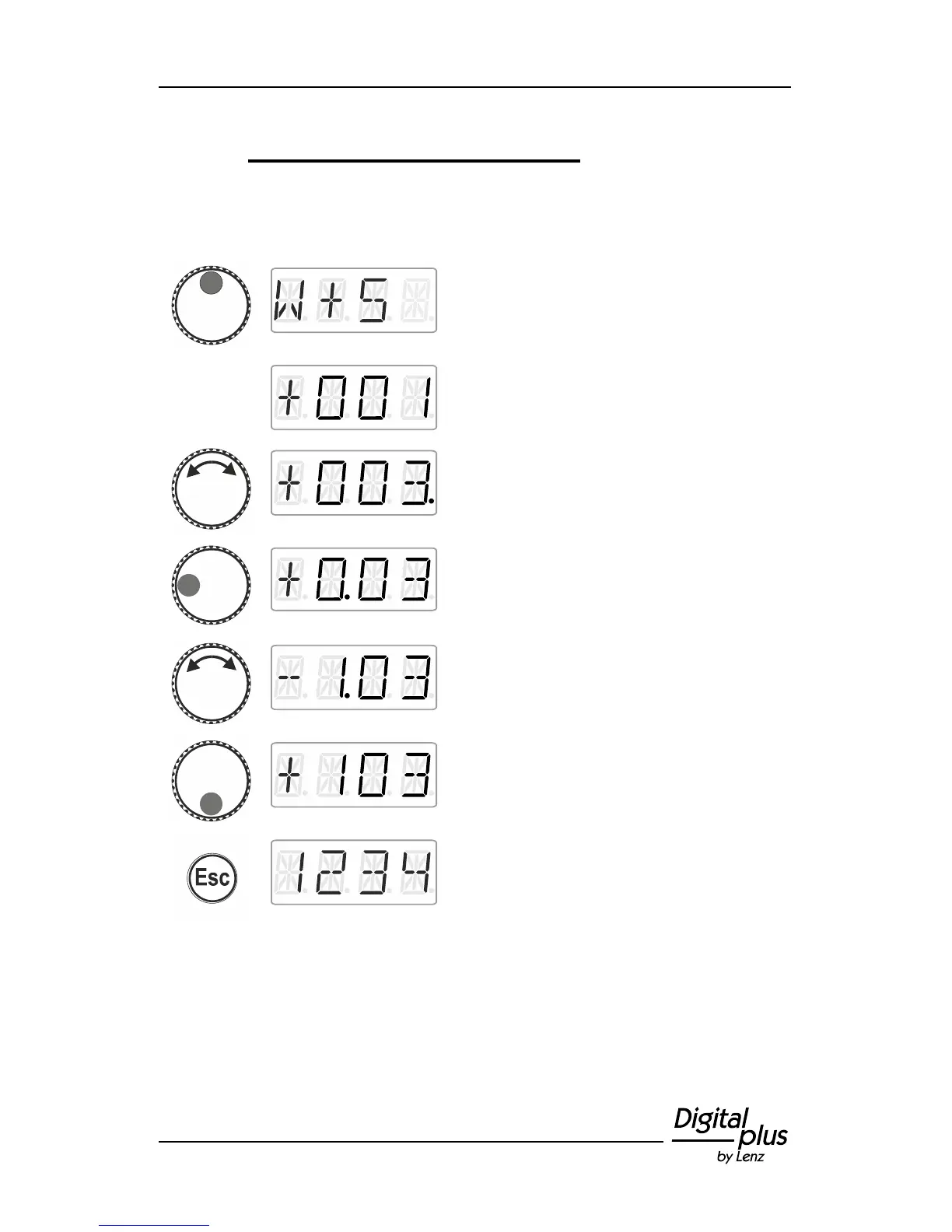
Press the top of the rotary knob until the LED
at the top shines.
Release the rotary knob to display the point
address used last.
Turn the rotary knob to change the ‘single’
digit of the point address.
Click right or left to select another digit. Your
selection is indicated by a dot next to the digit.
Turn the rotary knob to change the selected
digit of the point address.
Press the bottom of the rotary knob to change
the setting of the point.
Press ‘Esc’ to return to ‘Locomotive control’.



 To Next Page