56 Information LH01
13.11 Enabling/Disabling the displaying of function
acronyms
Function acronyms can only be displayed if you have
assigned acronyms to locomotives functions (p. 24).
Ex-factory, the displaying of acronyms is enabled.
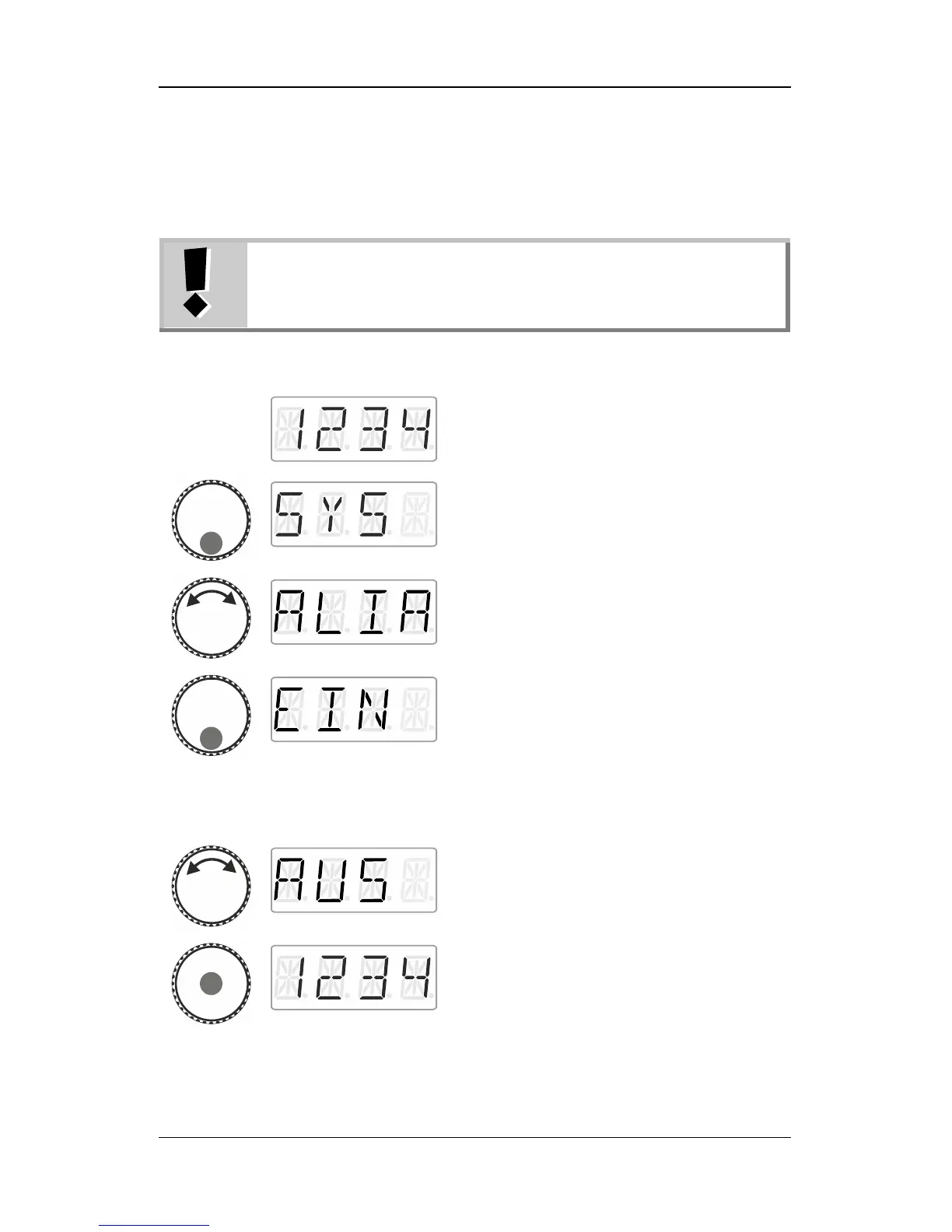
Proceed from ‘Locomotive control’ (address
or speed step are displayed)…
… press the bottom of the rotary knob until
the LED at the bottom shines.
‘SYS’ is displayed, followed by the first sub
menu of the system settings.
… and press the bottom of the rotary knob.
Release the rotary knob to display the
currently set status.
‘EIN’: Function acronyms are displayed.
‘AUS’: Function acronyms are not displayed.
Turn to select the desired status…
… press the centre of the rotary knob to
confirm your selection and return to
‘Locomotive control’.



 To Next Page