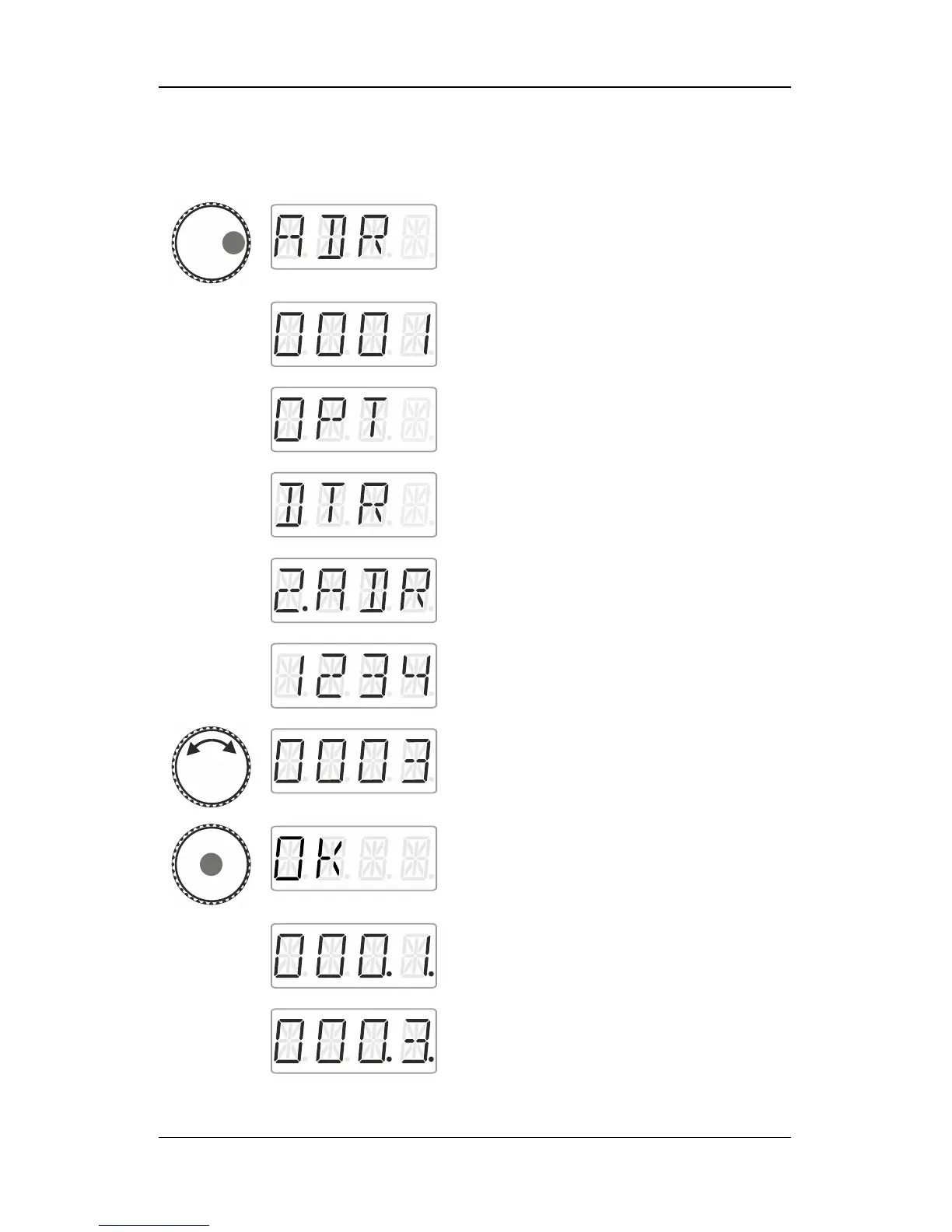
Press the left side of the rotary knob until the
LED to the left shines.
Release the knob to display the locomotive
address used last. Here: locomotive address
1.
Click right. ‘F.OPT’ is displayed.
Release the rotary knob to enter the options
menu. The first menu shows the double
traction. If ‘DTR’ is not displayed, turn the
rotary knob until ‘DTR’ is displayed.
Click right. ‘2.ADR’ is displayed.
Release the rotary knob to display the first
address in the stack.
Turn the rotary knob until the address of the
second locomotive that you want to add to the
double traction is displayed.
Press the centre of the rotary knob. ‘OK’ is
displayed.
The addresses of the two locomotives in the
double traction are now marked by two dots
on the right as being part of a double traction.



 To Next Page