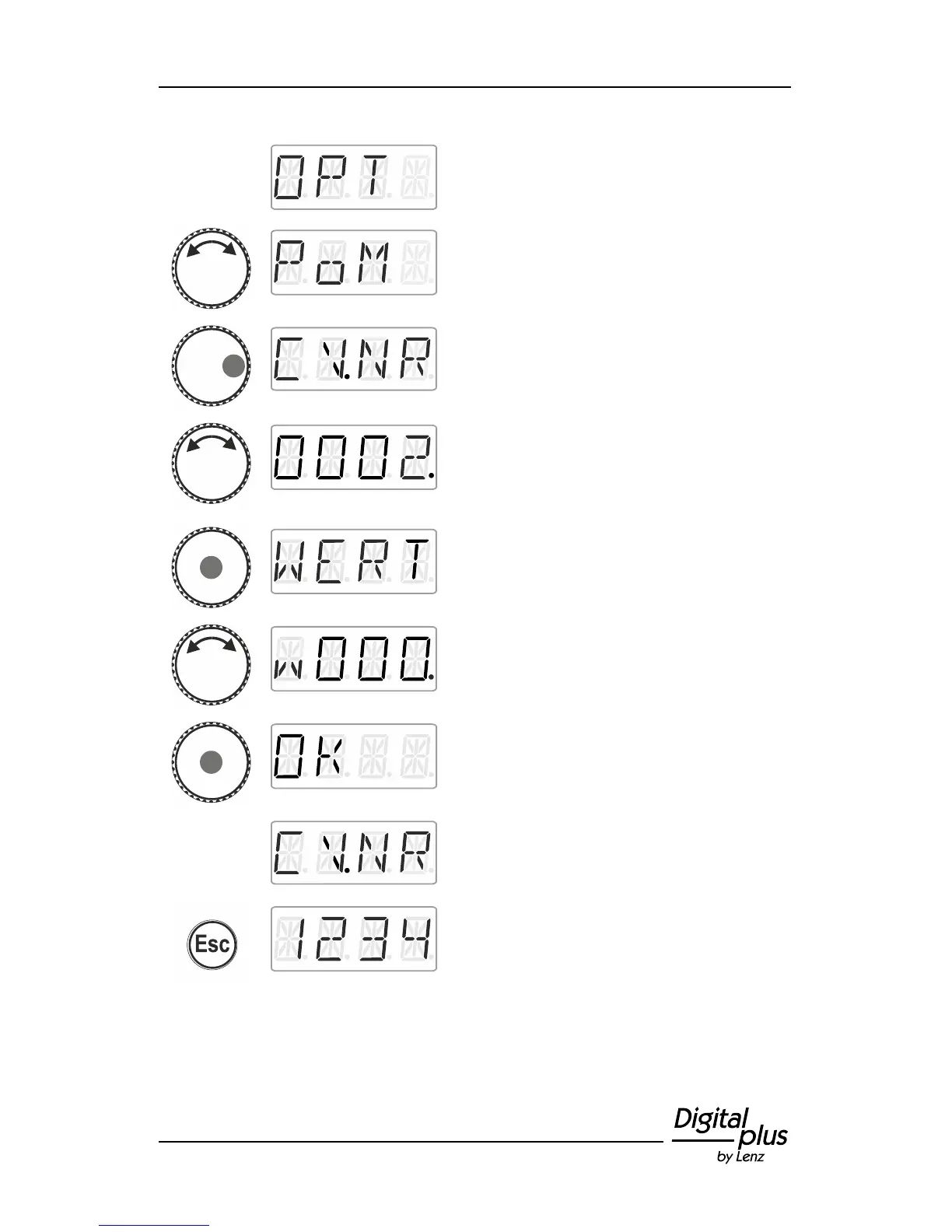
Click right until ‘OPT’ is displayed.
Turn the rotary knob until ‘PoM’ is displayed.
Press right. Now indicate which CV you would
like to change.
Turn the rotary knob and enter the number of
the CV that you would like to change.
Proceed as described under setting a
locomotive address (p. 16). The initial value
suggested is CV2.
Click the centre of the rotary knob to enter the
value.
Turn the rotary knob and enter the value that
you would like to enter into the CV. Proceed
as described under setting a locomotive
address (p. 16).
Confirm the value by pressing the centre of
the rotary knob. This will launch the entering
process.
You can now select and change another CV
or …
… press 'Esc' to return to ‘Locomotive
control’.



 To Next Page