Starting up the device – Basic configuration
Leuze electronic GmbH + Co. KG BPS 307i 54
8.5 Setting tape selection via the webConfig tool
Ä In the webConfig tool (CONFIGURATION > MEASUREMENT DATA > Bar code tape), set the Tape
selection parameter according to the used bar code tape grid (see chapter 9.3.4 "CONFIGURATION
function").
• 30mm grid
• 40mm grid
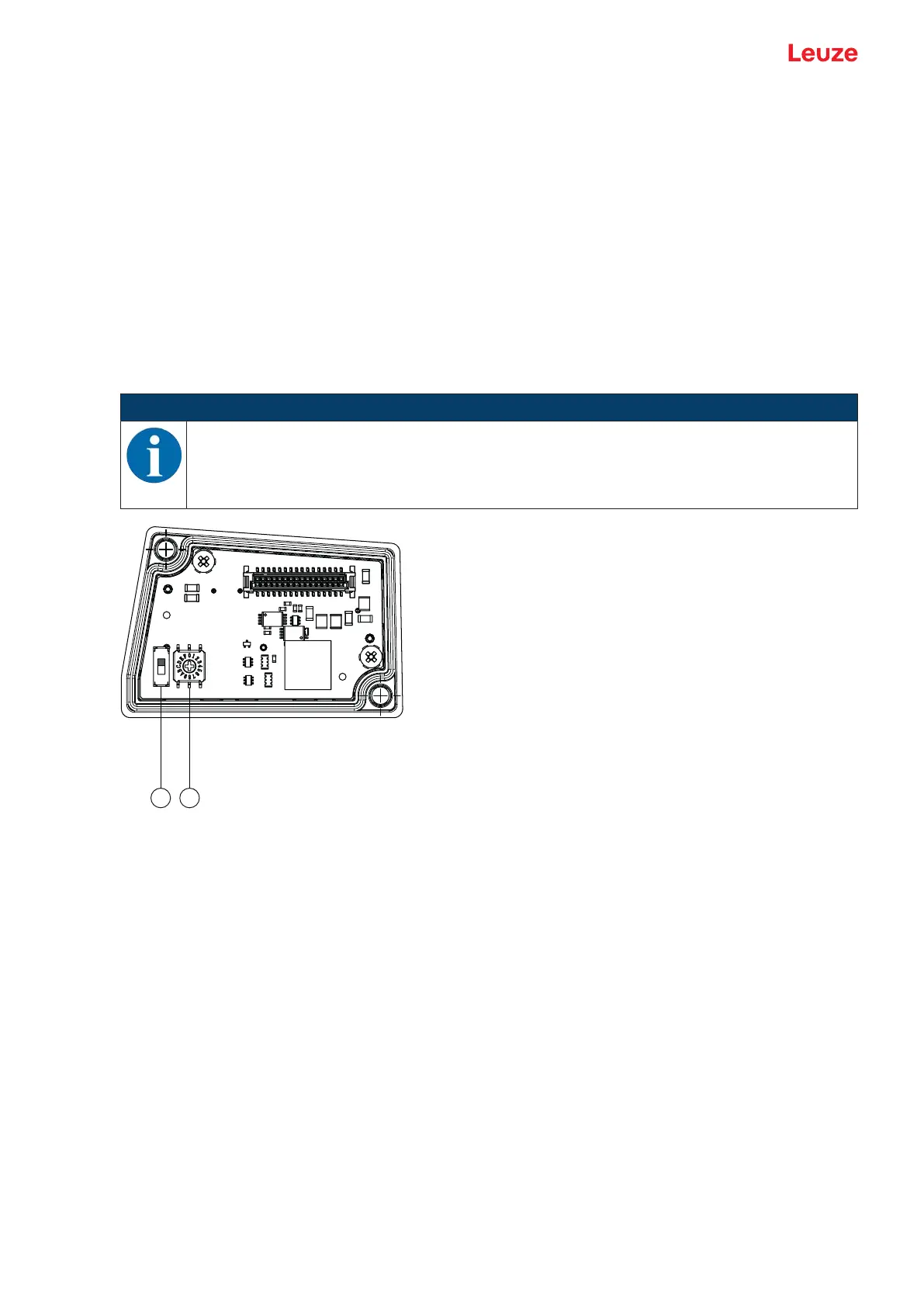
8.6 Configuration via the switches of the connection hood
The following settings can be configured via the operational controls of connection hoods MS307 and
MK307:
• Resolution of the position value
• Data encoding of the measurement values: Gray or binary
• Speed monitoring via switching output (SWIO1)
NOTICE
The settings made via the operational controls of the connection hood can alternatively be con-
figured via the webConfig tool; see chapter 9.3.4 "CONFIGURATION function". To do this, ro-
tary switch S2 must be set to switch position 0.
If rotary switch S2 is set to switch position 0, slide switch S1 is not evaluated.
1 Slide switch S1
Factory setting: Gray encoding
2 Hexadecimal rotary switch S2
Factory setting: 0, i.e., configuration via the webConfig tool
Fig.8.2: Operational controls of connection hood MS307



 To Next Page