Starting up the device – webConfig tool
Leuze electronic GmbH + Co. KG BPS 307i 63
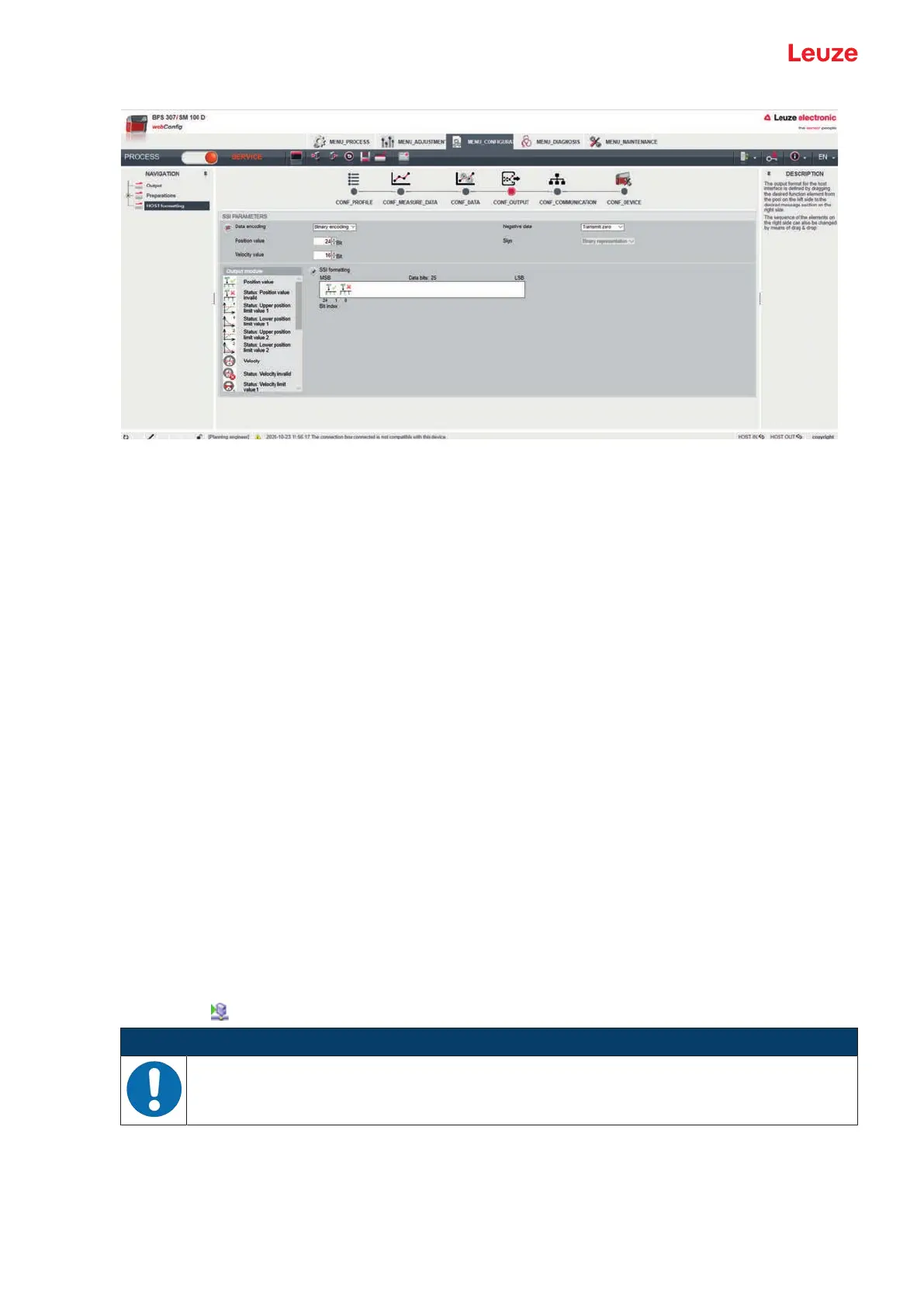
Fig.9.5: webConfig function OUTPUT > HOST formatting
SSI parameters
• Data encoding
Toggling the measurement value encoding: Gray or binary
For devices with connection hood MK307 or MS307, the measurement value encoding set here is
overwritten on device startup with the measurement value encoding set via slide switch S1; see chapter
8.6 "Configuration via the switches of the connection hood".
• Position value
Number of data bits - position value
• Speed value
Number of data bits - speed value
• Sign
If changed to sign with magnitude, the BPS can also transmit negative position and speed values.
Formatting data output on the SSI interface
To format the data output, the symbols of the configured output modules are arranged in the desired order
in the SSI formatting area.
Ä Select the required output module in the Output modules area. Click the symbol for the output module
with the left mouse button and keep the mouse button pressed down.
Ä Drag the symbol for the output module into the white field in the SSI formatting area and release the
mouse button ("draganddrop").
Ä Use draganddrop to drag the symbols for all required output modules into the SSI formatting area.
Ä Arrange the symbols for the output modules in the SSI formatting area with the left mouse button in the
sequence required for the data output.
Ä Save the SSI formatting in the device.
Click the
symbol.
NOTICE
Set data bits in the SSI master!
Ä Set the configured number of data bits in the SSI master.
The webConfig tool can be used to output the following data modules via the SSI interface:
• Position value
Current position of the BPS.
• Status: Position value invalid
Signals that no valid position value can be ascertained.



 To Next Page