Diagnostics and troubleshooting
Leuze electronic BPS 8 113
TNT 35/7-24V
10 Diagnostics and troubleshooting
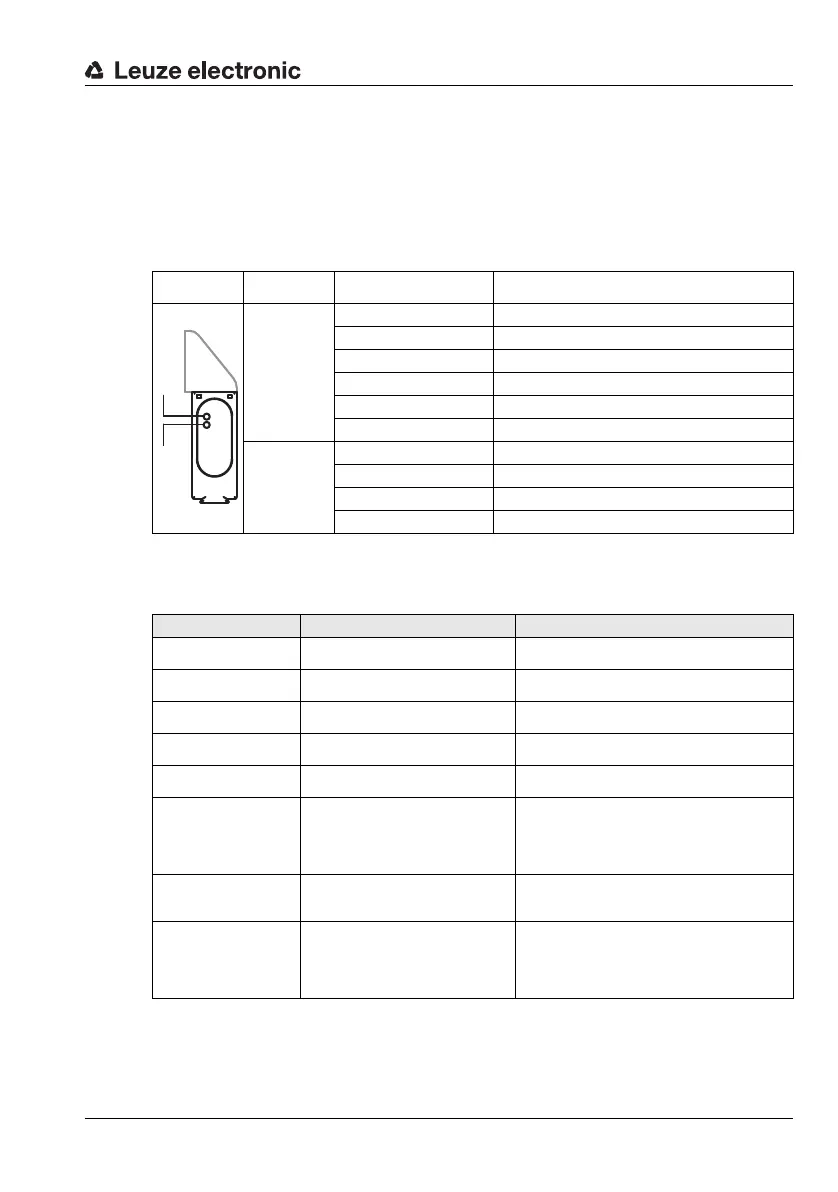
10.1 Operating indicators of the LEDs
Two 3-color-LEDs at the top of the BPS 8 case show the device and reading status (see
dimensioned drawings Page 13 et seq.).
10.2 General causes of errors
LED State Meaning
Status LED
(B1)
Off No supply voltage
Green, flashing Initialization of the device
Green, continuous light Operational readiness
Red, flashing Warning
Red, continuous light Error, no function possible
Orange, flashing Service operation active
Decode LED
(B2)
Off Positioning deactivated
Green, continuous light Positioning running (position data valid)
Red, continuous light Positioning running (position data invalid)
Orange, continuous light Positioning running (marker bar code detected)
B1
B2
Error Possible error causes Measures
Status LED "off"
• No supply voltage connected to
the device.
Check supply voltage.
Status LED
"Red, flashing"
• Warning.
Query diagnostic data and carry out the
resulting measures.
Status LED
"Red, continuous light"
• Error, no function possible.
Internal device error, send in device
Status LED
"Orange, flashing"
• Service operation active.
Reset service operation using
BPS Configuration Tool.
Decode LED "off" • Positioning deactivated.
Call up position data.
Deactivate SLEEP mode
Decode LED
"Red, continuous light"
• Position data invalid
(out of tape).
Check positioning of bar code tape.
Change the angle of the scanning beam by
tilting the BPS 8.
Check mounting.
Clean BPS 8 window.
Decode LED
"Orange, continuous
light"
• Marker bar code detected.
Call up marker bar code.
Position error
• No bar code tape exists.
• Scanner positioned in total reflec-
tion.
• Scanner not properly mounted.
Check positioning of bar code tape.
Change the angle of the scanning beam by
tilting the BPS 8.
Check mounting.
Clean BPS 8 window.



 To Next Page