Page 23
BUILT-IN SERIAL PORTS
Omni LTe has 5 serial ports (J1-J5) built onto the controller (labeled SERIAL 1 - SERIAL 5, respectively). The
interface is a modular connector located in the upper left corner of the controller.
Each serial interface supports both RS-232 and RS-485 connections. RS-232 is the standard for connections to most
personal computers and related systems. RS-485 can support greater wiring distances. The default setting is
RS-232. To select RS-485, move the interface jumper (JP1-JP5) from the 232 to the 485 position. The jumpers
(JP1-JP5) are located below the modular serial port connectors (J1-J5).
To connect a serial port to a PC, use the LEVITON Model 21A05-2 Serial Cable Kit. Plug one end of the cable into
one of the modular serial port connectors on the controller. Plug the other end into the Model 21A05-1
Communication Cable Adaptor (modular to DB-9 RS-232), which connects the Omni LTe serial port to the computer's
DB-9 RS-232 port.
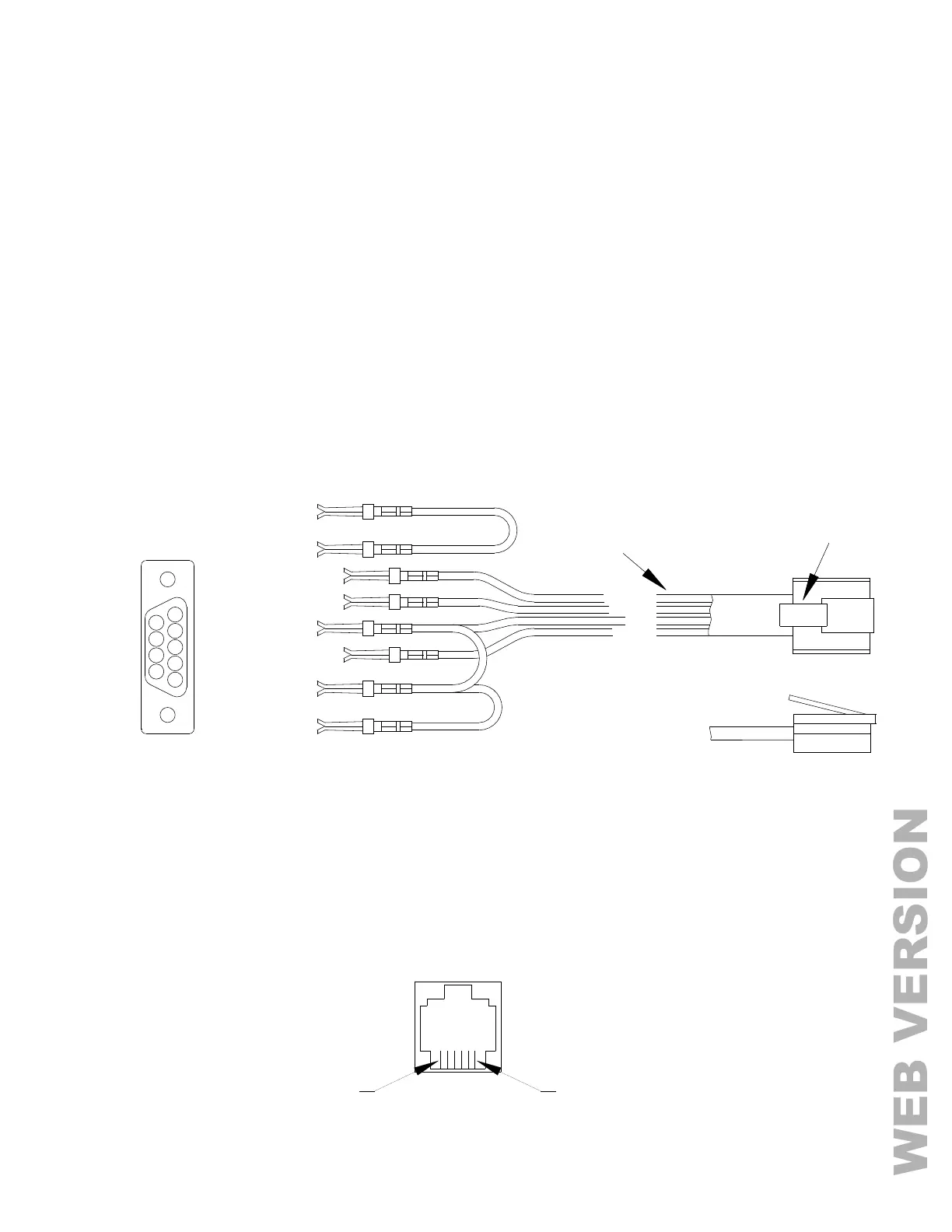
To make your own serial cable to connect to a PC, follow the diagrams (Figure 14 and Figure 15). When making
connections, be sure to correctly orient the cable as shown (with the tab on the modular cable facing up, make sure
that the Yellow wire is at the top). Connect the Yellow, Green, Red, and Black wires to the DB-9 connector as shown.
Also, on the DB-9 connector, connect Pins 1, 4, and 6 together and Pins 7 and 8 together.



 To Next Page