4511-xxx
Repair information
4-47
Paper feed rollers (autocompensator tires) removal
1. Be sure you have removed the paper tray and the toner cartridge.
2. Turn the printer onto its back.
Note: Be careful not to mar the finish of the printer.
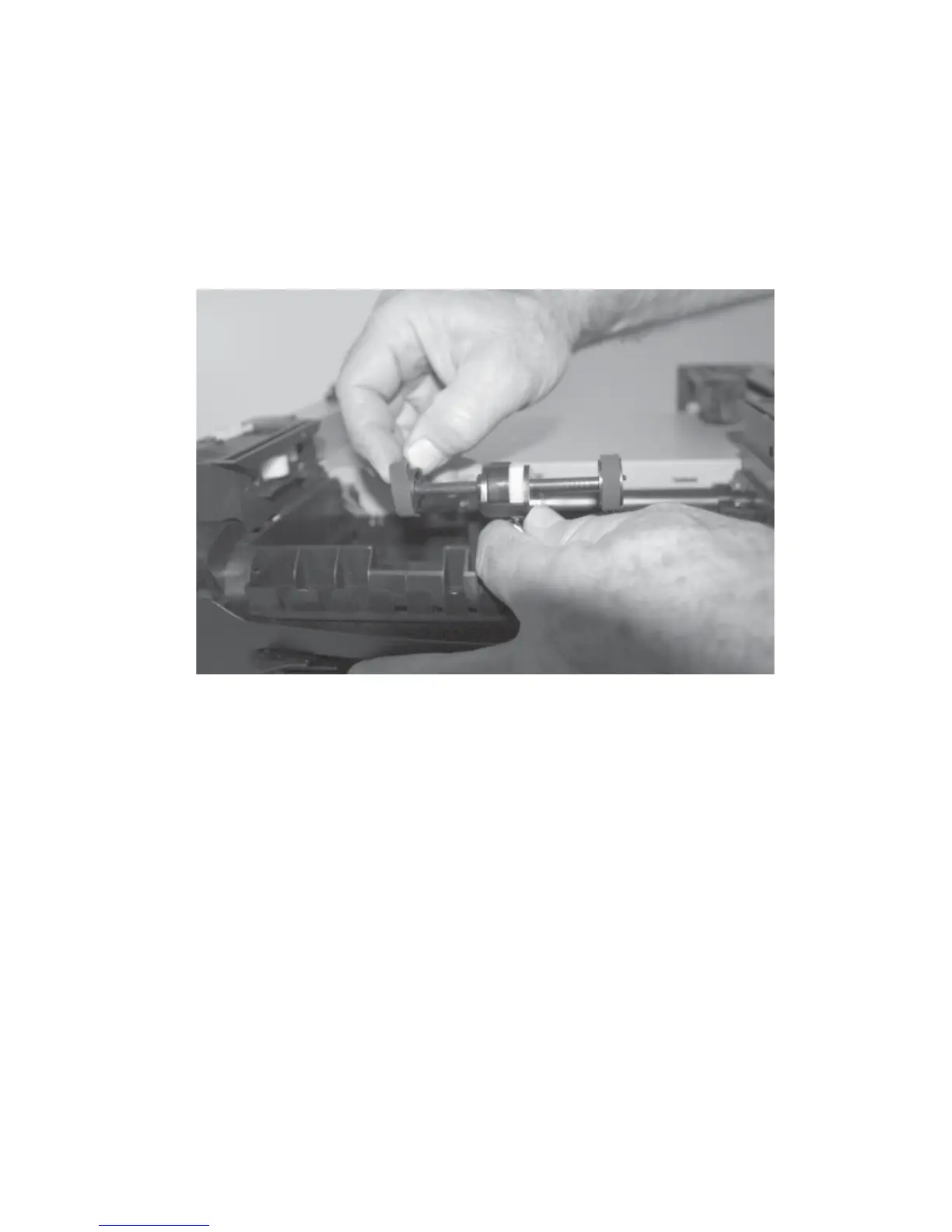
3. Remove the rubber paper feed rollers.
4. Make sure the new paper feed rollers are captured between the rims of
the plastic hub.




 To Next Page